
Multi-tenant operations
Multi-Tenant Mailroom Software
Run many separate organisations on one platform. Each tenant sees only their own mail, and a superadmin creates and configures every one of them.
- Tenants never see each other
- One superadmin above all
- Settings per tenant
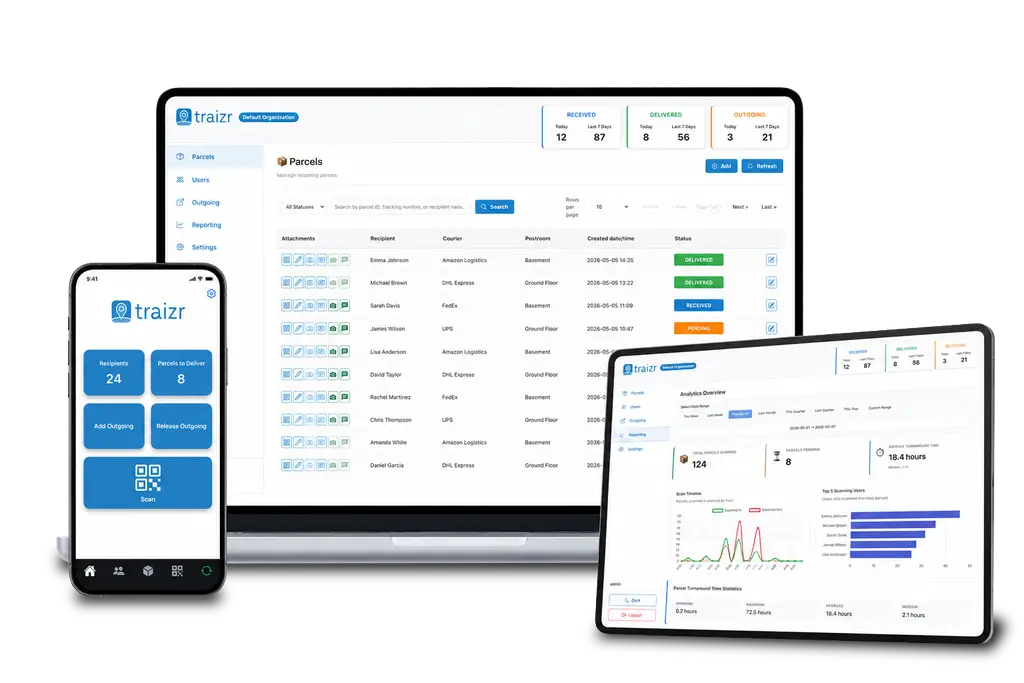
The superadmin
Setting up a tenant from start to finish
The superadmin is not just a reporting view sitting above the tenants. It is what creates them, and everything inside them.
Create the tenant
A new organisation is added as a tenant of its own. From that point it has its own space, and nothing inside it is visible to anyone outside it.
Create their virtual offices
If the tenant runs virtual office addresses, those are created underneath them. The address, its client list and its mail all sit inside the right tenant rather than beside it.
Create the users
Administrators and operational staff for the tenant and its virtual offices, each with a role that decides what they can do.
Set the preferences
Notification channels, reminder timing, collection method and language, all configured for that tenant.
Connect the integrations
The connectors that keep the recipient list current are set up from the same place.
Hand it over
The tenant's own administrator takes over from there, with full control of their tenant and no sight of any other. You keep the superadmin and the view across all of them.
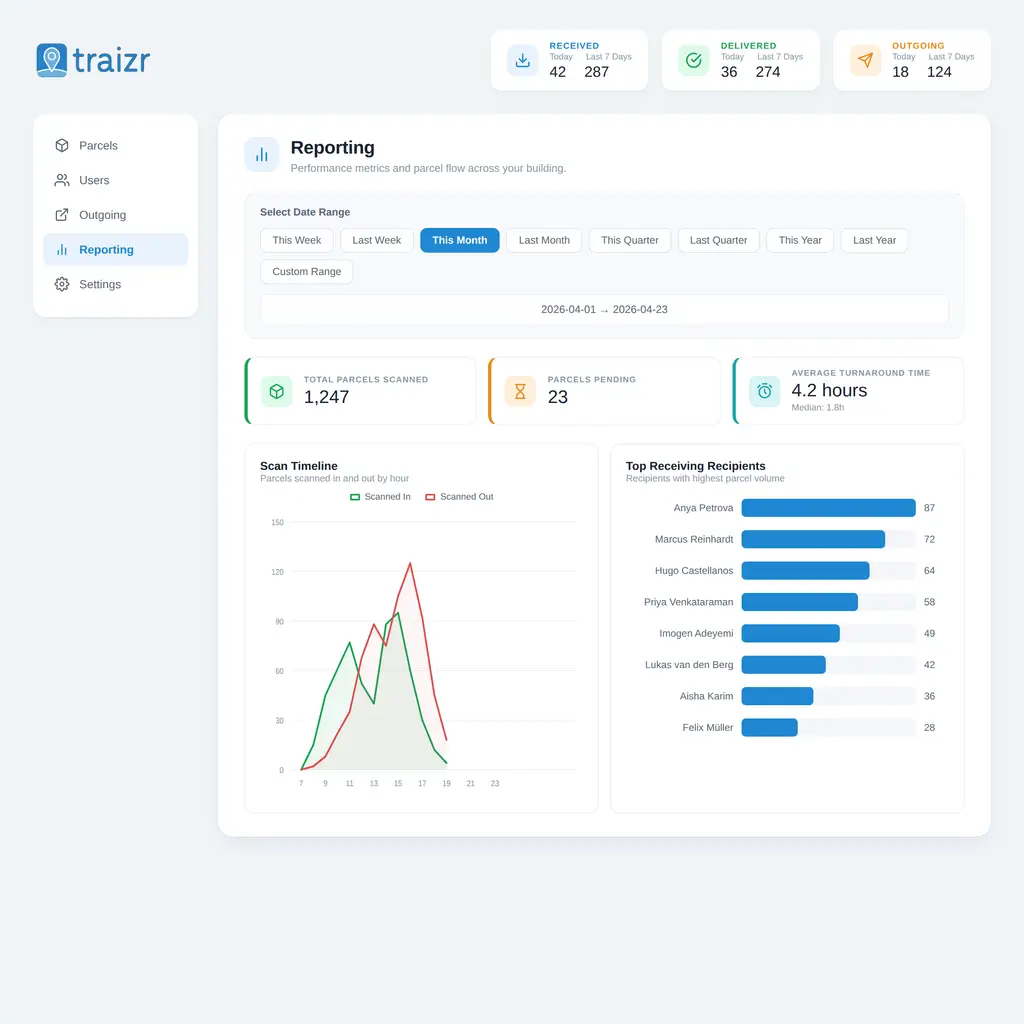
Separation
Who can see what
-
A recipient
Sees their own items and nothing else.
ScopeTheir own mail, their own notifications and their own collection history. -
A tenant's operational staff
Handle the post for their tenant, scanning items in, moving them and releasing them at collection. Their view is that tenant's mailroom, complete and bounded.
ScopeItems, recipients and locations belonging to that tenant, limited further by the role they hold. -
A tenant administrator
Has full control of their own tenant. They manage their users, their settings and their reporting.
ScopeEverything inside their tenant, and nothing outside it. They cannot see that other tenants exist. -
A virtual office client
Sees the items addressed to them at that address and chooses what happens to each one. They sit inside a tenant without being able to see the tenant around them.
ScopeTheir own items and their own instruction history. See virtual office software for what they do with them. -
The superadmin
The only role that crosses tenants, and it belongs to the operator. It creates tenants, virtual offices and users, and sets preferences and integrations anywhere on the platform.
ScopeAll tenants. This role provisions the platform.
What the model gives you
One platform, many organisations, without the overhead of running a copy for each.
-
Tenant separation
Each organisation has its own recipients, items, staff and history, visible to nobody else on the platform.
-
Superadmin setup
Create tenants, virtual offices and users from one console, without a separate system for each client.
-
Preferences per tenant
Notification channels, reminder timing, collection method and language, each set on that tenant's own terms.
-
Integrations per tenant
Connect each tenant to the system that holds their people, configured centrally instead of rebuilt every time.
-
Role-based access
Roles inside a tenant decide what each person can do, so an administrator does not have to give everyone full access.
-
Virtual offices underneath
An address with its own client list sits inside the tenant that runs it, rather than floating beside it.
-
Reporting across tenants
Volume, pending items and turnaround for the whole operation, without exporting from each tenant and merging by hand.
-
Onboarding that stays fast
The fortieth tenant takes the same effort as the fourth, so growth never becomes a reason to say no.
-
Offboarding without loss
Close a tenant and keep the history. Disputes tend to arrive after the relationship has ended.
-
Language per tenant
Thirteen languages, chosen per tenant, so an international client list does not force one shared compromise.
-
One version everywhere
Everybody is on the same release at the same time. There is no fleet of tenant systems at different versions.
-
No hardware per tenant
Phones and tablets your tenants already own. Nothing to buy, install or maintain at each one.
Where the multi-tenant model fits
Anywhere one team handles post for organisations that have no business seeing each other's.
-
Coworking operators
One address, many companies, and a member list that changes every month. Each company needs its own view and none of anyone else's.
Coworking mailroom software -
Virtual office providers
Several addresses, each with its own client list, run by one team who move between them without changing systems.
Virtual office software -
Shopping centres
Retail units under one roof, each a separate business, all taking deliveries through a shared service yard.
Shopping centre parcels -
Facilities management providers
Running the postroom for several client organisations at once, under contracts that each carry their own service levels.
Facilities management mail -
Residential managing agents
A portfolio of buildings owned by different freeholders, where each site's data belongs to a different client.
Apartment package management -
Serviced office groups
Multiple sites with multiple tenants at each one, which brings the multi-site and multi-tenant problems together.
Office mailroom software
One system per tenant against one multi-tenant platform
Both keep tenants apart. They differ in what it costs you to run them.
| A system per tenant | With Traizr |
|---|---|
| A new tenant means a new setup | Created by the superadmin in one place |
| Settings drift between tenants | Set per tenant and visible from above |
| Integrations rebuilt each time | Configured centrally, per tenant |
| Staff hold several logins | One account, scoped by role and tenant |
| Whole-business reporting done by hand | Cross-tenant reporting for the operator |
| Versions diverge across the estate | Everyone on the same release |
| Departing tenants leave systems behind | Closed cleanly, with the history retained |
| Onboarding slows as you grow | The fortieth tenant costs what the fourth did |
Frequently asked questions
Everything you need to know before getting in touch.
What is multi-tenant mailroom software?
It is mailroom software where several separate organisations share one platform without sharing any data. Each tenant has its own recipients, its own items and its own staff, and sees only those. Above them sits a superadmin who created the tenants and can configure any of them. The alternative is to run a separate system for each tenant, which works until you have four of them and four sets of logins, settings and upgrade dates to keep track of.
Can one tenant see another tenant's mail?
No. Separation is built into the model rather than being a setting inside it. A tenant administrator has full control of their own tenant and no visibility of any other. They cannot see that other tenants exist. The only role that spans tenants is the superadmin, and that belongs to you rather than to any client.
What can the superadmin actually do?
It creates tenants, creates virtual offices under them, creates the users for both, and sets all preferences and integrations. In practice that means you can set up a new client from start to finish in one place, without logging into a separate system or sending anyone a configuration file.
How long does it take to add a new tenant?
Creating the tenant is a form, so that part takes minutes. The recipient list is what takes real time, and how long depends on where it comes from. A CSV import is quick. A connector to a system the tenant already maintains needs a conversation up front, but after that it keeps itself current and costs you nothing.
Can each tenant have different settings?
Yes. Notification channels, reminder timing, collection method and language are all set per tenant. A student residence and a law firm at the same address genuinely need different behaviour. They share the platform, not the configuration.
Can tenants have their own staff logins?
Yes. A tenant can have its own administrators and its own operational users, with role-based access inside the tenant. This is what makes the model work for an operator who does not want to act as the help desk for every client.
Do we still get a view across everything?
Yes, through the superadmin. It answers the questions an operator actually has: which tenants are growing, where the volume is, and which sites are holding items that nobody has collected. Individual tenants never get this view.
What happens when a tenant leaves?
The tenant is closed rather than deleted, so their history stays available to you. This matters because disputes usually arrive after a relationship has ended, and deleting a tenant would take the evidence with it.
Is this the same as multi-site?
No, and the difference is worth being precise about. Multi-site means one organisation with several buildings, where a head office wants the whole portfolio on one screen. Multi-tenant means several organisations that must not see each other. Many operators need both at once. See multi-site mailroom software for the other half.
Does each tenant need its own hardware?
No. Traizr runs on any iOS or Android phone or tablet and in any web browser, so a tenant needs nothing beyond the devices their staff already carry. If the platform itself has to sit inside your own network rather than in the cloud, see on-premise mailroom software.
Still comparing this against separate systems? How to choose mailroom software covers what to ask a vendor, and multi-site mailroom software covers the case where the sites are all your own.
Other things the platform does
Same system, different capability. These are the ones multi-tenant operators ask about most.
-
On-premise mailroom software
Install on your own infrastructure or in a container inside your network, and run the mailroom with no outbound connection at all.
Read the page -
SMS and Slack notifications
Reach people on the channel they actually read. Text messages for those without a work inbox, Slack for the teams already in it.
Read the page -
Multi-hop mail routing
Send an item onward through postrooms, buildings, campuses and countries, with one person accountable for each leg.
Read the page -
In-app support from real people
Ask a question from inside the product and get an answer from someone who knows it, not a ticket number and a queue.
Read the page -
Smart parcel label scanning
Scan any barcode on a courier label and Traizr finds the parcel, reads the recipient's name and records the box count and PO number.
Read the page -
Request Open and Scan
Staff who are away from the office ask for an item to be opened and scanned from their arrival email. The scan is emailed to them and not kept by Traizr.
Read the page -
Collection and delivery requests
A branded web form for booking a parcel collection or an internal delivery. No login needed, and every request gets a reference number.
Read the page -
Virtual office software
Run a virtual office or business centre address: photograph every item, act on client instructions, and bill for what you handled.
Read the page
Ready to Simplify Your Building?
Bring the tenant list you run today and we will set one up from scratch on the call, so you can see how long it takes. About 20 minutes.