
Support
In-App Support, Answered by People Who Know the Product
Ask from the screen where you are stuck. The question arrives with its context attached, and it is answered by someone who has first hand knowledge of Traizr.
- People, not scripts
- Context comes with it
- Included as standard
How it works
Ask where you are, at any point on the admin console
Ask from inside Traizr
Create tickets and chat from within Traizr with a real person.
The context comes with it
Where you are in the product and the shape of your configuration arrive alongside the question.
A person picks it up
Someone who knows the product, rather than a script or a bot.
Urgency is judged on impact
A mailroom that cannot process deliveries is not the same as a question about a report, and it is not treated as though it were. Response targets by priority are set out in our service level agreement.
Anyone using it can ask
Not just the administrator. The person who found the problem can describe it best, and making them relay it through somebody else loses the detail that matters.
In practice
The moments when it actually matters
Support is not spread evenly across the life of a system. It clusters, and it clusters at predictable points.
-
The first fortnight
Getting the recipient list in, the locations right and the notification behaviour sensible. Decisions made here are felt every day afterwards, so it is the worst possible time to be working things out alone.
TypicallyList imports, location structure, notification channels and reminder timing. -
The first busy week
Volume arrives and the process meets reality. The questions are usually about doing something faster rather than something being broken.
TypicallyBulk handling, scanning shortcuts, and what to do with the exceptions. -
When somebody new joins
Mailroom and reception roles turn over, and each new person meets the software without the context the last one had built up.
TypicallyWalkthroughs, the video library, and the questions that are quicker asked than searched for. -
When something changes on your side
A new building, a new integration, or a restructure that moves two hundred people. The software has to follow, and somebody usually wants a second opinion on how.
TypicallyAdding sites, connector configuration, and bulk recipient changes. -
When it is genuinely urgent
Rare, and the reason all the rest of it matters. If deliveries cannot be processed, that is an operational problem rather than a support ticket.
HandledPrioritised on impact, with response targets by priority set out in the SLA. We send it on request rather than summarising it here.
Our service level agreement is available through the Trust Centre along with the rest of our documentation.
What is included
All of it, for everybody. There is no support tier to buy.
-
Support inside the product
Ask from the screen you are on. No portal, no second login and nothing to install.
-
Answered by the product team
People who know how Traizr works, rather than a first line whose job is to route you to them.
-
Context attached
Where you are and how you are configured arrive with the question, so you do not spend three messages explaining it.
-
Open to your whole team
The person who hit the problem can report it, instead of relaying it through an administrator and losing the detail.
-
Onboarding help
Recipient lists, locations and notification behaviour set up properly at the start, when it is cheapest to get right.
-
Integration help
Connector setup done with you rather than handed over as a document. See the integrations list.
-
Priority on impact
A mailroom that has stopped is not queued behind a question about a report. Response targets by priority are in the SLA.
-
A short route to a fix
Being small means fewer layers between reporting something and somebody being able to act on it.
-
Product tour and videos
The product tour and video library cover the ground that does not need a conversation.
-
Thirteen languages
The product runs in thirteen languages, so your team is not working in their second one all day.
-
Included as standard
No premium tier, no faster queue behind a paywall and no per-user support charge.
-
Documentation on request
The SLA, data processing agreement and security documents are sent on request, usually within a working day.
A familiar interface that you are used to
We have structured the help system so that you will already be familiar with how to use it.
| A ticket portal | With Traizr |
|---|---|
| Leave the product to ask | Ask from the screen you are on |
| Describe your setup first | Context arrives with the question |
| First line, then escalation | Answered by people who know the product |
| Only the administrator may raise it | Anyone using it can ask directly |
| Faster help costs extra | One level of support, included |
| Bugs disappear into a backlog | Reported to people who can act on it |
| Setup is your problem | Onboarding and integration done with you |
| People give up and work around it | Asking is easier than the workaround |
Frequently asked questions
Everything you need to know before getting in touch.
What does in-app support actually mean?
You ask your question from inside Traizr, on the screen where you are stuck, instead of leaving to find a support portal and open a ticket. The practical difference is that the question arrives with its context attached. Whoever picks it up can see which part of the product you are in, and that usually removes the first three messages of any support conversation.
Am I talking to a person or a bot?
A person, and one who knows the product. We are a small team. That is a limitation in some respects and an advantage here, because the person answering has usually worked on the thing you are asking about. There is no first line reading from a script, and no queue to be escalated out of.
What can support see when I ask a question?
Enough to help, which is mostly the shape of your configuration and where you are in the product. You do not have to describe your setup before you can describe your problem. It is also why an in-app question is usually resolved faster than the same question sent by email, where you have to type all that context out yourself.
Is support included or is it an add-on?
Included. There is no support tier to buy and no premium plan that unlocks a faster queue. That is partly principle and partly practicality: a mailroom that cannot get help is a mailroom that stops using the software, which serves nobody.
What if the problem is urgent?
Issues are prioritised by impact, so a mailroom that cannot process deliveries is treated as more urgent than a question about a report. Our service level agreement sets out response targets by priority. It is worth reading the document itself rather than a summary of it, and we send it on request through the Trust Centre.
Do you help with setup as well as problems?
Yes, and this is where most of the value sits. Onboarding, importing recipient lists, configuring notification behaviour and getting the locations right are all worth doing with help rather than alone. A decision made badly at setup is felt every day afterwards.
Can our own staff get help directly?
Yes. The people using Traizr day to day can ask from within the product without going through an internal administrator first. That sounds like a small thing but it is not. Routing every question through one person in facilities is how small problems become permanent ones.
What if we find a bug?
Tell us, and you will generally be talking to somebody who can do something about it rather than somebody logging it for a team you never speak to. Being small means fewer layers between a report and a fix.
Do you offer training?
Yes. The product tour and video library cover the common ground. For anything specific to how your building runs, it is usually quicker to ask than to search, which is rather the point of putting support inside the product.
What happens if we need help outside working hours?
Send the message anyway. Anything received outside working hours is picked up when the team is next available, and urgent issues are prioritised on impact at that point. We would rather you asked at the moment you hit the problem than waited and forgot the detail.
Other things the platform does
Same system, different capability. Support sits behind all of it.
-
Multi-tenant mailroom software
Many tenants on one platform, each seeing only their own mail, with a superadmin that creates and configures all of them.
Read the page -
On-premise mailroom software
Install on your own infrastructure or in a container inside your network, and run the mailroom with no outbound connection at all.
Read the page -
SMS and Slack notifications
Reach people on the channel they actually read. Text messages for those without a work inbox, Slack for the teams already in it.
Read the page -
Multi-hop mail routing
Send an item onward through postrooms, buildings, campuses and countries, with one person accountable for each leg.
Read the page -
Smart parcel label scanning
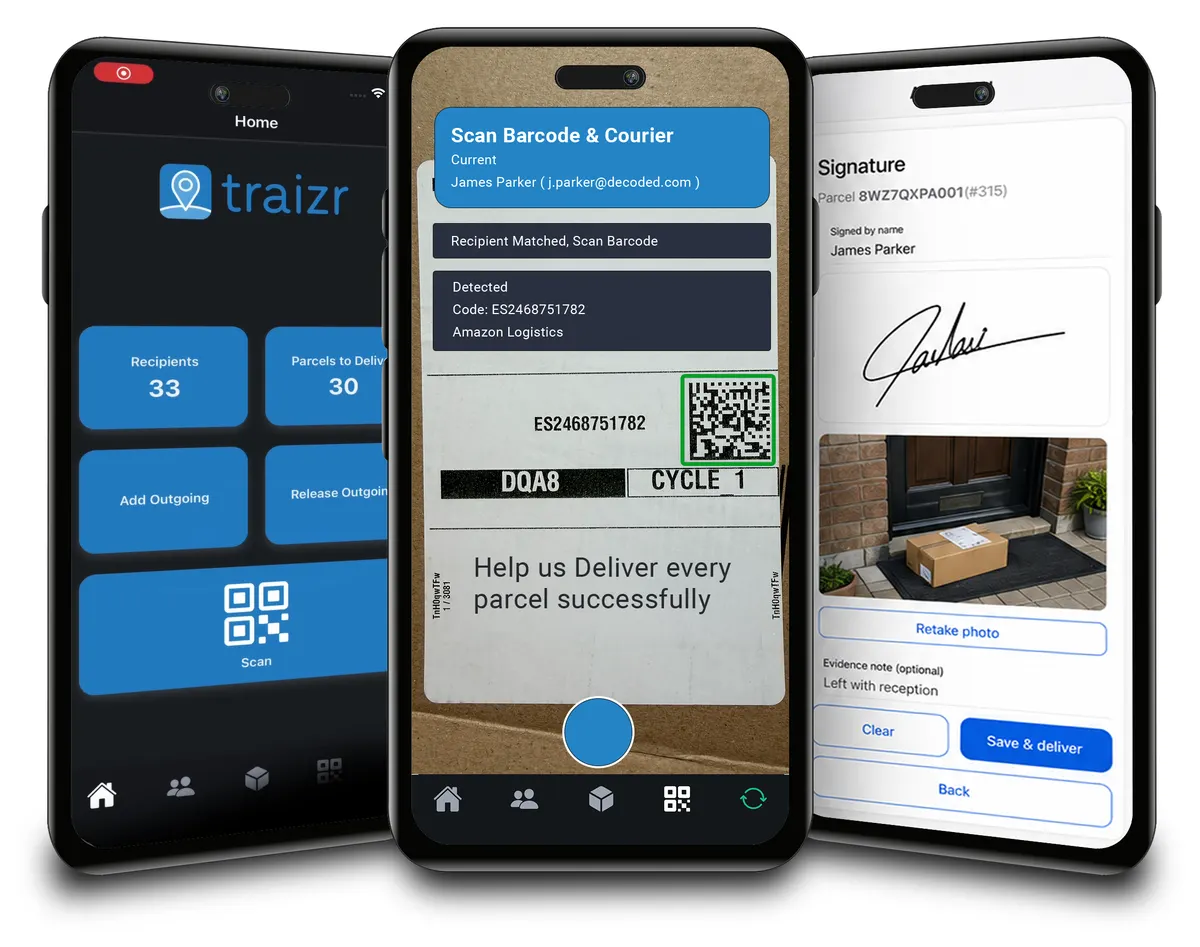
Scan any barcode on a courier label and Traizr finds the parcel, reads the recipient's name and records the box count and PO number.
Read the page -
Request Open and Scan
Staff who are away from the office ask for an item to be opened and scanned from their arrival email. The scan is emailed to them and not kept by Traizr.
Read the page -
Collection and delivery requests
A branded web form for booking a parcel collection or an internal delivery. No login needed, and every request gets a reference number.
Read the page