
Virtual office
Mail Scanning Software for Virtual Office Operators
Let clients read their post without visiting your building. Items are opened and scanned only when the client asks, and the scan is stored on the item record.
Part of virtual office software. This page covers the scanning step in detail.
- Opened only on request
- Scan stored on the item
- Every action recorded
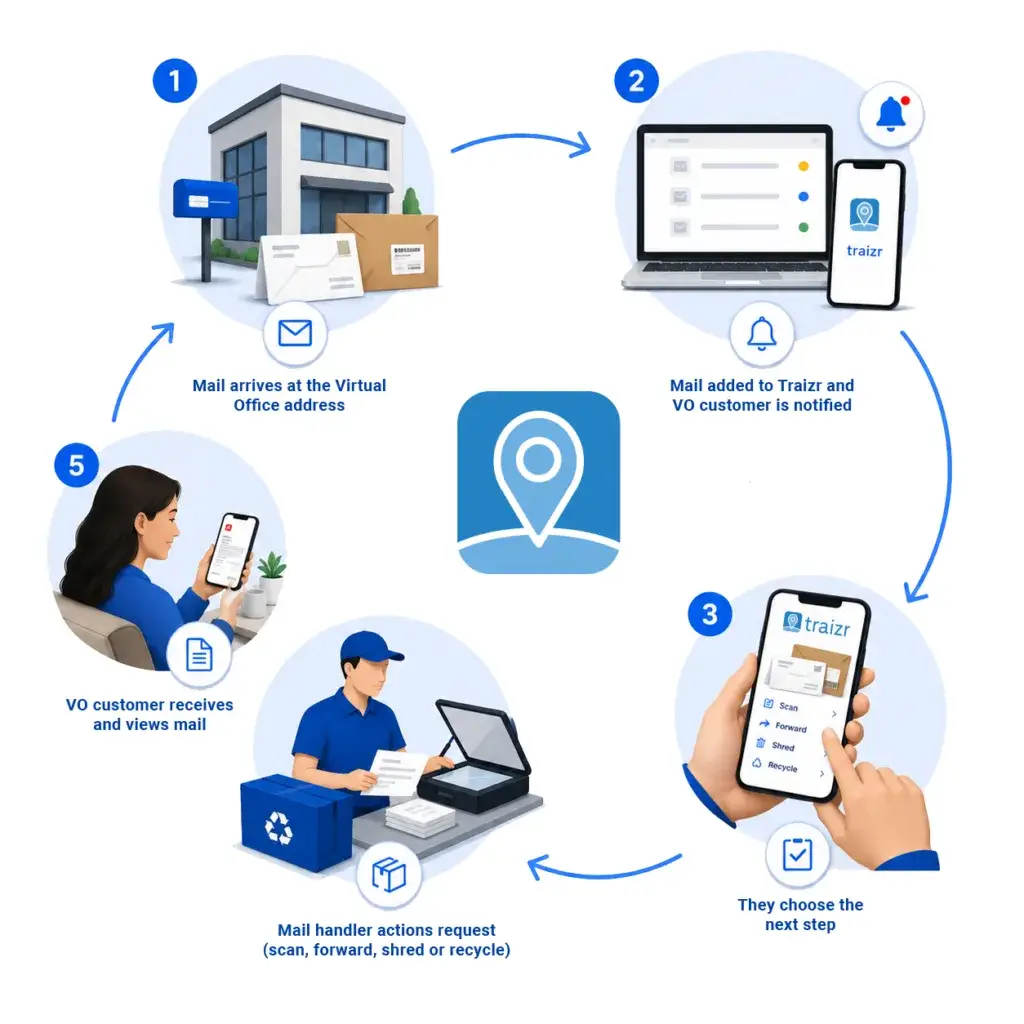
What mail scanning software does
Mail scanning lets a client read their post without visiting your building. When a client requests a scan, a member of staff opens the item, scans the contents and attaches the file to the item record. The client is notified and can view the scan online.
Because scanning involves opening a client's post, the record matters as much as the scan. Traizr stores the client's request, the member of staff who opened the item and the time it was done, so every scan has a clear authorisation trail.
A note on terminology. Some vendors use "digital mailroom" to mean scanning and OCR of inbound post. On this site, a digital mailroom tracks physical deliveries through a building without opening them. This page covers opening and scanning contents at a client's request, which is a different job.
Scanning post for your own staff? If your organisation's own people want letters opened and scanned while they work away from the office, see Request Open and Scan. There the request comes from the arrival email and the scan is emailed to the recipient, not stored in Traizr. On this page the scan is a client service and stays on the item record.
What Traizr does not do
Traizr stores the scan as an image attached to the item. It does not run OCR, extract data from documents or make the text inside a scan searchable. If you need data capture from inbound post, that is a different category of product.
What is searchable is everything around the scan: the client, the sender, the date received and the instruction. In practice that is how items are found later.
How a scan request works
Five steps, from the item arriving to the scan being available to the client.
- Photographed sealedThe outside of the item is captured when it is logged.
- The client requests a scanThe request is recorded against the item.
- Opened by a named member of staffWho opened the item, and when, is recorded.
- Contents scannedThe scan is attached to the same item record, where the client can view it.
- The original follows its own instructionHeld for collection, forwarded, shredded or recycled, as the client chooses.
The recorded request is what authorises opening the item. It is stored on the item itself, so if a client ever questions a scan, the record shows who asked for it and when.
Photograph first, scan on request
Most items never need to be opened at all.
Every item is photographed sealed when it is logged. The photograph shows the client the sender and the type of item, and in many cases that is enough for them to decide what should happen to it.
Clients typically request scans on a minority of items. Marketing post is recycled and routine paperwork is forwarded, so the scanning workload stays manageable and clients are not paying for scans they do not need.
The photograph also removes most "what has arrived for me?" phone calls, because the client can see the answer in their notification.
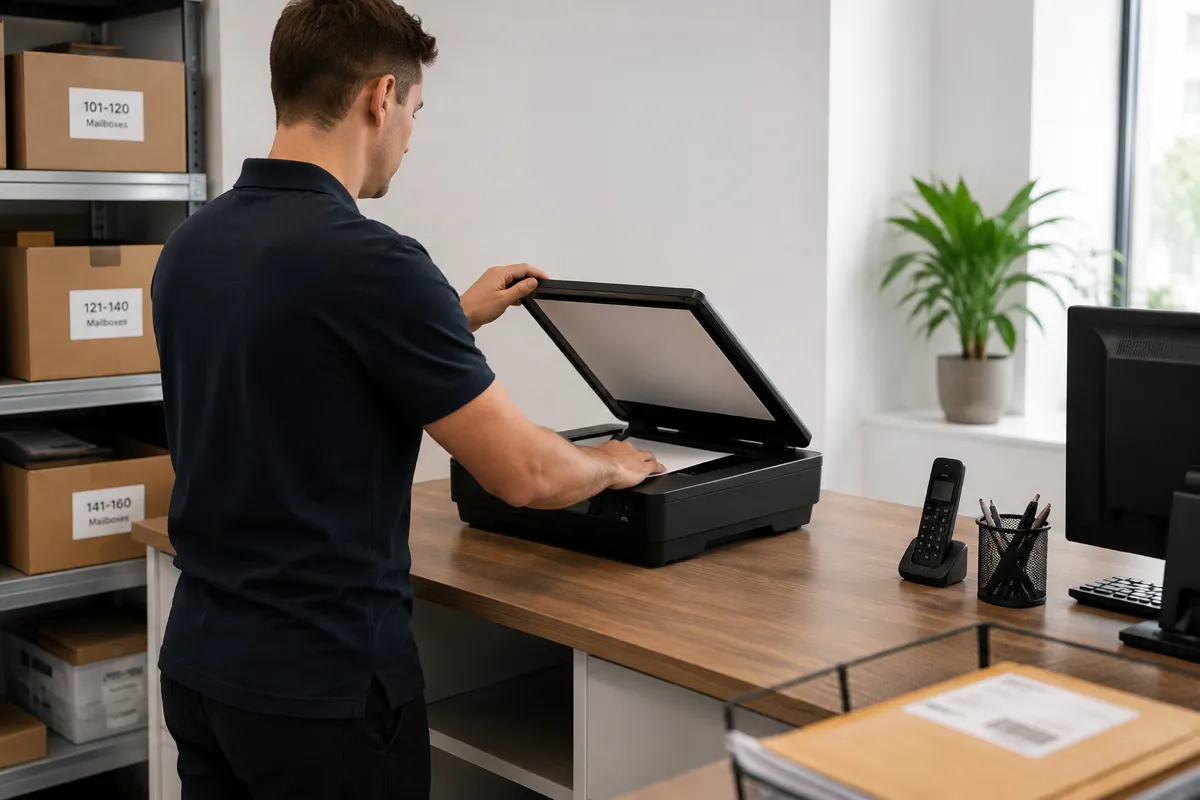
Controls built into the scanning workflow
Scanning means opening clients' post, so the workflow is built around permission and accountability.
-
Opened only on request
Items stay sealed until the client asks for a scan. The request is recorded on the item.
-
The member of staff is recorded
Who opened the item, and when, is stored with the scan.
-
Separate staff permissions
Staff who log post do not automatically have access to scanned contents.
-
The scan stays on the item
It is attached to the item record, not sent by email, so it can always be found later.
-
The original is handled separately
After scanning, the paper is held, forwarded, shredded or recycled, as a second recorded instruction.
-
Turnaround is measured
The time from request to scan is recorded, so you can see and manage your service level.
What happens to the original
A scan request and the handling of the paper original are separate instructions. After scanning, the original can be held for collection, forwarded to the client, shredded or recycled, and the client chooses which.
Each option is recorded on the item, so the record answers both questions: what the document said, and where the paper went. Originals still matter for signed contracts, certificates and anything that has to be produced physically.
Where the original is sent on, mail forwarding covers how the destination, carrier and postage are recorded. Where it is destroyed, the recorded instruction shows the client asked for it.
Frequently asked questions
Everything you need to know before getting in touch.
What is mail scanning software?
Mail scanning software manages scan requests in a virtual office or mailbox service. When a client asks for an item to be scanned, staff open it, scan the contents and attach the file to the item record, where the client can view it.
Does Traizr open post automatically?
No. Items are photographed sealed when they are logged. An item is only opened when the client requests a scan, and the request is recorded against the item.
Why photograph the outside first?
The photograph shows the client the sender and the type of item, which is often enough for them to decide what should happen. It means most items are dealt with without being opened.
Who is recorded as having opened an item?
The member of staff who completed the scan, with the date and time. This is stored on the item record alongside the client's request.
Where does the scan end up?
It is attached to the item record, alongside the photograph, the request and the completion details. It stays available for as long as the record is kept, and the client can view it in their account.
Does Traizr do OCR or extract data from scans?
No. Traizr stores the scan as an image attached to the item. It does not extract text or data from the document. Items are searched by client, sender, date and instruction.
What happens to the original after it is scanned?
The client chooses: hold it for collection, forward it, shred it or recycle it. This is a separate instruction from the scan and is recorded in the same way.
Is scanning post legal?
Opening post at the request of the person it is addressed to is standard practice for virtual offices, and the recorded request is the authorisation. The rules vary by jurisdiction, so check the position with your own advisers and reflect it in your client agreement.
Can a client ask for everything to be scanned by default?
You can offer scanning as a standing instruction. If you do, make it explicit in the client agreement, because it means opening every item that arrives, including personal post.
How quickly should a scan be turned around?
That depends on the service level you offer. Traizr records the time between the request and the scan being available, per item and in aggregate, so you can measure and manage your turnaround.
Do you need a special scanner?
No. Most operators use the document scanner or multifunction device they already have. Traizr's job is attaching the file to the right client and the right item.
Is this the same as a digital mailroom?
Not on this site. Some vendors use "digital mailroom" to mean scanning and OCR of inbound post, but here a digital mailroom tracks physical deliveries through a building without opening them. This page covers opening and scanning contents at a client's request.
Can staff be prevented from seeing scans?
Yes. Opening and scanning is a separate permission from logging items, so staff who log the post do not automatically have access to scanned contents.
Nothing on this page is legal advice. Rules on opening post and address services vary by jurisdiction, so check your own position with your own advisers.
The rest of the virtual office cluster
Start with the overview, or go straight to the part you need.
-
Virtual office software
Run a virtual office or business centre address: photograph every item, act on client instructions, and bill for what you handled.
Read the page -
Virtual mailbox software
Create and number mailboxes, give each client their own inbox, and keep the full history of every item handled.
Read the page -
Mail forwarding software
Forward items to the address the client chooses, and record the carrier and postage against their account.
Read the page -
Business address management
Record which client is registered at each address, and manage their mail across every location you run.
Read the page -
Virtual office management
The operations guide: the daily loop, the policies to write down before you need them, and how operators price the service.
Read the page -
Digital mailroom
What a digital mailroom is, how to set one up, and how to measure whether it is working.
Read the page -
Mailroom management software
What the software has to do, what to ask a vendor, and how Traizr compares. The page to start on if you are buying.
Read the page
Ready to Simplify Your Building?
We will show you how a scan is requested, completed and stored on the item record. About 20 minutes.