
Virtual office
Virtual Mailbox Software for Virtual Offices
A mailbox that acts on received mail instead of holding it. Each client gets their own virtual mailbox, sees what has arrived, and says what should happen to it.
For an overview of running a Virtual Office, see - Virtual office software
- One VO recipient mailbox per client
- Recipients view before choosing an action
- Full mail history kept
What a virtual mailbox is
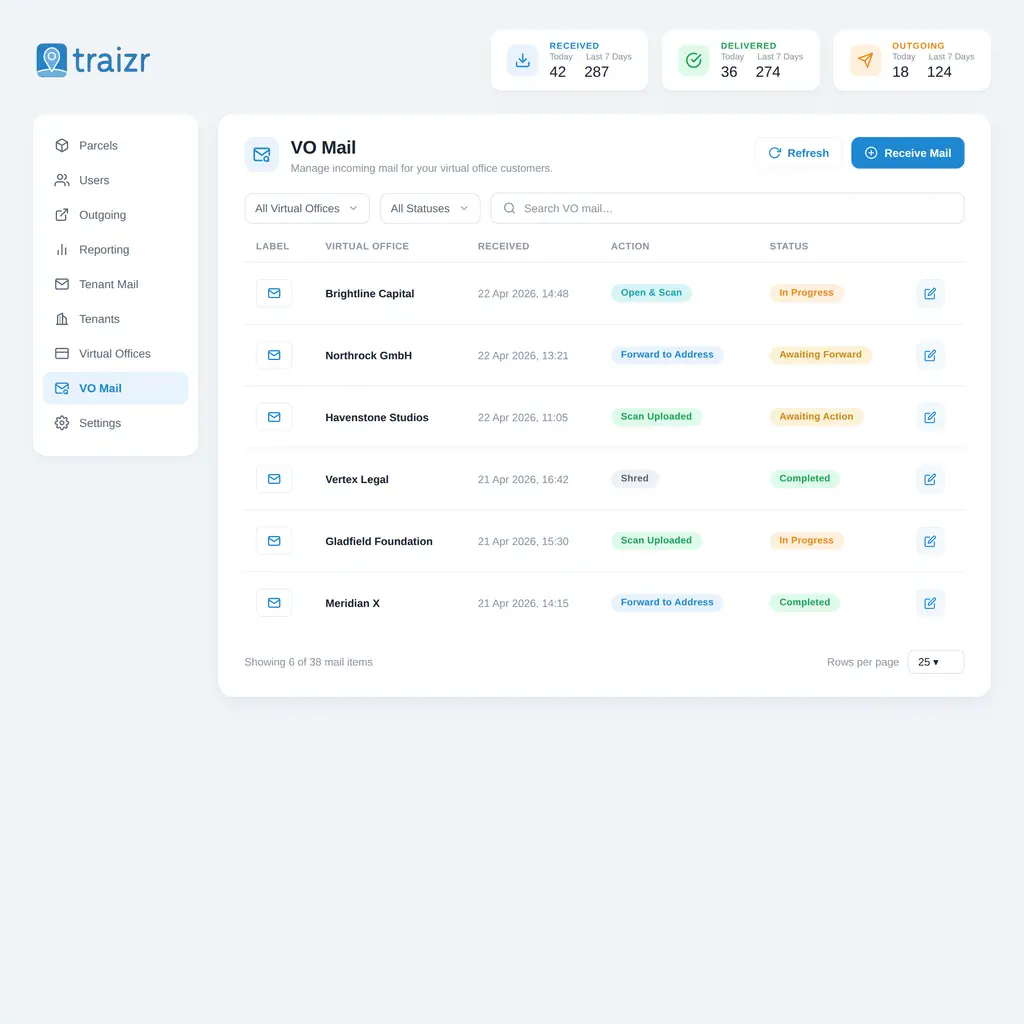
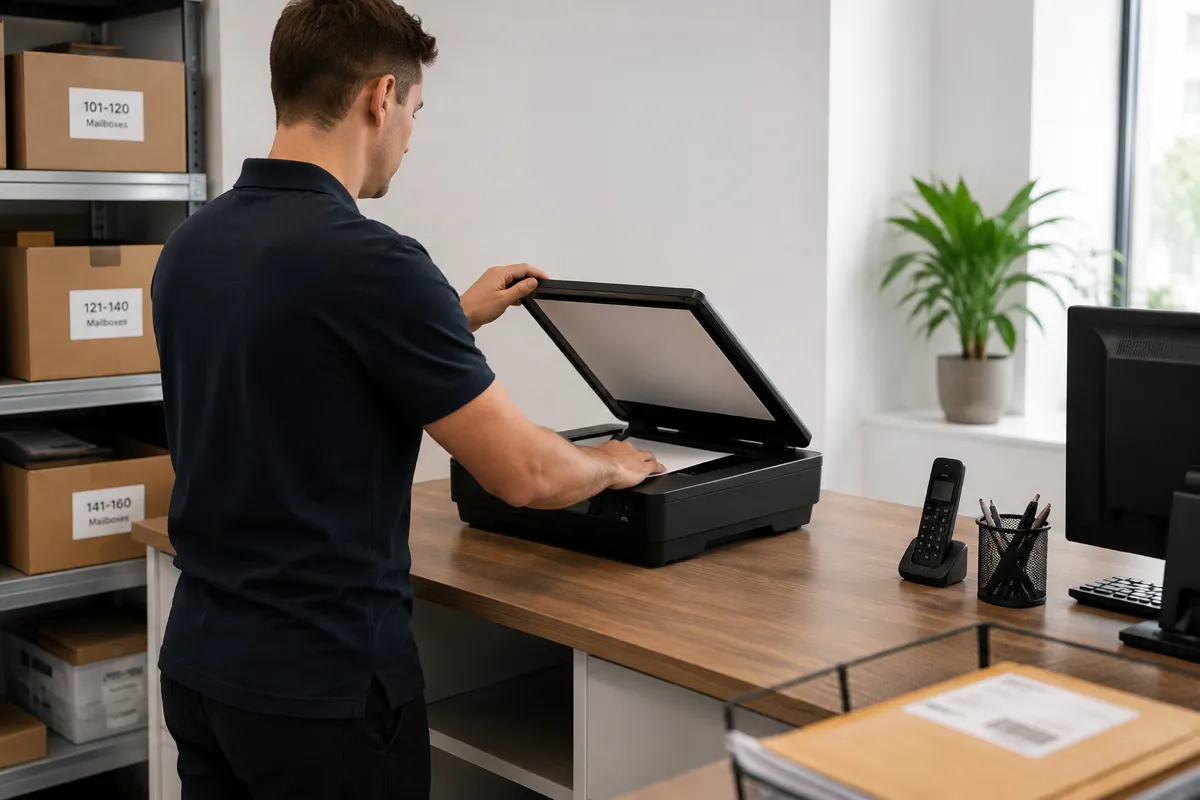
A virtual mailbox gives a client a mailbox at your business address without them visiting the building. Post arrives, your team photographs and logs it against the client's mailbox, and the client views it online. They then choose whether each item should be scanned, forwarded, shredded or recycled.
Virtual mailbox software keeps that process organised. It records every item against the right mailbox, sends the notifications, tracks each instruction through to completion and keeps the history in one searchable place.
Traizr is software for operators. We do not rent mailboxes, provide addresses or receive post on anyone's behalf. This page is for business centres, coworking spaces, serviced offices and mailbox operators who provide those services to their own clients.
How a virtual mailbox differs from a PO box
A PO box stores post until the holder collects it. A virtual mailbox shows the holder their post remotely and lets them decide what happens to each item. Because the holder may never visit, the software has to photograph items, send notifications and record every instruction, which a collection-based service does not need.
Many operators offer both. If you run a collection-based facility, PO box management software covers that model.
How mail moves through a virtual mailbox
Every item follows the same steps from arrival to completion.
- It arrivesA letter or parcel is delivered to your address for one of your clients.
- Photographed and loggedStaff photograph the sealed item and log it against the client's account. Nothing is opened.
- The client is notifiedA notification with the photograph is sent by app, email or SMS.
- The client choosesThey select scan, forward, shred, recycle or collect in person, from wherever they are.
- Staff complete the instructionThe action is carried out and recorded with the staff member's name and the time.
- The record is updatedThe item, instruction, action and any postage are stored on the client's account.
The photograph lets clients recognise most items straight away, so many decisions are made without anything being opened.
Setting up and numbering mailboxes
Mailboxes are records in Traizr, so they are quick to create and simple to manage.
A new mailbox takes about a minute to create and can be added by any member of staff with the right permission. There is no installation or licence per mailbox, so onboarding a new client does not need technical help.
Mailbox numbers are a field on the client record, so you can keep your existing numbering scheme. Clients keep the mailbox numbers already printed on their stationery and registered with third parties.
One client can hold more than one mailbox, for example for separate trading names or a second address. The mailboxes stay linked to the same client record, so usage and billing information stays together.
What the client sees
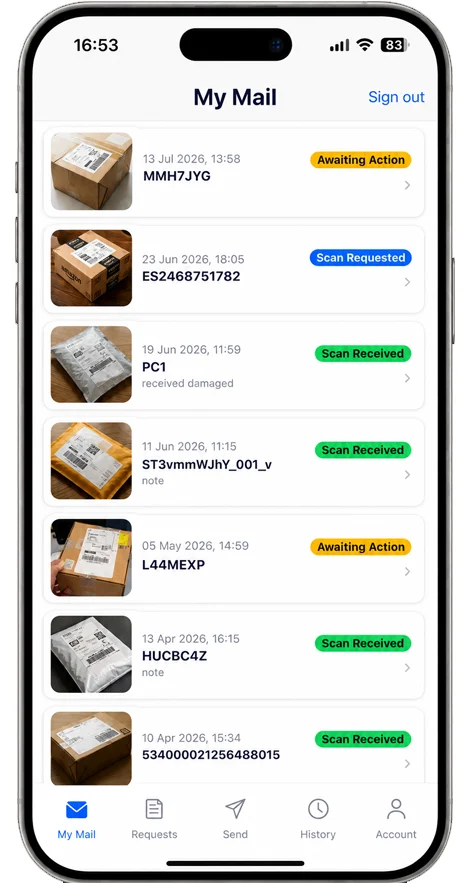
Clients log in to their own mailbox through the app or a browser. They see each item photographed on arrival, the instructions they have given, and the history of everything handled for them. They cannot see any other client's mail.
Notifications are sent by app, email or SMS when new items arrive, so clients do not need to phone your team to ask whether anything has come.
The five actions are scan, forward, shred, recycle and collect in person. Each is recorded with the action taken, the member of staff who completed it and the time. Mail scanning and mail forwarding are covered in detail on their own pages.
Closing a mailbox
Accounts can be closed without losing the record of what was handled.
When a client leaves, their mailbox is closed. Post often continues to arrive for a while afterwards, from banks, insurers and other organisations that still hold the old address.
New items for a closed mailbox are flagged. Staff can see immediately that the account is no longer active and that the item needs separate handling, instead of it being processed as normal.
The history is kept. Items, scans and instructions remain searchable after closure, so a question from a former client can still be answered from the record.
How long you hold post for a departed client, and what you do with it afterwards, is a policy decision rather than a software one. The operations guide covers retention and the other policies worth setting early.
What every mailbox includes
Included as standard. No feature tiers and no per-mailbox licence.
-
A client inbox
Each client sees their own mail from a phone or a browser, and nothing else.
-
A photograph of every item
Items are photographed sealed when they are logged.
-
Five actions
Scan, forward, shred, recycle or collect in person, each recorded with who completed it and when.
-
Multiple mailboxes per client
Separate trading names or addresses, held under one client record.
-
Collection in person
Clients can collect items, recorded with a QR code at handover.
-
Closed accounts flagged
Post arriving for a closed mailbox is flagged, and the full history is kept.
Virtual mailbox or PO box?
Many operators offer both. The table shows the practical differences.
| PO box | Virtual mailbox |
|---|---|
| Stores post until it is collected | Acts on post, on the client's instruction |
| The client visits the address | The client may never visit |
| Limited by opening hours | Instructions given at any time, from anywhere |
| Capacity is the size of the box | Capacity is your team's handling time |
| Only arrival needs recording | Instruction, action, staff member and postage are all recorded |
| Revenue is rent for the box | Revenue is rent plus the handling you charge for |
Frequently asked questions
Everything you need to know before getting in touch.
What is virtual mailbox software?
Virtual mailbox software runs a mailbox service. Each client has a mailbox at the operator's address. Incoming post is photographed and logged against the right mailbox, the client is notified, and their instruction to scan, forward, shred, recycle or collect the item is recorded and completed.
Does Traizr provide me with a virtual mailbox?
No. Traizr is software for the operators who run mailbox services. We do not rent mailboxes, provide addresses or receive post. If you are looking for a mailing address, you need a virtual office or mailbox operator. If you are an operator, Traizr is the software to run the service on.
How is a virtual mailbox different from a PO box?
A PO box stores post until the holder collects it. A virtual mailbox shows the holder their post remotely and lets them decide what happens to each item. Many operators offer both. If you run a collection-based facility, see PO box management software.
How are mailboxes numbered?
You choose the numbering. The mailbox number is a field on the client record, so an existing scheme can be kept exactly as it is, and clients keep the numbers already printed on their stationery.
Can one client have more than one mailbox?
Yes. A client with several trading names, or registered at more than one of your addresses, can hold several mailboxes under one client record. Their usage and history stay together for billing and reporting.
What does the client actually see?
Their own mailbox only: the items waiting, a photograph of each one, the instructions they have given and their full history. Clients cannot see any other client's mail.
What happens when a client closes their mailbox?
The account is closed, and any post that arrives afterwards is flagged for separate handling rather than processed as normal. How long you hold that post is set by your own policy, and the operations guide covers how operators approach it.
Do we keep the history after a mailbox closes?
Yes. Closing a mailbox stops new items being processed against it, but the full history of items, scans and instructions is kept, so later questions from former clients can still be answered.
Can a client be moved to a different address?
Yes. The address is a field on the client record, so a client can move between your addresses without losing their mail history. For operators with several addresses, business address management covers the wider setup.
How long does it take to add a mailbox?
About a minute. Any member of staff with the right permission can create one, and there is nothing to install or license per mailbox.
Is there a limit on how many mailboxes we can run?
No. Mailboxes are records rather than installations, so the practical limit is your own capacity to handle the post.
Can clients collect in person?
Yes. Local clients can collect items instead of having them forwarded. The collection is recorded at handover using a QR code in the app.
The rest of the virtual office cluster
Start with the overview, or go straight to the part you need.
-
Virtual office software
Run a virtual office or business centre address: photograph every item, act on client instructions, and bill for what you handled.
Read the page -
Mail scanning software
Items are opened and scanned only when the client asks, and the scan is stored on the item record.
Read the page -
Mail forwarding software
Forward items to the address the client chooses, and record the carrier and postage against their account.
Read the page -
Business address management
Record which client is registered at each address, and manage their mail across every location you run.
Read the page -
Virtual office management
The operations guide: the daily loop, the policies to write down before you need them, and how operators price the service.
Read the page -
Mailroom management software
What the software has to do, what to ask a vendor, and how Traizr compares. The page to start on if you are buying.
Read the page -
Internal package tracking software
Follow an item through every hop inside your buildings, with a scan at each handover and a record of who held it.
Read the page
Ready to Simplify Your Building?
We will show you how a mailbox is created, how an item is logged against it and how an instruction is completed. About 20 minutes.