
Virtual office
Business Address Management Software for Operators
Record which client is registered at each of your addresses, match incoming mail to the right client, and manage what happens when clients join, move or leave.
Part of virtual office software. This page covers the address record in detail.
- Every address on one platform
- Existing suite numbers kept
- Mail for former clients flagged
What business address management means
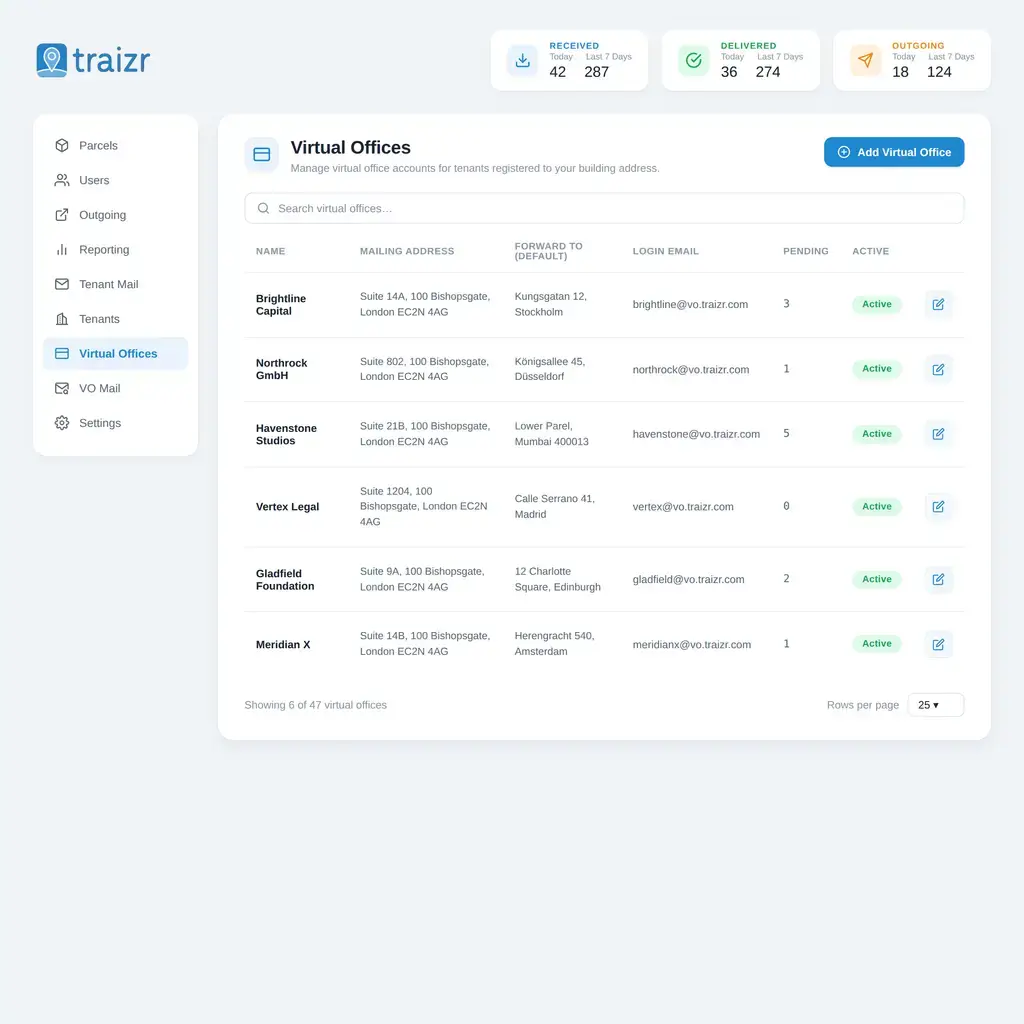
Business address management is recording which client is registered at which address and suite, so incoming mail is matched to the right client and each client's mail history is kept in one place. Traizr provides this for operators running one address or many.
The same product is sometimes called virtual business address software, virtual address management or business address software. This page covers all of them.
Traizr is software for the operator. It does not provide addresses. Traizr does not rent mailboxes, does not sell or supply a business address, and is not an address service. You provide the address and the service; Traizr is the system you run it on and the record of what was handled for whom.
How the client record works
In Traizr, the client is the record and the address is a field on it. Each client record holds their address, suite number, forwarding address, contact details and complete mail history.
Because the address is a field, a client can move between your addresses without losing any history. Every item, scan and instruction from before the move stays on their record.
A client at your address, from start to finish
The five stages of a client relationship, and what is recorded at each one.
- Client onboardedThe account is created once your own checks are complete.
- Registered at an addressThe client is recorded against an address and suite number.
- Post matched to the clientIncoming items in their name are logged to their account, at any of your addresses.
- The client leavesThe account is closed and the closure date is recorded.
- Post still arrivesItems for the closed account are flagged, so they are handled according to your policy.
Running more than one address
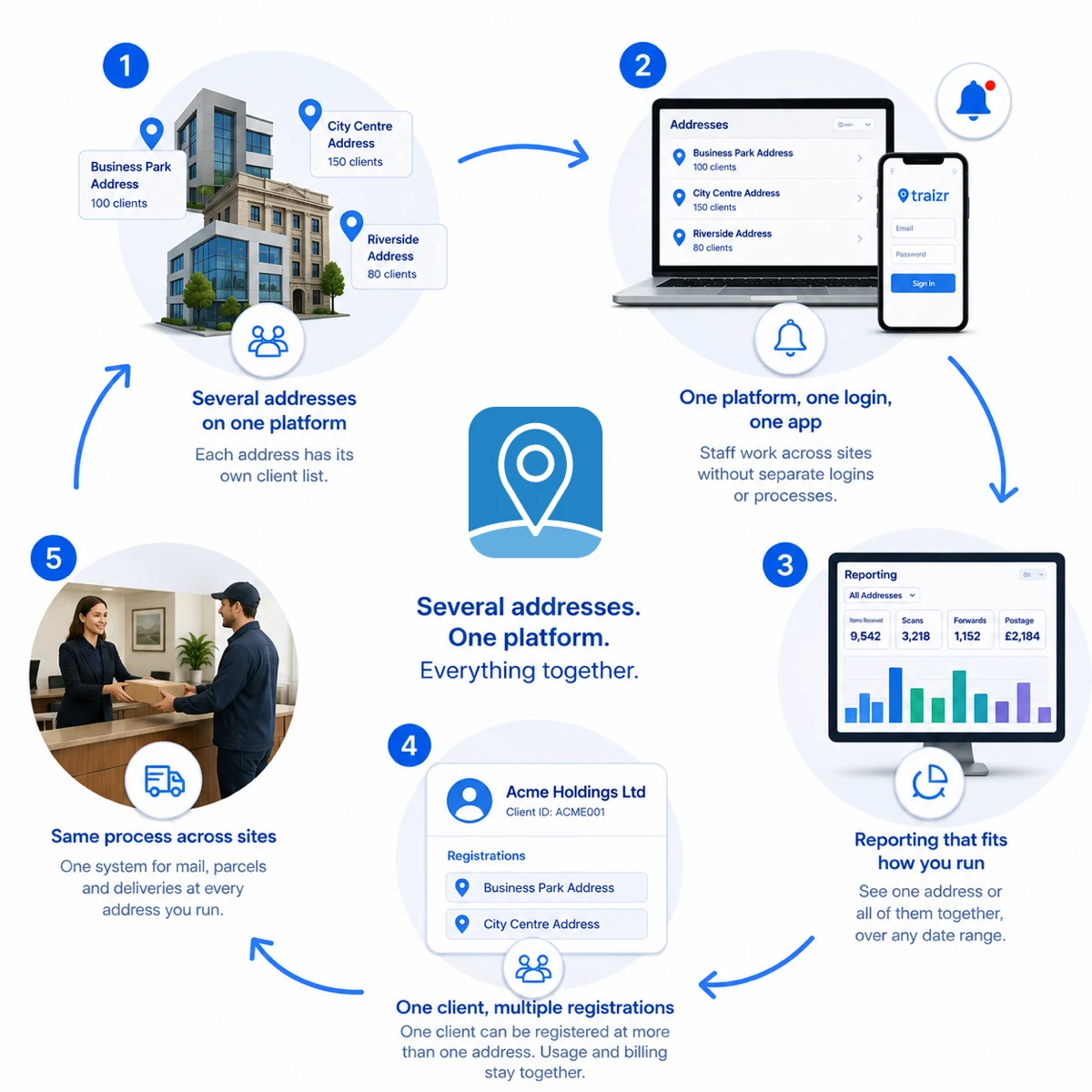
Several addresses can run on one platform, each with its own client list.
Operators often grow from one address to several: a second building, an acquisition, or a city-centre address offered alongside an existing one. Traizr runs them all on one platform, so there is no separate spreadsheet or process per building.
Each address has its own client list, and reporting can cover one address or all of them together. Staff working across sites use one login and one app. Suite and unit numbering stays as it is, because clients print those numbers on their stationery and file them with third parties.
One client can be registered at more than one address, for example with several trading names or a presence in two cities. They are held as one client with several registrations, so their usage and billing stay together.
If separate locations need to operate as independent organisations rather than branches of the same business, see multi-tenant mailroom software.
Mail after a client leaves
Post usually continues to arrive after an account closes. Traizr makes sure it is noticed and handled properly.
-
Flagged on arrival
Post for a closed account is marked for separate handling rather than processed as normal.
-
Closure date recorded
The record shows when the account closed.
-
History kept
Items, scans and instructions stay searchable after closure.
-
Held items visible
You can see what you are holding, for whom, and for how long.
-
Disposal recorded
If an item is destroyed, the record shows who authorised it and when.
-
Your policy applied
How long to hold post is your decision. Traizr makes it visible and consistent.
Registered office use, and knowing who your clients are
Offering your address for registered office use is a commercial decision, and the obligations that come with it differ by jurisdiction. Some operators offer it as a premium service and some do not.
Traizr records which clients you have agreed registered office use for, so staff can check it quickly. It does not make the decision, file anything on your behalf, or advise on the rules.
The same applies to client checks. Whatever identity or business checks you run before accepting a client are yours to define and carry out. Traizr records the client account and the mail handled for it; it is not a verification service.
Nothing on this page is legal advice. Rules on address services, registered office use and identity checks differ by jurisdiction and change. Describe your own position with your own advisers, and see the operations guide for the decisions operators face when setting these policies.
Frequently asked questions
Everything you need to know before getting in touch.
Does Traizr provide a business address?
No. Traizr is software for the operators who provide them. We do not rent addresses, receive post or act as an address service. If you are a company looking for an address, you need a business centre, serviced office or mailbox operator. If you are one of those, Traizr is the software to run the service on.
What is business address management?
It is recording which client is registered at which address and suite, so incoming mail is matched to the right client and each client's mail history is kept in one place. Traizr provides this for operators running one address or many.
Is this the same as virtual address management or business address software?
Yes. Virtual business address software, virtual address management and business address software describe the same job, and this page covers all of them.
Can we run several addresses on one platform?
Yes. Each address has its own client list, and reporting can cover one address or all of them together. Staff use one login across every site.
How are suites and unit numbers handled?
As a field on the client record, so your existing scheme is kept. Suite numbers often appear on clients' stationery and third-party records, so the software does not change them.
What happens to post for a client who has left?
It is flagged rather than processed as normal, so staff can see the account is closed and the item needs separate handling.
How long should we hold post for a departed client?
That is a policy decision rather than a software one. Traizr shows what you are holding and for how long; how long to keep it is set by your own policy, and the operations guide covers how operators decide.
Can a client move between our addresses?
Yes, without losing their history. The address is a field on the client record, so everything handled before the move stays with the client.
Can one client be registered at more than one address?
Yes. A client with several trading names or locations is held as one client with more than one registration, so their usage and billing stay together.
Does Traizr handle registered office use?
Traizr records which clients you have agreed registered office use for. The decision to offer it, and the obligations that come with it, are yours, and the rules differ by jurisdiction.
Does Traizr run identity checks on our clients?
No. You define and carry out your own client checks. Traizr records the client account and the mail handled for it.
How do we know which clients are actually generating work?
Usage reporting shows items received, scanned and forwarded per client, with postage, over any date range.
Is any of this legal advice?
No. Rules on address services, registered office use and identity checks vary by jurisdiction. Check your position with your own advisers.
The rest of the virtual office cluster
Start with the overview, or go straight to the part you need.
-
Virtual office software
Run a virtual office or business centre address: photograph every item, act on client instructions, and bill for what you handled.
Read the page -
Virtual mailbox software
Create and number mailboxes, give each client their own inbox, and keep the full history of every item handled.
Read the page -
Mail scanning software
Items are opened and scanned only when the client asks, and the scan is stored on the item record.
Read the page -
Mail forwarding software
Forward items to the address the client chooses, and record the carrier and postage against their account.
Read the page -
Virtual office management
The operations guide: the daily loop, the policies to write down before you need them, and how operators price the service.
Read the page -
Multi-tenant mailroom software
Many tenants on one platform, each seeing only their own mail, with a superadmin that creates and configures all of them.
Read the page -
Mailroom management software
What the software has to do, what to ask a vendor, and how Traizr compares. The page to start on if you are buying.
Read the page
Ready to Simplify Your Building?
We will show you how clients, addresses and suites are set up, and how reporting works across several locations. About 20 minutes.