
Mailroom management software
Mailroom Management Software That Proves Every Delivery
Log every item on arrival, tell the right person automatically, and hold proof of who collected it. One system for the whole building.
Traizr has been doing this since 2013, for offices, campuses, hospitals, residential blocks and business centres. No scanners to buy, no server to install.
- No hardware to buy
- No per-user fees
- 14 languages
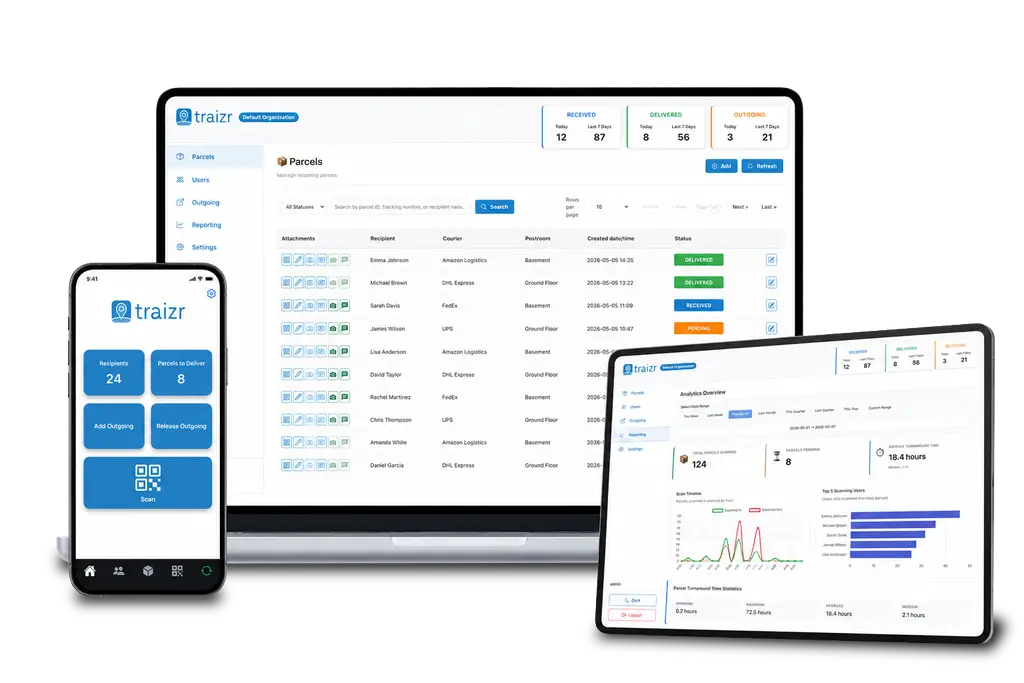
Replacing your paper trail?
Most mailrooms are not running software. They are running four things that do not talk to each other: a logbook at the desk, a spreadsheet somebody keeps, an email sent by hand to tell a recipient their parcel arrived, and a second book they sign when an item is collected.
Each of those works. Together they cost a member of staff a large part of their day, and none of them survives the question that eventually gets asked, which is what happened to a specific item on a specific Tuesday.
Mailroom management software collapses all four into one system. The value is not the system, it is that the record afterwards is complete without anyone having maintained it.
Eight things the software has to do
Feature lists are long and mostly identical. These are the eight jobs that decide whether a mailroom actually runs better, and what a good answer looks like for each.
-
1. Log an arrival in seconds
If logging an item is slower than writing it in a book, the book wins by Friday. Traizr scans the label and reads the sender, recipient and reference off it automatically.
-
2. Match it to the right person
A name typed by hand is a guess. Items are matched against a recipient list that is imported in bulk or kept current automatically from the system you already maintain.
-
3. Notify the recipient
Notification should be a consequence of the scan, not a separate task. Email, mobile push or SMS, with the wording set by you.
-
4. Prove the handover
QR code, digital signature or photograph at collection, timestamped against the item. Without this you have a delivery log, not a record.
-
5. Answer "where is it" instantly
Search by recipient, sender, reference or date and get the item's status and location, rather than walking to a shelf to find out.
-
6. Chase non-collections
Automatic reminders on a schedule you set, so uncollected items are handled by the system instead of accumulating behind the desk.
-
7. Show you the numbers
Volumes, average turnaround, what is still pending and who receives most. Exportable, because somebody will eventually ask for it on paper.
-
8. Run more than one building
Sites configured individually but visible together. A portfolio should not mean one system, one process and one spreadsheet per address.
One system, three views
-
Your mailroom team
Scan in, scan out, find anything, and handle the whole day from a phone. Admin work stops being a separate job that happens later.
-
Your recipients
They are told when something arrives, can see their own history, and confirm collection themselves. Reception stops fielding "has anything come for me".
-
Your tenants and VO customers
In a shared building, each tenant gets their own dashboard for their own people and mail, while you keep oversight from the centre.
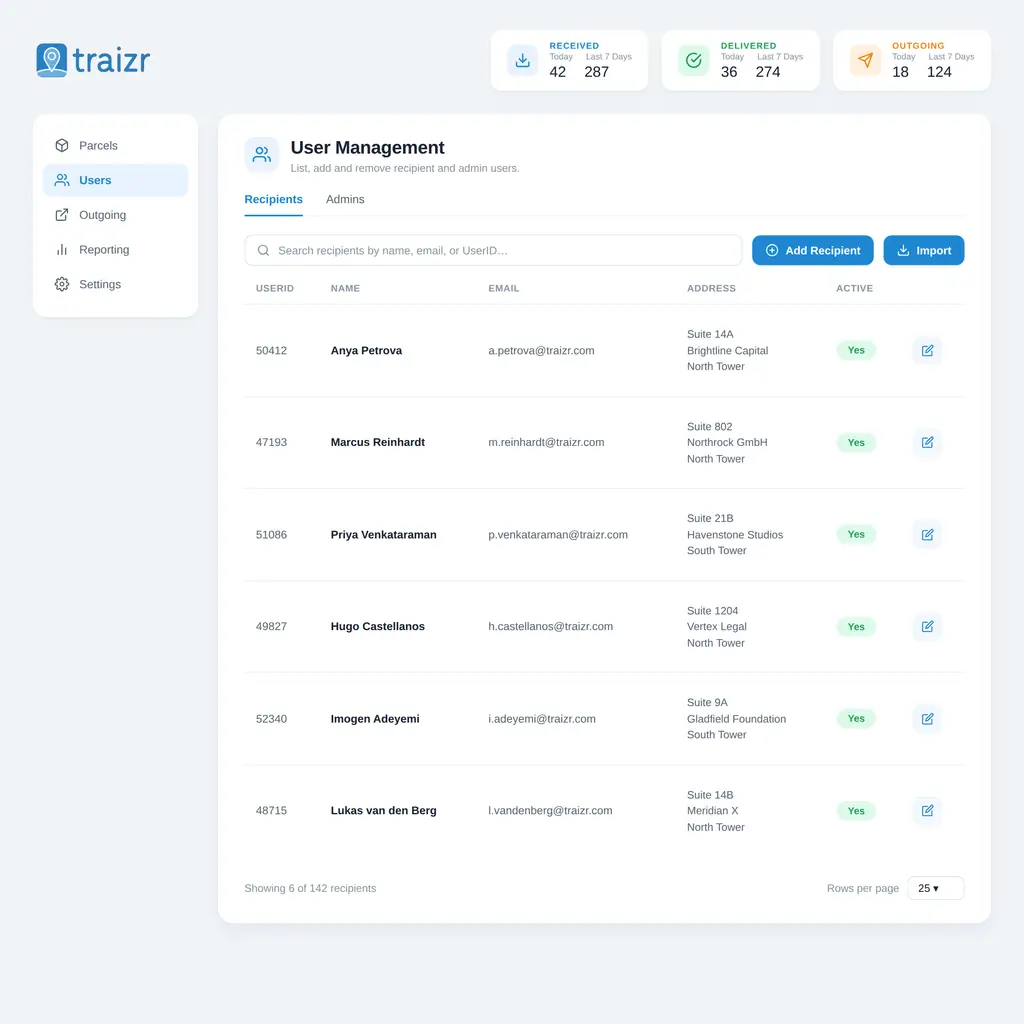
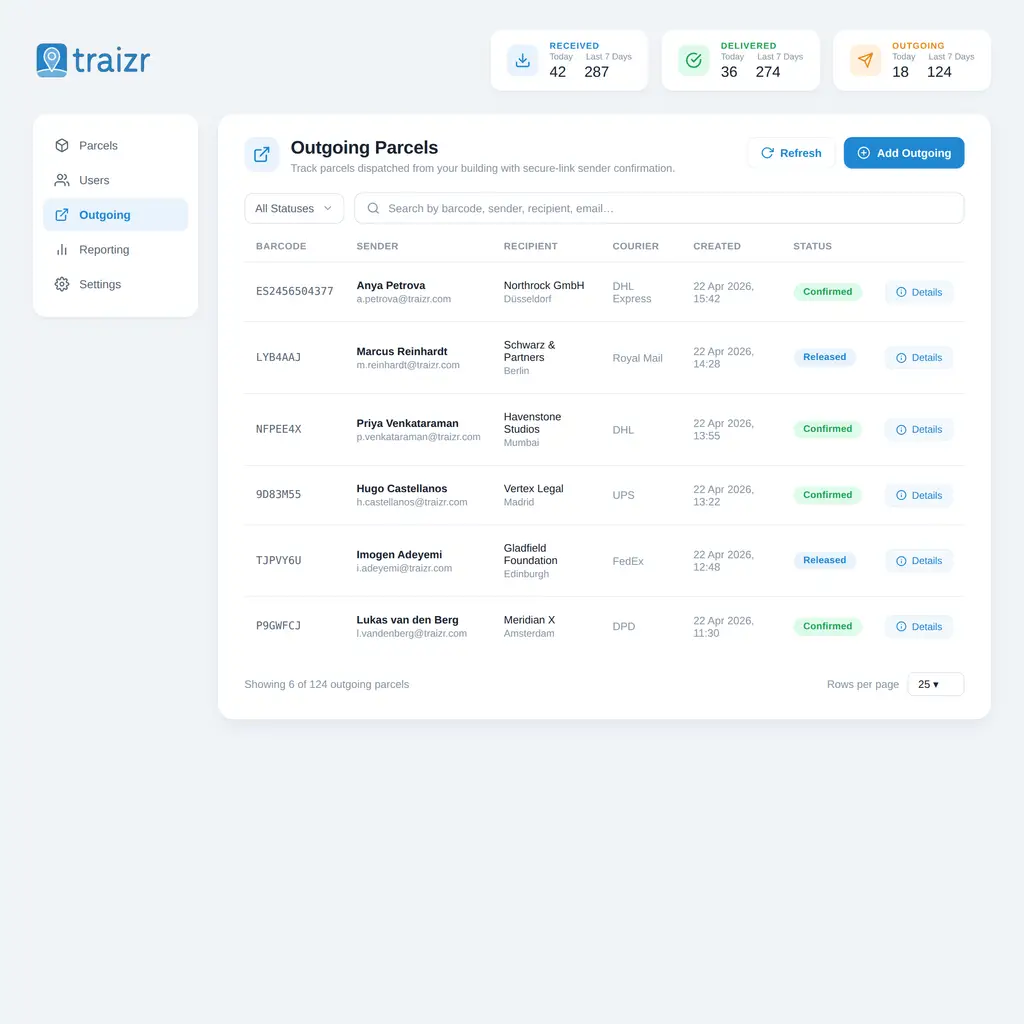
Inside the platform
Two of the screens you will spend time in. The product tour walks through the rest.
Up and running in a couple of days
Most organisations are operational within a few days of onboarding.
Bring across the recipient list
Import it from CSV or XLSX to start, then connect it to your student, property, HR or business system so it maintains itself.
Setting up the workflow
Postrooms, locations, workflows and who can do what. A campus and a single office are configured differently, and multi-tenant buildings differently again.
Train the people who use the system
We will help to train whoever will run the system, and support inside the product answers the questions that come up afterwards.
Turn notifications on
Decide the wording and the channels of communication. All communication can be branded to your business.
Set up for your building requirements
The platform is the same everywhere. How it is configured is not, so each of these has its own page.
-
Corporate Offices
Track every parcel from loading bay to desk, with instant staff notifications and a full audit trail.
See solution -
Apartment Buildings
Secure resident deliveries from concierge to collection with instant alerts, digital signatures, and a clear audit trail.
See solution -
Co-working Spaces
Built for hot-deskers, multi-tenant buildings and shared workspaces. Assign to member profiles, not desks.
See solution -
Universities & Colleges
Handle thousands of student and staff parcels across campus. Automated alerts, digital proof, zero lost items.
See solution -
Banks & Finance
Secure chain of custody for sensitive documents, parcels and registered mail with a tamper-proof audit trail.
See solution -
Law Firms
Full chain of custody for confidential documents and parcels. Tamper-proof logs and role-based access for sensitive mail.
See solution -
Hospitals & Healthcare
Full chain of custody from delivery to ward. Track sensitive deliveries, lab specimens, and staff parcels securely.
See solution -
Shopping Centres
Track deliveries across stores, notify retailers instantly, and keep a clear record of every collection.
See solution -
Student Accommodation
Automated parcel alerts for halls and residences. Digital proof of collection for every pickup.
See solution -
Government Buildings
GDPR-compliant audit trails and role-based access for secure parcel tracking in civic environments.
See solution -
PO Boxes & Postal
High-volume mail and parcel management with searchable records, automated notifications, and collection logs.
See solution -
Care Homes
Track resident parcels, notify staff on arrival, and keep a full digital record of every delivery and collection.
See solution
What it costs to run
There are no per-user fees, so a new intake or a new floor does not change the number. There is no hardware to buy and nothing to install on site, so there is no second budget line and no replacement cycle.
Frequently asked questions
Everything you need to know before getting in touch.
What does mailroom management software actually replace?
Usually four things at once: the paper logbook at reception, the spreadsheet somebody keeps as a backup, the manual email telling a recipient their parcel is here, and the collection book they sign. One scan on arrival covers all four, and leaves a record you can search afterwards. There is a fuller explanation of the category on what is mailroom management software.
Which is the best mailroom management software?
There is no single answer, because an office reception, a university hall and a residential building are buying for different pressures. The practical test is whether a tool logs an item in a few seconds, notifies the recipient automatically and records who collected it. We keep a list of the tools worth shortlisting, grouped by the kind of building each suits, on best mailroom management software, and a page for each one on the comparisons hub.
Do we need to buy scanners, servers or lockers?
No, and this is worth pinning down with any vendor before you compare prices. Traizr runs on the iOS and Android phones and tablets your team already carries, and the admin platform runs in a browser. There is no on-site server, no scanner fleet to replace in three years and no hardware contract underneath the software licence.
Is there a per-user fee?
No. Recipients are not licensed individually, so adding a floor, a department or an intake of residents does not change what you pay. Every feature is included as standard rather than split across tiers, which also means the quote you compare is the whole product.
How long does it take to get running?
Most organisations are operational within a few days of onboarding. The Traizr team handles setup and training, and the platform is configured around how your building already works before your team starts using it.
How do we move off a spreadsheet or an old system?
The recipient list is the only thing that genuinely has to come across, and it imports from CSV or XLSX. From there it can be kept current automatically through a connector to the system you already maintain, so the spreadsheet does not quietly reappear six months later. Historic parcel records usually stay where they are for reference rather than being migrated.
What happens to items nobody collects?
They stay open in the system until they are picked up, and automatic reminders chase the recipient on a schedule you set. Reporting shows what is still pending and how long it has been waiting, so the pile at reception stops being invisible.
Can each building have its own setup?
Yes. Sites are configured individually - different postrooms, workflows and teams - while remaining visible from one dashboard. Multi-tenant buildings go a step further: each tenant gets their own view of their own mail, and you keep oversight from the centre.
What languages does it support?
The product interface supports 14 languages and each user sets their own, across both the admin platform and the mobile app. That matters more than it sounds in a building where the mailroom team and the recipients do not share a first language. See multilingual mailroom software.
What will our IT and procurement teams need from us?
Usually the data processing agreement, a security overview, the incident response plan and the most recent independent assessment summary. All four exist and are sent on request through the Trust Centre, normally within a working day, so the review does not stall three weeks after everyone agreed the software was fine.
How is this different from a parcel locker?
A locker is a place to put an item. Mailroom management software is the record of what arrived, who it belongs to, whether they were told and who took it. Buildings often run both, and lockers work better when something is tracking what goes into them.
Related Traizr software pages
Same platform, different starting point. Pick the one closest to what you are trying to solve.
-
Internal package tracking software
Follow an item through every hop inside your buildings, with a scan at each handover and a record of who held it.
Read the page -
Digital mailroom
What a digital mailroom is, how to set one up, and how to measure whether it is working.
Read the page -
Package room software
Record where every parcel is shelved, notify recipients automatically and keep the room turning over.
Read the page
Ready to Simplify Your Building?
Bring the way your mailroom runs today and we will show you the same day in Traizr. About 20 minutes, on your own building.