
On-premise and offline
On-Premise Mailroom Software for Networks That Stay Closed
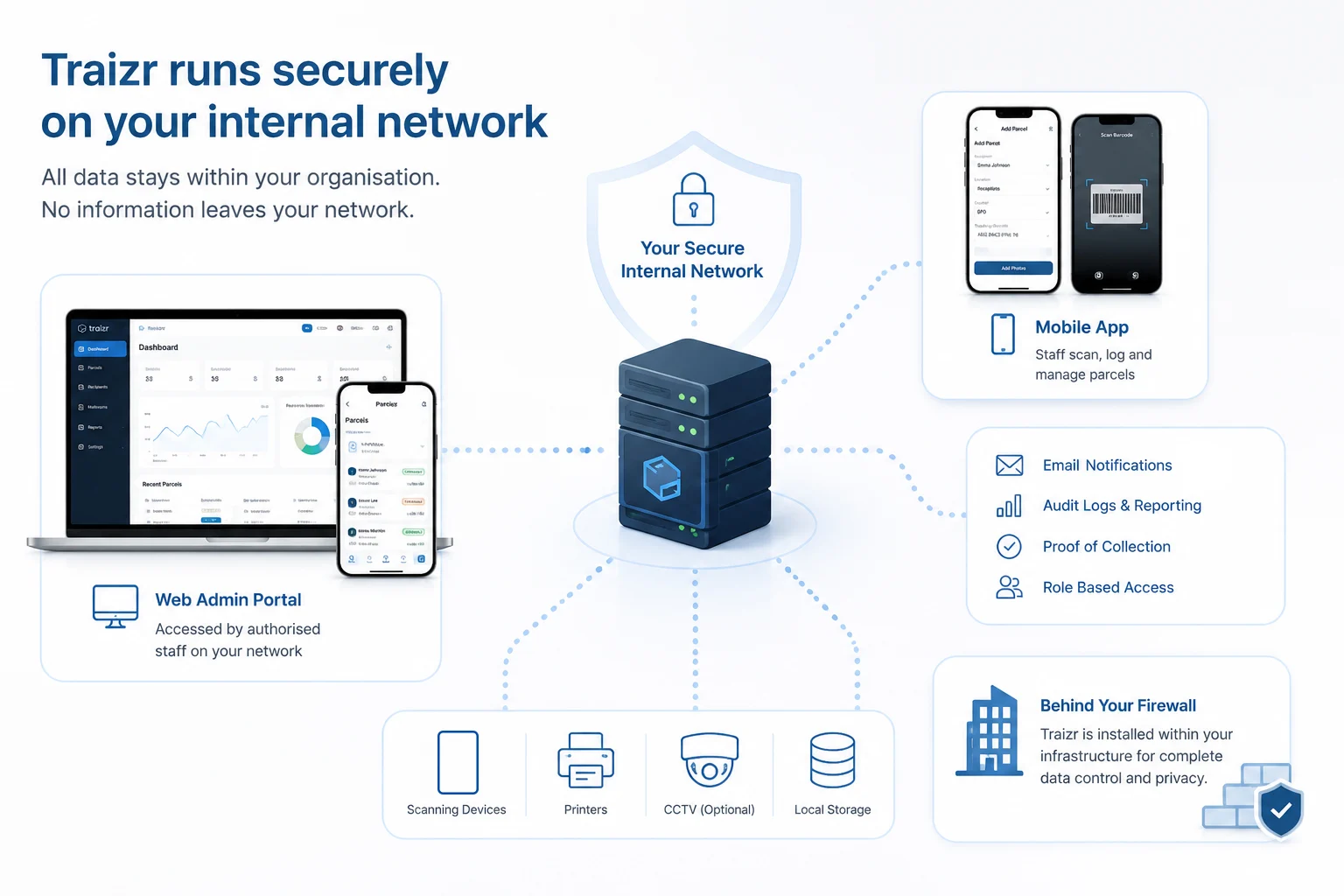
Install Traizr on your own infrastructure, or run it in a container entirely inside your network. No outbound connection is required and the data remains yours.
- Your hardware, your data
- No outbound connection
- Updates on your schedule
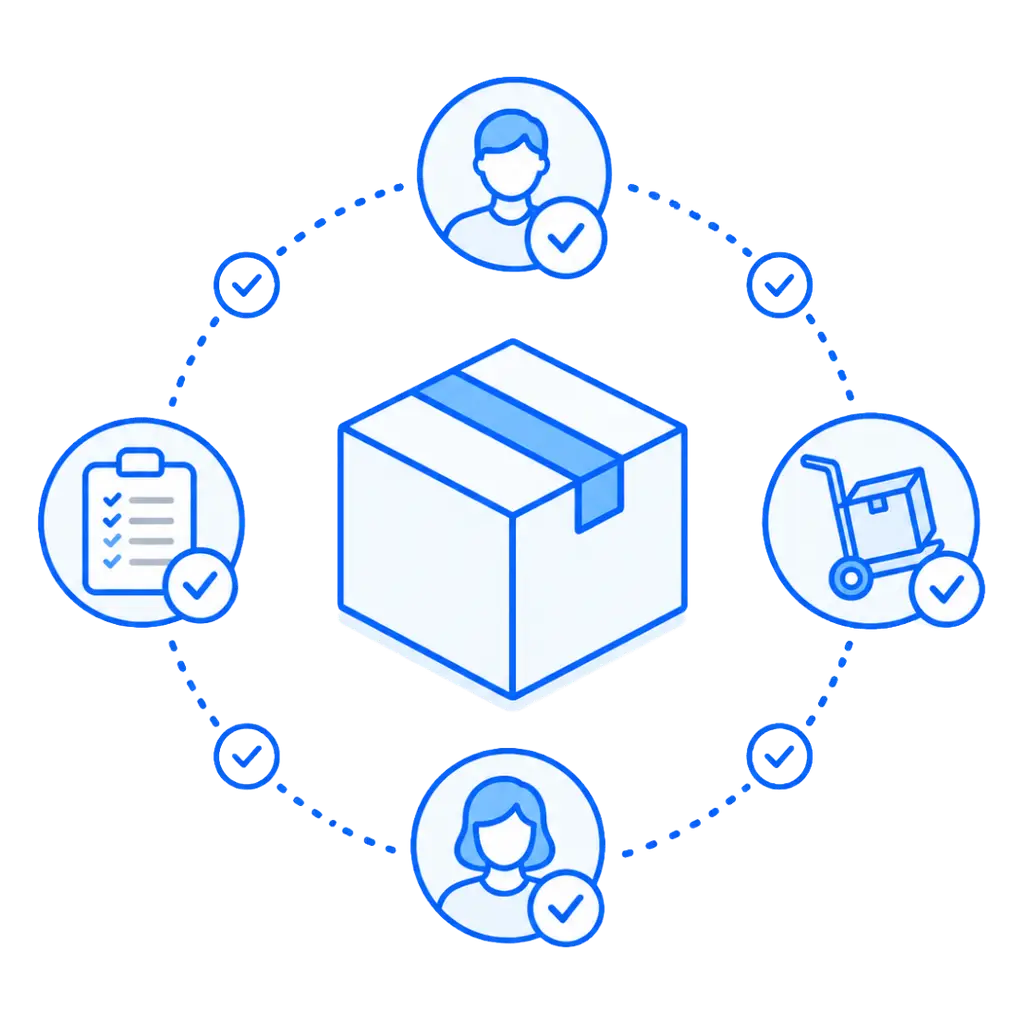
When cloud is not an option, the mailroom's needs remain the same
The post still arrives. It still has to reach somebody, and somebody still has to prove that it did. Sites that cannot use cloud software usually end up running the mailroom on paper.
The result is that the mailroom reverts to paper records and spreadsheets.
- Paper, because nothing else was permittedA logbook is not chosen on merit. It is what remains once every connected option has been ruled out.
- The record cannot be searchedInvestigating an incident means reading through a book by hand, page by page.
- Handovers between areas go unrecordedItems cross internal boundaries and those movements are exactly what nobody has evidence for.
- No real proof of collectionA signature in a book proves somebody signed a book. It does not tie a named person to a specific item at a specific time.
If your constraint is about accountability rather than hosting, the standard deployment may be all you need. See government mail tracking and mailroom software for government buildings.
Deployment
Two ways to put it inside your network
On your existing infrastructure
Traizr is installed onto hardware you already run and already manage. It sits alongside your other internal systems, under the same controls, and is backed up by the process you already trust.
Or as a container inside your network
Traizr runs as a container on a Linux box or an internal web server, confined to your network. A great option when you require a deployment kept separate from everything else.
Devices connect over your network
Staff use your allowed iOS and Android phones and tablets, reaching the server across your own infrastructure. Those devices need no internet access, and there is no scanning hardware to buy.
Updates arrive on your terms
Releases are supplied to you and applied when you choose, through whatever change process governs your other systems. Nothing updates itself from outside the boundary.
Everything still works when nothing reaches the outside
-
Scanning an item in
Barcode and QR scanning, label capture and photographs all happen on the device and are written to your server across your own network.
Works closedFully. There is no external dependency at any point in the capture. -
Matching it to a recipient
The recipient list lives on your install, so matching is a local lookup rather than a call to anything outside.
Works closedFully. Lists are imported, or connected from systems inside your own network. -
Notifying the recipient
Notifications to people inside the organisation travel over your infrastructure and reach them as normal.
Works closedInternal channels, yes. SMS needs a route to an external provider, so on a fully closed site it is either unused or sent through a gateway you already permit. Worth going through your channel mix with us. -
Routing it onward
Multi-hop movements between departments, floors and buildings are recorded as they happen, on the same record.
Works closedFully. See multi-hop mail routing for what each leg records. -
Proving collection
A QR code, a digital signature or a photograph at handover, timestamped against the item and the person who took it.
Works closedFully. The evidence is captured and stored locally. -
Losing the network mid-round
If a device drops off your network while somebody is working, capture continues on the device itself.
Works closedFully. Items queue on the device and sync automatically when it reconnects, so nothing is lost or re-entered. -
Searching the history
The audit trail is queried from your own install, by recipient, sender, reference or date.
Works closedFully. The record never leaves your infrastructure, which is also what lets you export it on your own terms.
The audit trail is the reason most secure sites look at this at all. Chain of custody software covers what is recorded at each handover, and the mailroom audit trail covers what it looks like when somebody asks to see it.
The same platform, inside your perimeter
Hosting it yourself does not get you a reduced version. That is worth checking with any vendor offering an on-premise option.
-
Your infrastructure
Installed on hardware you already run, or in a container confined to your network. Either way, the data sits with you.
-
No outbound requirement
Nothing needs to call out for the mailroom to work. A disconnected site is a supported configuration, not a workaround.
-
Mobile scanning
Ordinary iOS and Android devices over your own network. No dedicated scanners and no specialist hardware to maintain.
-
Capture without a connection
Devices that lose the network keep working and sync when they return, so a dead spot in a building costs you nothing.
-
Multi-hop movements
Every internal handover recorded on one record, across departments, floors and buildings within the site.
-
Proof at handover
QR code, digital signature or photograph, timestamped and tied to the person who took the item.
-
Role-based access
Users see and do only what their role permits, with administrative access controlled separately.
-
Multi-factor authentication
Enforced for privileged access, with six-digit PIN and biometric login supported on mobile devices.
-
Searchable audit trail
The full history of any item, by recipient, sender, reference or date, queried entirely from your own install.
-
Reporting
Volumes, pending items, turnaround and scan activity, exportable without anything leaving your network.
-
Updates you control
Applied on your schedule through your own change process, rather than pushed in from outside.
-
Thirteen languages
The same multilingual interface, which matters on international and coalition sites.
Sites that need the boundary
-
Government buildings
Correspondence that has to be accounted for, handled on infrastructure that departmental policy keeps inside the estate.
Government mailroom software -
Defence and military sites
Bases and secure facilities where a closed network is the default and an unbroken custody record is the requirement.
Chain of custody software -
Critical infrastructure
Utilities, health and transport sites that are segmented by design, where operational technology stays separate.
Hospital parcel tracking -
Data residency requirements
Organisations whose legal position on where data sits is fixed, and will not be moved by a feature list.
Law firm mailroom software -
Remote and off-grid sites
Locations with intermittent connectivity or none at all, where the mailroom cannot depend on a link being up.
Multi-site mailroom management -
Research and secure facilities
Laboratories and controlled environments where items are logged with the same rigour as everything else on site.
Security and compliance
Paper V Traizr on a Closed Site
The comparison is not cloud against on-premise. On these sites the real alternative is a logbook, because that is what the policy left available.
| Paper on a closed site | Traizr on a closed site |
|---|---|
| A logbook at the door | A digital record per item, held on your server |
| Cannot be searched | Searchable by recipient, sender, reference or date |
| Internal handovers unrecorded | Every hop scanned onto the same record |
| A signature in a book | QR, signature or photo tied to a named person |
| No view across sites | The same process at every site, and comparable |
| Investigations mean interviews | Investigations become a search |
| The process lives with one person | The process lives in the system and survives them |
| Chosen because nothing else complied | Complies, and does the job properly |
What your security team will want to know
- Independently assessed. Our most recent external security assessment.
- Backups are encrypted. Encrypted backups are stored separately from production, and traffic is protected in transit with HTTPS and TLS throughout.
- Access is controlled by role. Users see and do only what their role permits, with multi-factor authentication enforced for privileged access.
- Documentation on request. The data processing agreement, security overview, incident response plan and assessment summary are sent on request.
Frequently asked questions
Everything you need to know before getting in touch.
What does an on-premise install actually mean?
Traizr runs on hardware you control instead of hardware we control. There are two ways to do that. It can be installed onto infrastructure you already run, or it can run as a container that sits entirely inside your network on a Linux box or an internal web server. In both cases the software and the data stay on your side of the boundary.
Can it run with no internet connection at all?
Yes. That is the reason this deployment exists. Staff devices reach the server over your own network, and the server never needs to call out to anything. A site can be completely disconnected from the public internet and still scan, notify, route and prove collection exactly as any other site does.
Where does the data physically sit?
On your infrastructure, in whichever facility that is. Nothing is written to a system we host, and nothing synchronises to an external service unless you deliberately configure it. If your objection to cloud software is about jurisdiction rather than technology, this is usually the shortest answer to it.
How do notifications work on a closed network?
Anything that stays inside the network works normally. Notifications to internal recipients travel over your own infrastructure, and the app behaves as it does anywhere else. Channels that need an external provider, such as SMS, require a route out to that provider. On a fully closed site those channels are either not used or sent through a gateway you already permit. It is worth going through your specific channel mix with us rather than assuming either way.
How are updates applied to a disconnected site?
Updates are supplied to you and applied on your own schedule. Nothing is pushed in from outside. That is the trade you make with this deployment: you gain full control of the boundary, and you take on the decision about when to update. Most sites treat it the same way they treat any other internal system.
Do staff still use their phones?
Yes. Scanning, photographing and capturing signatures all happen on ordinary iOS and Android devices connected to your network. There is no dedicated scanner to buy, and those devices do not need any internet access.
What about sites that are only sometimes connected?
This is common with remote and mobile operations. If a device loses its connection, items queue on the device and sync automatically once it is back. That behaviour is standard in Traizr rather than something specific to the on-premise install.
Is the software different from the cloud version?
No, it is the same platform. You are not given a reduced build in exchange for hosting it yourself. It is worth checking that point with any vendor offering an on-premise option, because it is not always the case.
What certifications does Traizr hold?
Traizr does not hold ISO 27001, and we would rather say so plainly than let it be assumed. The data centre facilities used for our hosted service are certified, which is a statement about those facilities and not about us. Our most recent external security assessment, carried out by HackerGuardian, a Qualys Approved Scanning Vendor, returned zero findings. The Trust Centre holds the documentation and we send it on request.
Who is this deployment for?
Anyone whose network policy does not permit a cloud service. That usually means defence sites, government buildings, secure facilities and critical infrastructure. It also suits organisations with a data residency requirement their legal team will not compromise on. If your constraints are about accountability rather than hosting, government mail tracking covers the standard deployment.
Every deployment of this kind has site-specific constraints. Get in touch with what your network policy requires and we will tell you plainly whether it fits.
Other things Traizr does
Same system, different capability. All of these work the same way on a closed deployment.
-
Multi-tenant mailroom software
Many tenants on one platform, each seeing only their own mail, with a superadmin that creates and configures all of them.
Read the page -
Multi-hop mail routing
Send an item onward through postrooms, buildings, campuses and countries, with one person accountable for each leg.
Read the page
Ready to Simplify Your Building?
Bring your network constraints and your security questionnaire. We will tell you what fits and what does not. About 20 minutes.