
Remote mail access
Request Open and Scan: Post for Staff Who Are Not in the Office
People working from home or travelling still get their post. One tap in the arrival email asks the mailroom to open the item and email them a scan.
The original stays in the mailroom for collection, and Traizr does not keep a copy of the scan.
- Requested from the arrival email
- No copy kept by Traizr
- Original kept for collection
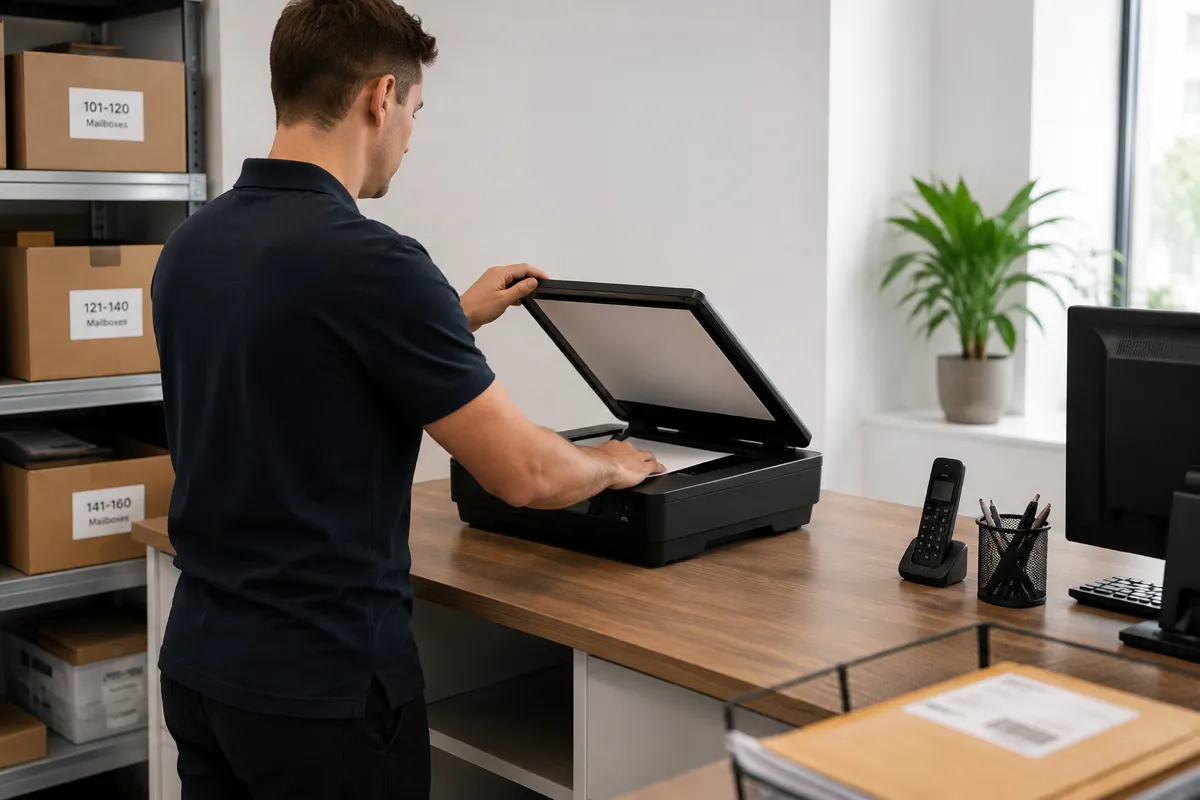
What Request Open and Scan does
Hybrid working means post often arrives for people who are not in the building. Without a way to ask for it, letters wait on a shelf until the next office day, or someone phones the mailroom and asks a colleague to open it.
Request Open and Scan gives that request a proper route. When the feature is switched on, the arrival email includes a Request Open and Scan button. The recipient confirms on a simple web page and the item is flagged for the mailroom.
Staff open the item, scan the contents and email the scan to the recipient from their own email. They then mark the item Scanned & sent. The original stays available to collect.
Running a virtual office? If you handle post for clients who rent an address from you, see mail scanning software. That page covers scanning as a client service, where the scan is stored on the item record. Request Open and Scan is for an organisation's own people, and the scan is emailed rather than stored.
How it works
Three steps from envelope to inbox
Nothing is opened until the recipient asks, and every step is recorded on the item.
The recipient asks
They tap Request Open and Scan in their arrival email and confirm on a simple web page. No login is needed.
The mailroom opens and scans it
The request is flagged in Traizr. A member of staff opens the item and scans the contents.
The scan is emailed
Staff email the scan to the recipient from their own email and mark the item Scanned & sent. The original stays available to collect.
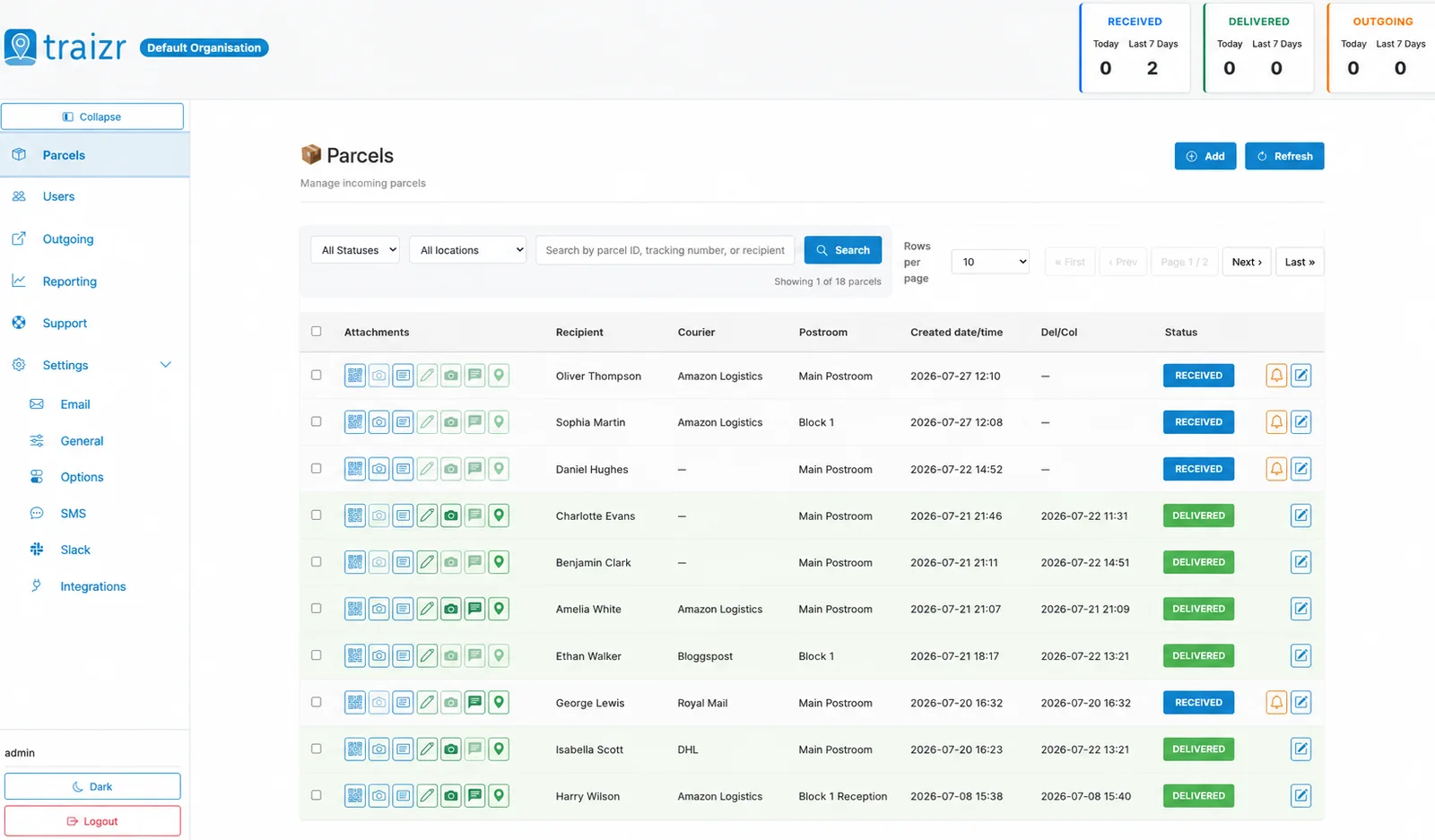
The recipient's request is recorded on the item before anything is opened, so the history shows who asked and when.
Privacy and control
Opening someone's post needs clear rules. These are built in.
Traizr does not keep a copy of the scan
The scan goes from the mailroom to the recipient by email. It is not uploaded to Traizr, and no copy is stored there.
The contents of personal and confidential post stay out of the parcel system.
Off until you switch it on
Request Open and Scan is off by default. Each organisation decides whether to offer it.
When it is on, it works for any recipient, not only virtual office clients.
Every request is on the record
The request, the scan and the Scanned & sent status are recorded in the item's history, with the time of each step.
If anyone asks later what happened to a letter, the answer is on the item.
The original is kept
Scanning does not replace the paper. The original stays in the mailroom, ready to collect, which matters for signed documents and anything that has to be produced in person.
What Request Open and Scan gives you
Part of the admin dashboard and the arrival email your recipients already receive.
-
One tap from the arrival email
The request starts in the email that tells the recipient the item has arrived.
-
A simple confirmation page
The recipient confirms on a web page. No account or login is needed.
-
Requests flagged for staff
The mailroom can see which items are waiting to be opened and scanned.
-
No copy kept by Traizr
Staff email the scan. It is never stored in Traizr.
-
Scanned & sent status
Staff mark the item once the scan has gone, so the mailroom can see the request is complete.
-
Original kept for collection
The item stays in the mailroom after scanning, marked Scanned & sent.
-
Every step recorded
The request and its completion are added to the item's history.
-
Switched on per organisation
Off by default, so you decide whether to offer it.
-
For any recipient
Works for staff, students and residents, not only virtual office clients.
Who uses it
Any organisation where people are often away from the building their post arrives at.
-
Hybrid offices
Staff who are in two or three days a week can deal with urgent post on the days they work from home.
Corporate headquarters mailroom -
Law firms
Lawyers working away from the office see correspondence the day it arrives, while the original stays on file.
Law firm mailroom software -
Finance firms
Letters from banks, regulators and tax authorities reach the right person without waiting for an office day.
Mailroom software for financial services -
Healthcare
Staff on shifts or working across sites get their post without a trip to the mailroom.
Hospital parcel tracking -
Universities
Academic and professional staff working remotely receive their post, and the original waits in the department.
University mailroom software -
Virtual offices
For clients who rent an address, the virtual office workflow stores scans on the item record instead.
Virtual office software
Frequently asked questions
Everything you need to know before getting in touch.
What is Request Open and Scan?
It is a Traizr feature that lets a recipient ask the mailroom to open an item and email them a scan. The request is made from the arrival email, and the original stays available to collect.
Does Traizr store the scan?
No. Staff email the scan to the recipient from their own email, and Traizr does not keep a copy. The item's history records that it was scanned and sent.
Does the recipient need a Traizr login?
No. They tap the button in their arrival email and confirm on a simple web page.
Is it switched on for everyone?
No. It is off by default, and each organisation switches it on if it wants to offer it.
What happens to the original?
It stays in the mailroom and is marked Scanned & sent. The recipient can collect it when they are next in.
How is this different from mail scanning for virtual offices?
Virtual office operators scan post as a service for clients who rent an address, and the scan is stored on the item record. See mail scanning software. Request Open and Scan is for an organisation's own people, and the scan is emailed, not stored.
Other things the platform does
Same system, different capability.
-
Multi-tenant mailroom software
Many tenants on one platform, each seeing only their own mail, with a superadmin that creates and configures all of them.
Read the page -
On-premise mailroom software
Install on your own infrastructure or in a container inside your network, and run the mailroom with no outbound connection at all.
Read the page -
SMS and Slack notifications
Reach people on the channel they actually read. Text messages for those without a work inbox, Slack for the teams already in it.
Read the page -
Multi-hop mail routing
Send an item onward through postrooms, buildings, campuses and countries, with one person accountable for each leg.
Read the page -
In-app support from real people
Ask a question from inside the product and get an answer from someone who knows it, not a ticket number and a queue.
Read the page -
Smart parcel label scanning
Scan any barcode on a courier label and Traizr finds the parcel, reads the recipient's name and records the box count and PO number.
Read the page -
Collection and delivery requests
A branded web form for booking a parcel collection or an internal delivery. No login needed, and every request gets a reference number.
Read the page -
Mail scanning software
Items are opened and scanned only when the client asks, and the scan is stored on the item record.
Read the page
Ready to Simplify Your Building?
We will show you a request from the arrival email through to Scanned & sent. About 20 minutes.