
Parcel label scanning
Scan Once. Traizr Reads the Whole Label.
Scan any barcode on a courier label and Traizr finds the parcel. The Traizr app (iOS and Android) reads who it is for and records the details your team needs.
Fewer duplicate parcels, fewer parcels assigned to the wrong person and less typing at the desk.
- Any barcode on the label
- Recipient read from the label
- Multi-box deliveries logged once
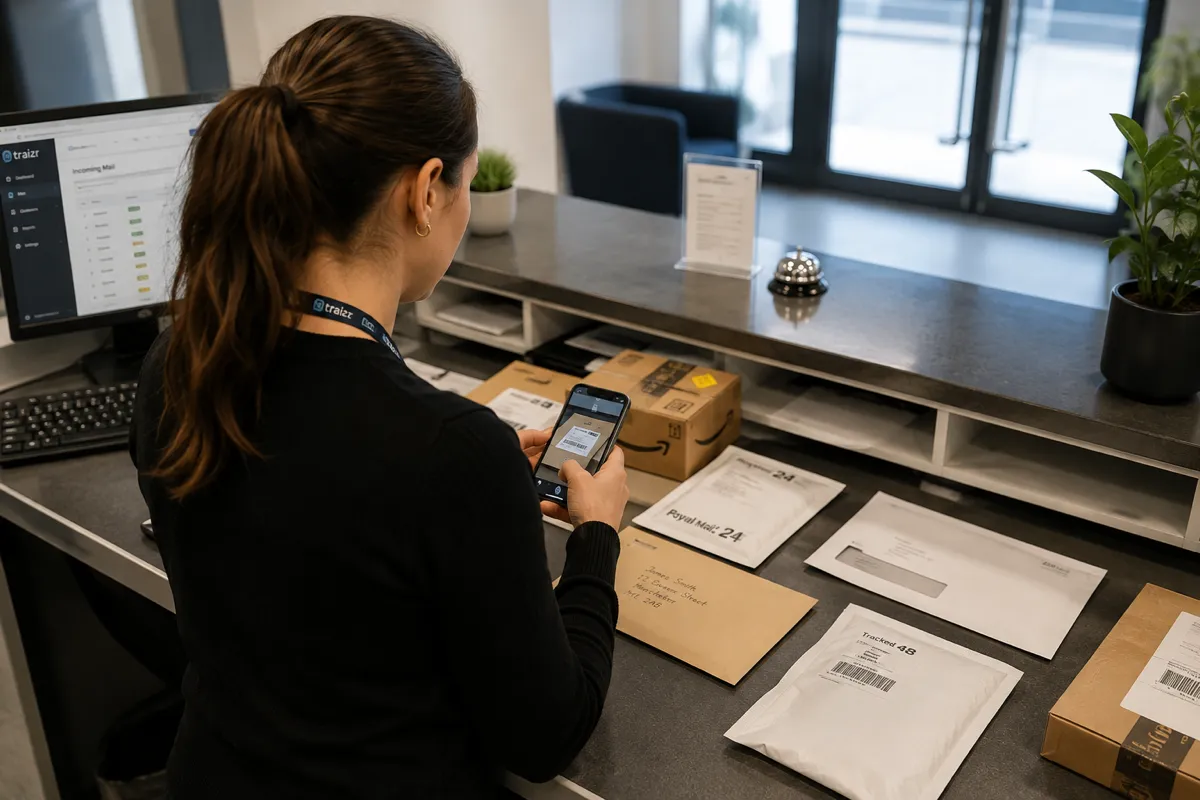
What smart label scanning does
A courier label usually carries more than one barcode. There is the courier's tracking number, a code for the sorting depot and often a retailer or order reference. Different members of staff scan different ones, and in many systems that creates a second record for the same parcel.
Traizr remembers every barcode on a parcel's label. Whichever one is scanned later, the parcel is recognised. The reference Traizr picks is the same on every scan, on iPhone and on Android.
The app also reads the recipient's name from the label, so the parcel is matched to the right person without anyone typing it in.
What is read. Smart label scanning reads the outside of a parcel: its barcodes and the printed recipient. It does not open anything or read documents. If someone needs the contents of a letter while they are away, see Request Open and Scan.
How it works
From courier label to the right recipient
Intake is one scan of the label. These are the steps the app takes care of.
Scan any barcode
Staff point the phone at the label and press capture once. The app waits a moment for a steady read instead of asking them to try again.
The parcel reference is chosen
On a label crowded with barcodes, the app ignores short sort codes, misreads and internal IDs and settles on the real parcel reference.
The recipient is read
The app reads the name on the label. It selects a person automatically only when it is certain. Otherwise it offers a short list to choose from.
Box count and PO number
If several boxes share one courier barcode, staff record how many. If your organisation uses purchase-order numbers, staff add the PO number here.
Delivered by any barcode
At handover, the app tries every code on the label until it finds the parcel, so a scan at the desk does not end in a dead end.
Built for the labels that cause problems
Four situations where parcel label scanning usually goes wrong, and what Traizr does about each.
Labels with many barcodes
Labels from Amazon, USPS, FedEx and other large carriers can carry several barcodes. The app ignores short sort codes, misreads and internal IDs, and settles on the real parcel reference without flicking between codes.
Intake is faster, with fewer retries and fewer parcels logged under the wrong reference.
Names that are hard to read
The app handles accented names, such as Inês or José, and names printed in capitals. It ignores the sender's address block, which is a common cause of a wrong match.
When the app is not certain, it does not guess. It offers a short list of likely recipients. If the wrong person has been selected, staff tap Change to correct it without rescanning the parcel.
Deliveries of several boxes
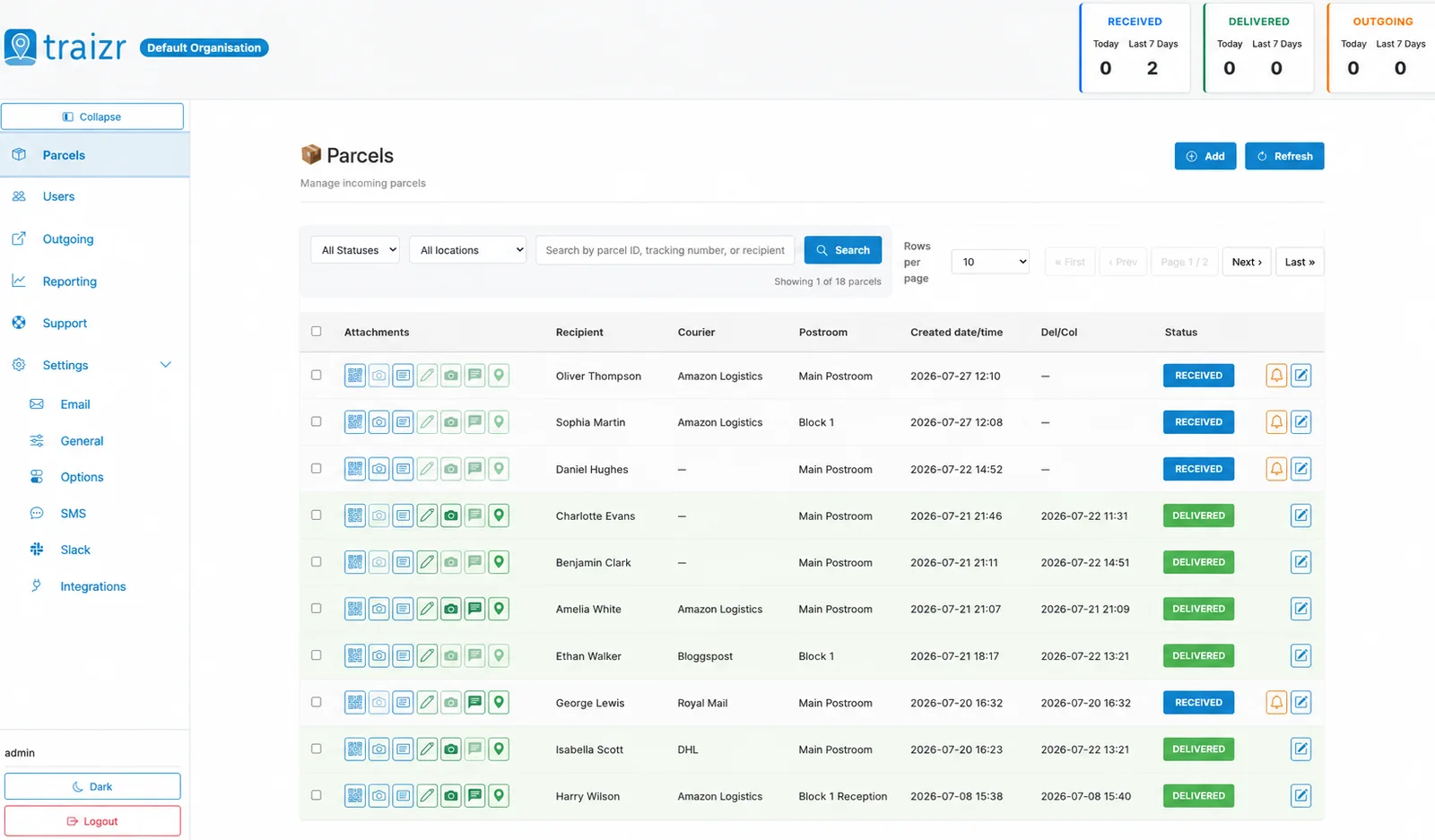
A delivery of several boxes that share one courier barcode is logged once, with a box count from 1 to 99. The count appears in the parcel list, in the arrival email, SMS and Slack message ("3 boxes, please collect all 3") and on the handover screen, which reminds staff to hand over every box.
Recipients do not leave with one box out of three.
PO numbers for business deliveries
An optional purchase-order number can be recorded with each parcel. It can be searched in the parcel list, appears in the CSV reports and can be included in notifications. Each organisation can switch the field on or off.
When someone asks "where is my order?", the mailroom can answer by PO number.
What smart label scanning gives you
Included as standard in the Traizr app (iOS and Android) and the admin dashboard.
-
Any barcode works
Every barcode on the label is remembered, so a parcel is recognised whichever one is scanned.
-
No duplicate parcels
Scanning a different barcode the second time finds the same parcel instead of creating a new one.
-
Same on every phone
The reference Traizr picks is the same on every scan, on iPhone and on Android.
-
One press to capture
The app waits for a steady read, so staff are not asked to scan again.
-
The right recipient
Names are read from the label, including accents and capitals, with a short list when the app is not certain.
-
Change without rescanning
Staff tap Change to correct the recipient. The parcel does not have to be scanned again.
-
Box counts from 1 to 99
Multi-box deliveries are logged once, and the count follows the parcel to handover.
-
PO numbers
Recorded with the parcel, searchable, included in CSV reports and optional in notifications.
-
No special hardware
Works on the iPhones and Android phones your team already carries.
Where labels are busiest
Label scanning matters most where many parcels arrive at once and many people collect them.
-
Student accommodation
Large volumes of online orders, and many residents to match them to.
Student accommodation software -
Universities
Central intake for departments, staff and students, with every major courier at the door.
University mailroom software -
Corporate headquarters
Business deliveries with PO numbers and multi-box orders for teams across many floors.
Corporate headquarters mailroom -
Package rooms
High volumes logged quickly, so parcels reach the shelf and the recipient is told.
Package room software
Frequently asked questions
Everything you need to know before getting in touch.
What is smart label scanning?
It is how the Traizr app reads a courier label at intake. Staff scan any barcode on the label, and the app finds the parcel or starts its record, reads the recipient's name and lets staff add a box count and a PO number.
Which barcode should staff scan?
Any of them. Traizr remembers every barcode on a parcel's label, so the parcel is recognised whichever one is scanned, at intake or at handover.
Does Traizr use OCR on parcel labels?
Yes, to read the recipient's name printed on the label. The app handles accents and capitals and ignores the sender's address block. It only selects a person automatically when it is certain. It does not read the contents of post.
What happens if the app picks the wrong person?
Staff tap Change and choose the right recipient. The parcel does not need to be scanned again.
How are multi-box deliveries handled?
Several boxes that share one courier barcode are logged once, with a box count from 1 to 99. The count appears in the parcel list, in the notifications and on the handover screen, which reminds staff to hand over every box.
Can we record purchase-order numbers?
Yes, if the field is switched on for your organisation. The PO number is searchable in the parcel list, included in CSV reports and can be added to notifications.
Do we need a barcode scanner?
No. The Traizr app runs on iPhone and Android phones. See the full feature list for what else runs on the same app.
Other things the platform does
Same system, different capability. Label scanning is where every parcel record starts.
-
Multi-tenant mailroom software
Many tenants on one platform, each seeing only their own mail, with a superadmin that creates and configures all of them.
Read the page -
On-premise mailroom software
Install on your own infrastructure or in a container inside your network, and run the mailroom with no outbound connection at all.
Read the page -
SMS and Slack notifications
Reach people on the channel they actually read. Text messages for those without a work inbox, Slack for the teams already in it.
Read the page -
Multi-hop mail routing
Send an item onward through postrooms, buildings, campuses and countries, with one person accountable for each leg.
Read the page -
In-app support from real people
Ask a question from inside the product and get an answer from someone who knows it, not a ticket number and a queue.
Read the page -
Request Open and Scan
Staff who are away from the office ask for an item to be opened and scanned from their arrival email. The scan is emailed to them and not kept by Traizr.
Read the page -
Collection and delivery requests
A branded web form for booking a parcel collection or an internal delivery. No login needed, and every request gets a reference number.
Read the page
Ready to Simplify Your Building?
We will show you intake on a real phone, from courier label to arrival notification. About 20 minutes.