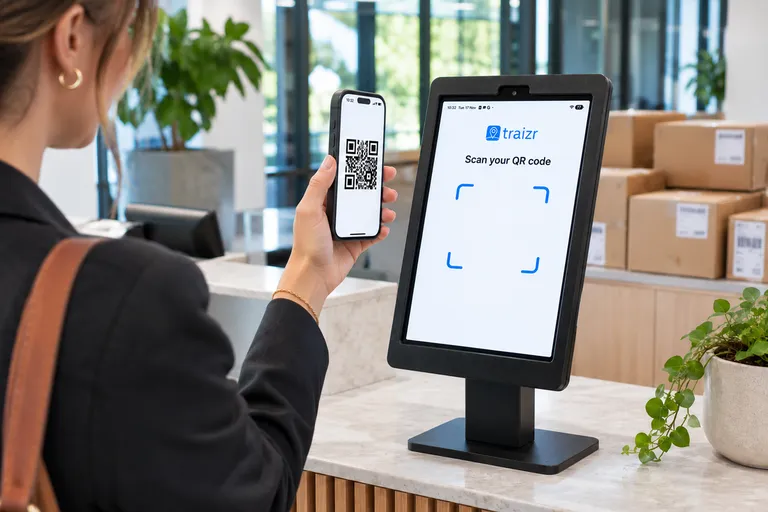
Traizr can now turn an iPad or Android tablet into a parcel collection point. Recipients scan the QR code from their arrival email, take their parcels and confirm on screen, and the collection is recorded like any other handover.
November 20, 2026 - The self-collection kiosk is available now and is switched on for your organisation on request.
Update, 22 November 2026: the kiosk is part of the Enterprise plan. See pricing.
Why a kiosk
Much of a reception team's day goes on routine handovers. Someone comes to the desk, gives their name, waits while the parcel is found and signs for it. At busy times, such as the start of term in student accommodation, that queue gets long.
The kiosk lets people collect their own parcels, and leaves staff free for the deliveries and questions that need a person.
How it works
- Scan the QR code. The recipient holds the QR code from their arrival email up to the tablet. A code for a parcel that has already been collected is rejected.
- See and take the parcels. The tablet shows the parcels waiting for that person, and they take them from the collection point.
- Confirm on screen. The recipient taps to confirm, and signs if that kiosk asks for a signature. They can undo during the visit, and the "collected" email is sent when the visit ends.
Built for a tablet nobody is watching
Each kiosk tablet runs the standard Traizr app and is paired to your organisation as a device. It never signs in as a member of staff, so nobody at the tablet can search the recipient list or see anyone else's parcels.
You can run several kiosks. Each has its own name, location and settings, including whether a signature is required. Admins see the last activity on every tablet and can revoke one at once. People who do not have a QR code are asked to go to reception.
Where it helps
Kiosks suit anywhere people collect parcels in numbers: student accommodation, universities, apartment buildings, coworking spaces and offices. Paired with recorded shelf locations in package room software, people go straight to the right shelf.
Getting started
All you need is an iPad or an Android tablet. Read more about the self-collection kiosk, or book a demo to see a collection from QR scan to the "collected" email.