

Entrata Integration for Resident Parcel Management
Pull residents and unit/space from Entrata leases.
- Read-only
- Scheduled sync
- No new hardware
The lease is the truth. Somebody signs, somebody moves out, and Entrata knows about both before anyone standing in the parcel room does.
Residential buildings live or die on that lag. A resident moves out on the 30th, their online orders keep arriving into the following week, and the parcel room has no way to know they have gone. The item gets logged to a name that is no longer in the building and sits there until somebody works out what happened.
The reverse is just as common. A new resident collects their keys on Saturday, orders a week of essentials, and the parcel room is still working from a list that predates their lease.
Reading residents and their unit or space from Entrata leases means occupancy and parcels move together. The list is not something anyone maintains; it is a consequence of the leases you already hold.
Move-ins and move-outs are the whole problem. If the parcel room learns about them from the lease rather than from a person, most of the chasing disappears.
What comes across
For multifamily and residential operators running Entrata as the property management system.
-
Residents
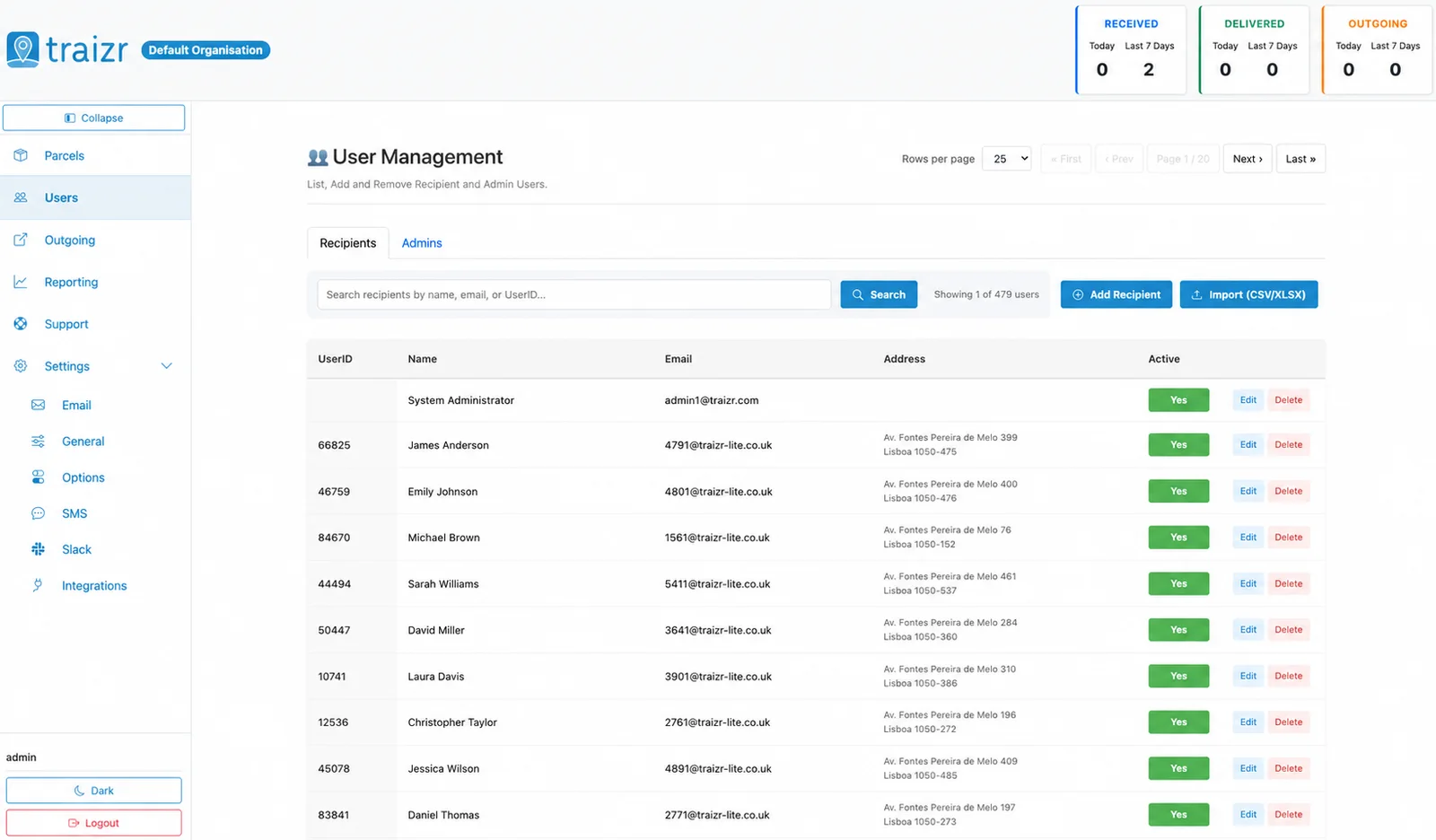
The people currently on a lease, so the parcel room is not delivering to somebody who moved out last month.
-
Unit and space
Where they live, so notifications and handover records carry the unit rather than just a name.
-
Move-ins and move-outs
Occupancy changes reach the parcel room on the sync, rather than when somebody remembers to mention them.
Where the data lands
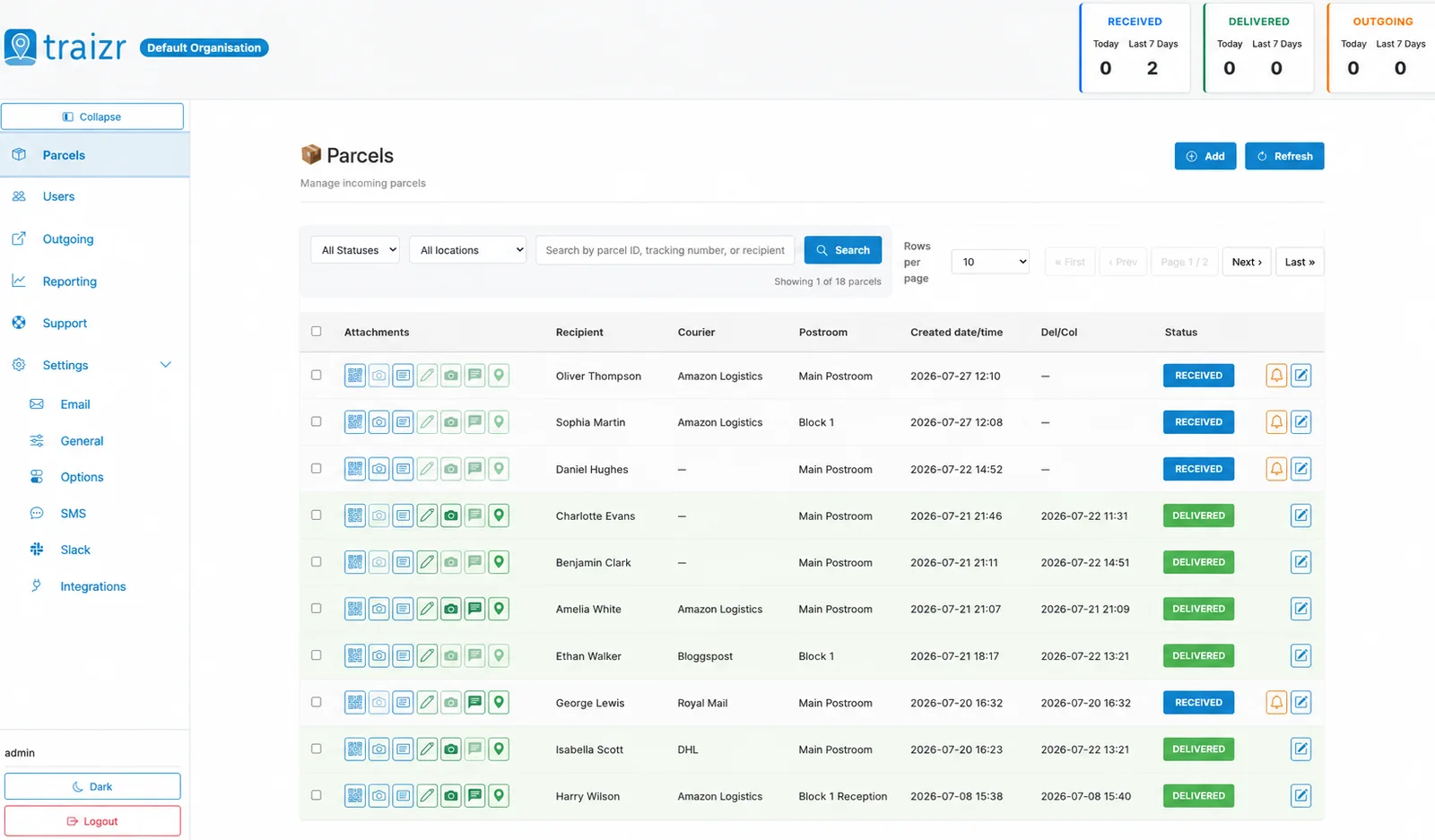
Two Traizr screens: the recipient directory the connector keeps current, and the parcels matched against it.
How the integration works
Set up once, then it runs without anyone thinking about it.
Connect it
You give Traizr read access to Entrata. Traizr only ever reads from your system; it does not write back into it.
Map the fields
Decide which field is the recipient name, which is the email, and which carries the room, unit or department. Done once, at setup.
Set the schedule
The sync runs on a schedule so the recipient list keeps itself current. Nobody has to remember to export anything.
Parcels start matching
From then on, an item scanned at the door is matched against a live recipient list, and the notification goes to the right person at the right location.
Questions people ask
Does the connector change anything in Entrata?
No. It is read-only. Traizr reads residents and their unit or space from Entrata leases to build a recipient list, and never writes back.
What happens to parcels for a resident who has moved out?
They stop matching new items once the lease ends and the sync runs. Anything already logged keeps its history, which is what you need when an item has to be returned or forwarded.
Can one Traizr account cover several Entrata properties?
Yes. Properties are configured independently for recipients, notifications and reporting while sitting under one account. Multi-site mailroom management covers how that works.
What about guarantors, occupants and people not on the lease?
Which records become recipients is decided by the mapping at setup, so you can include or exclude non-leaseholders depending on how your buildings operate.
Do concierge staff need to do anything differently?
No. They scan items as normal. The only change is that the name they are matching against is current. See apartment package management for the wider workflow.
Other integrations



Want this connected to your Entrata?
Tell us what you run and we will walk through the setup on your own data. About 20 minutes.