

RMS Cloud Integration for Guest and Resident Parcels
Pull guests/residents and their unit (Area) from RMS Cloud.
- Read-only
- Scheduled sync
- No new hardware
Short stays make the recipient list a moving target. Somebody who is a valid recipient this morning has checked out by lunchtime, and the parcel that arrives at three is for a person who is no longer in the building.
That is the difference between hospitality and an office. An office list changes a few times a month. A property running short and mixed stays can turn over a meaningful share of its occupancy in a day, and no manual list survives that.
It also raises the stakes on getting it right. A misdirected parcel in an office is an annoyance. A guest who checked out yesterday and whose package is now sitting unclaimed at a desk is a support call, and often a forwarding cost.
Reading guests and residents with their unit from RMS Cloud means occupancy and deliveries stay aligned automatically. The desk sees who is actually in the building, not who was in it when the list was made.
Turnover is the whole difficulty. Anything that relies on a person updating a list will lose to a property where a third of the guests change in a day.
What comes across
For hospitality, serviced apartments, holiday parks and mixed-stay properties running RMS Cloud.
-
Guests and residents
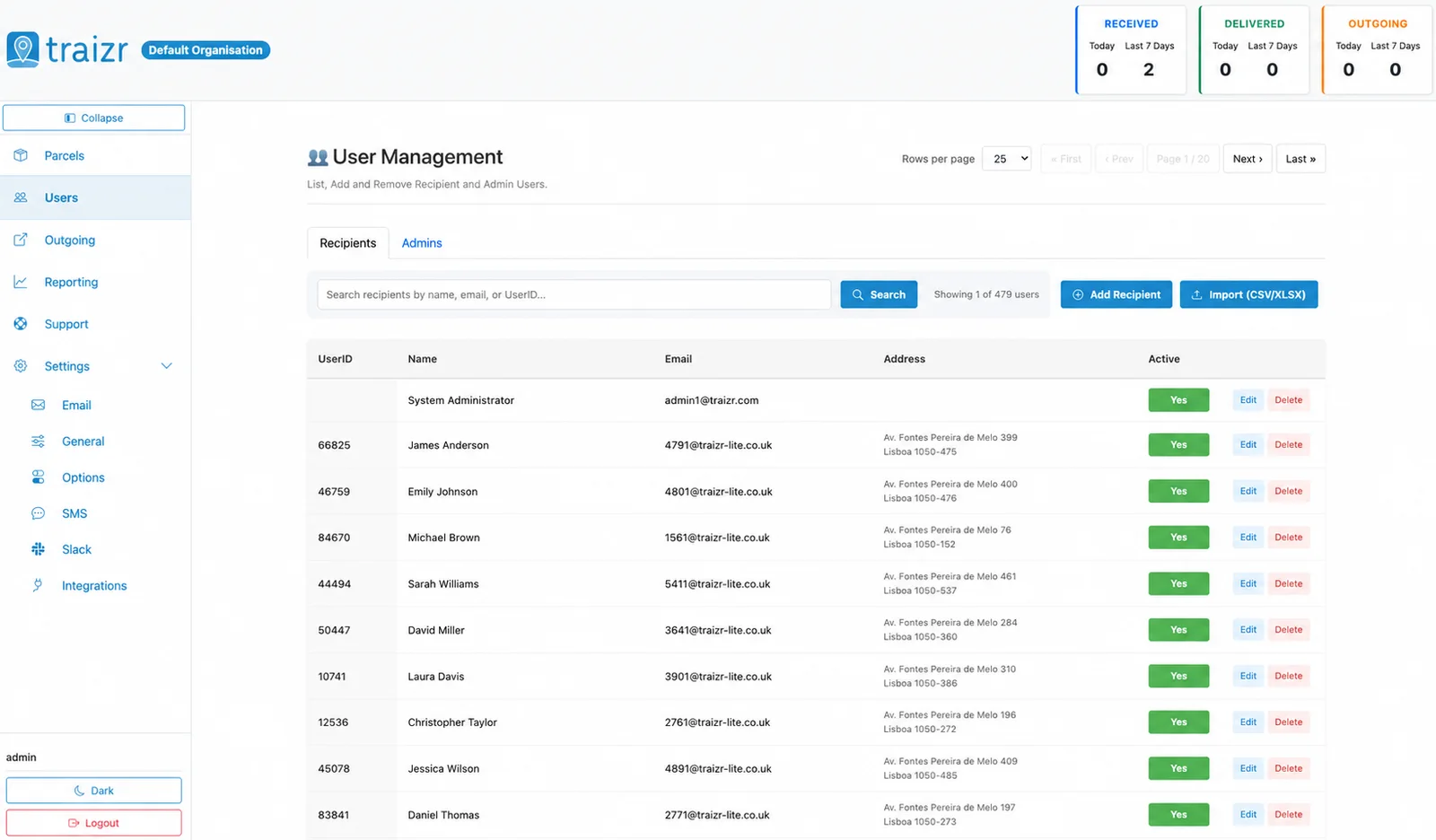
Whoever is currently in the building, so the desk is not matching parcels against people who checked out.
-
Unit (Area)
The area a guest or resident is in, so notifications and handovers carry a location rather than just a name.
-
Fast turnover
Arrivals and departures come through on the sync, which is the only way a short-stay list stays usable.
Where the data lands
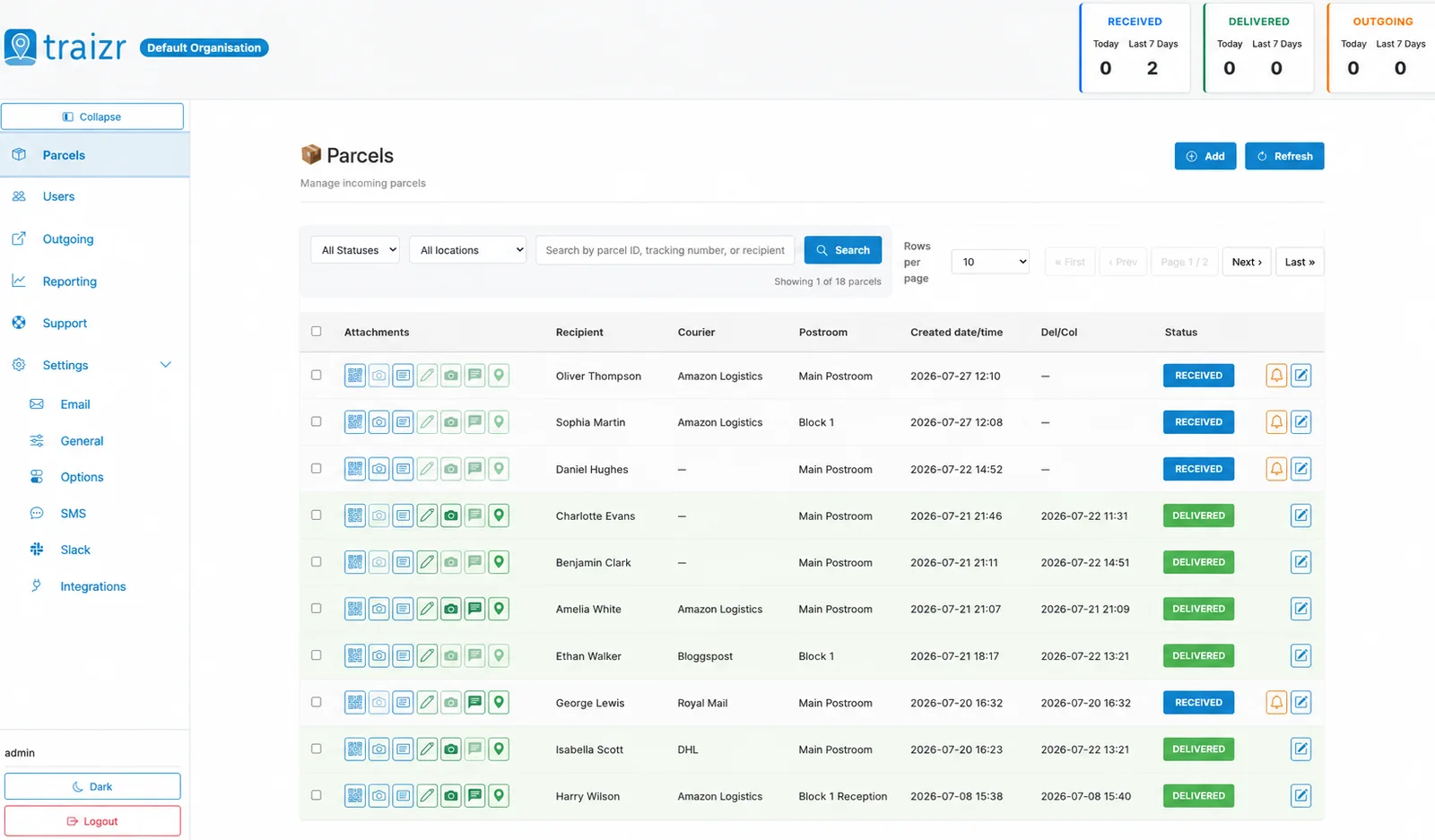
Two Traizr screens: the recipient directory the connector keeps current, and the parcels matched against it.
How the integration works
Set up once, then it runs without anyone thinking about it.
Connect it
You give Traizr read access to RMS Cloud. Traizr only ever reads from your system; it does not write back into it.
Map the fields
Decide which field is the recipient name, which is the email, and which carries the room, unit or department. Done once, at setup.
Set the schedule
The sync runs on a schedule so the recipient list keeps itself current. Nobody has to remember to export anything.
Parcels start matching
From then on, an item scanned at the door is matched against a live recipient list, and the notification goes to the right person at the right location.
Questions people ask
How does this cope with same-day check-in and check-out?
By running the sync frequently. Because the list is rebuilt from RMS Cloud rather than edited by hand, a higher frequency costs nothing operationally and is the normal setup for high-turnover properties.
What happens to a parcel that arrives after checkout?
The person is no longer a current guest, so the item will not match them as a valid recipient. It is logged and visible as needing a decision, rather than quietly assigned to somebody who has gone.
Does Traizr write anything into RMS Cloud?
No. The connector is read-only. It reads guests, residents and their unit and nothing more.
Can we run several parks or properties from one account?
Yes, each configured separately for recipients, notifications and reporting under a single account.
We have long-stay residents as well as short stays. Is that a problem?
No, they are handled the same way. Mixed occupancy is common and the sync makes no distinction beyond what RMS Cloud itself records.



Want this connected to your RMS Cloud?
Tell us what you run and we will walk through the setup on your own data. About 20 minutes.