

StarRez Integration for Student Accommodation Parcels
Pull current residents and their room/bed from StarRez REST.
- Read-only
- Scheduled sync
- No new hardware
StarRez already knows who lives in which room. The parcel room usually finds out later, from a spreadsheet somebody exported on a Friday.
That lag is invisible for most of the year and catastrophic for two weeks in September. Several hundred residents arrive inside a fortnight, half of them order everything they own to their new address, and the list the mailroom is working from was accurate the day it was made and wrong by the time the first pallet landed.
Room moves do the same damage more quietly. A resident swaps flats in November, StarRez is updated properly, and the mailroom copy still says the old block until somebody notices a parcel went to the wrong building.
Reading residents and their room or bed straight from StarRez REST removes the export step, and with it the window where the two systems disagree. The mailroom is looking at the same allocation the accommodation team is.
If you run student accommodation, the September intake is the test. Everything else about a mailroom is easier than the fortnight when a term's worth of parcels arrives for people whose rooms were allocated last week.
What comes across
Built for university halls, private student accommodation and any site where StarRez is the record of who is in which bed.
-
Current residents
The people actually in residence now, not everyone who ever held a booking. Leavers stop appearing as valid recipients.
-
Room and bed
The allocation down to bed level where you use it, so notifications tell a resident exactly where to collect and staff know where an item belongs.
-
Changes, on a schedule
Arrivals, departures and room moves come through on the sync rather than waiting for someone to send a new export.
Where the data lands
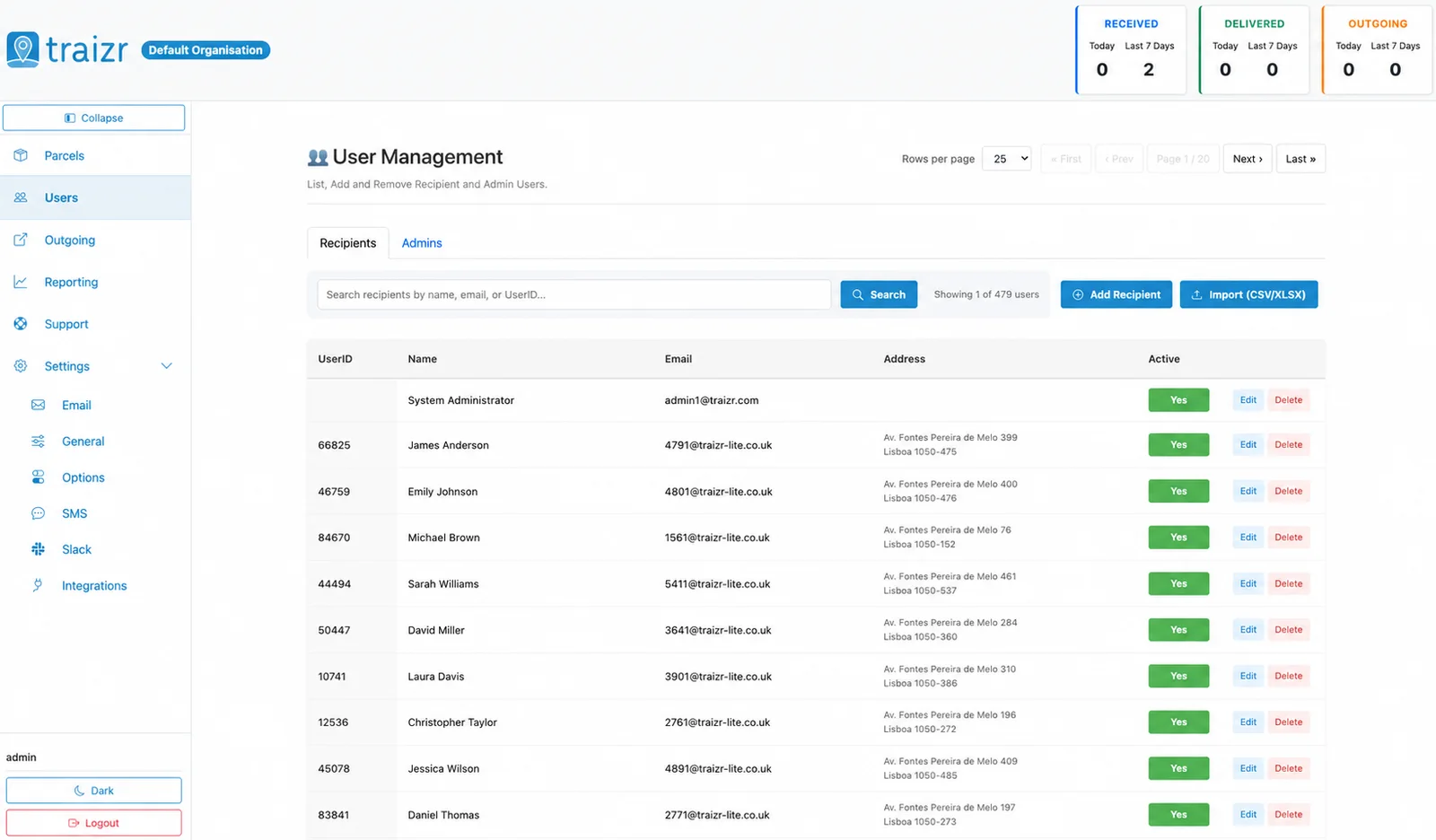
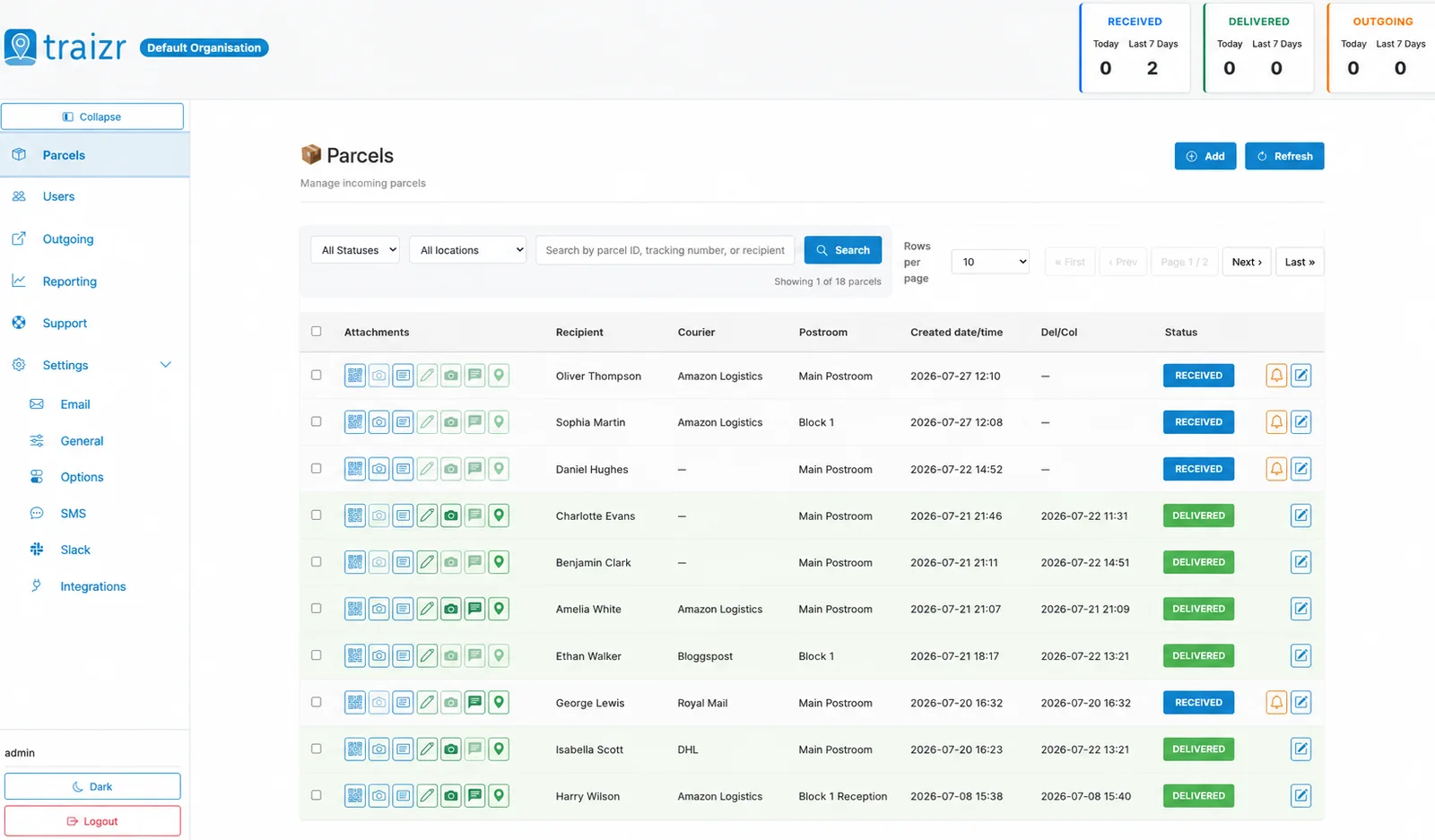
Two Traizr screens: the recipient directory the connector keeps current, and the parcels matched against it.
How the integration works
Set up once, then it runs without anyone thinking about it.
Connect it
You give Traizr read access to StarRez REST. Traizr only ever reads from your system; it does not write back into it.
Map the fields
Decide which field is the recipient name, which is the email, and which carries the room, unit or department. Done once, at setup.
Set the schedule
The sync runs on a schedule so the recipient list keeps itself current. Nobody has to remember to export anything.
Parcels start matching
From then on, an item scanned at the door is matched against a live recipient list, and the notification goes to the right person at the right location.
Questions people ask
Does this write anything back into StarRez?
No. The connector is read-only. Traizr reads current residents and their room or bed to build its recipient list, and never writes into StarRez.
How do we handle the September intake specifically?
Run the sync more frequently over the arrival period. The list rebuilds from StarRez each time, so residents allocated that morning are valid recipients by the afternoon rather than waiting for the next export cycle.
What happens to parcels for a resident who has moved out?
They stop being a current resident on the next sync, so new items will not match them. Anything already logged stays on the record with its history intact, which is what you want when something has to be returned or forwarded.
Can we run more than one StarRez site from one Traizr account?
Yes. Multiple sites sit under one account with their own recipients, notifications and reporting. See multi-site mailroom management for how that is structured.
What if we also have staff and visitors who are not in StarRez?
They can be maintained alongside the synced residents, either added directly or fed from a second source such as the CSV connector. The two lists coexist.



Want this connected to your StarRez?
Tell us what you run and we will walk through the setup on your own data. About 20 minutes.