Traizr now lets people who are away from the office get their post without coming in to collect it. One tap in the arrival email asks the mailroom to open the item and email them a scan.
October 12, 2026 - Request Open and Scan is available in Traizr from today. It is off by default, and each organisation can switch it on.
Your post, wherever you work
Hybrid working has changed when people are in the building. Post has not changed. Letters still arrive on days when the person they are addressed to is at home, travelling or working at another site.
Until now, the options were to leave the letter on a shelf until the next office day, or to phone the mailroom and ask a colleague to open it. Neither is recorded, and neither is quick.
How it works
Request Open and Scan takes three steps.
- The recipient asks. The arrival email includes a Request Open and Scan button. The recipient taps it and confirms on a simple web page. No login is needed.
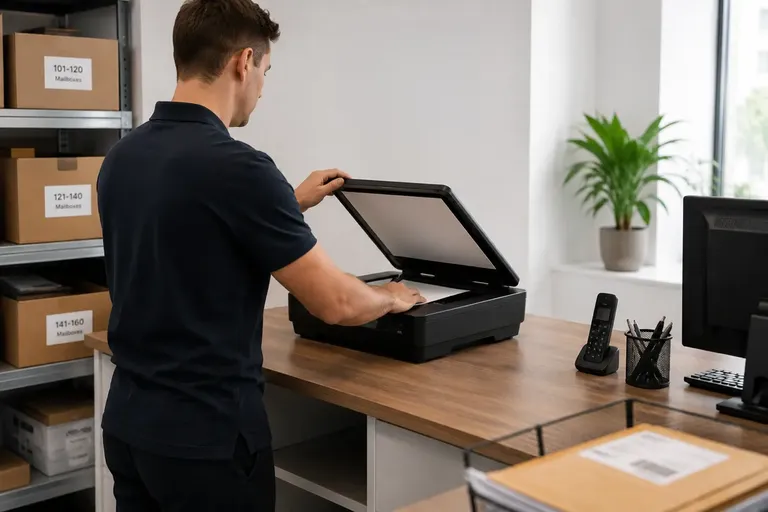
- The mailroom opens and scans the item. The request is flagged in Traizr, and a member of staff opens the item and scans the contents.
- The scan is emailed. Staff email the scan to the recipient from their own email and mark the item Scanned & sent. The original stays in the mailroom, available to collect.
No copy of the scan is kept
Opening someone’s post needs care, so privacy is built into how this works. The scan goes from the mailroom to the recipient by email. It is not uploaded to Traizr, and Traizr does not keep a copy.
What Traizr does record is the request and the result. The request, the scan and the Scanned & sent status are added to the item’s history, so if anyone asks later what happened to a letter, the answer is there.
Who it is for
Request Open and Scan works for any organisation and any recipient, not only virtual office clients. It suits hybrid offices, law and finance firms, healthcare organisations and universities, where people are often away from the building their post arrives at.
If you run a virtual office and scan post as a service for clients who rent an address, see mail scanning software instead. That workflow stores the scan on the item record.
Switching it on
Request Open and Scan is off by default and switched on per organisation. Read more about Request Open and Scan, or book a demo to see a request go from the arrival email to Scanned & sent.