Here is what was added to Traizr between July and October 2026, and what each change means for your mailroom.
Everything below is live now. Some features are switched on per organisation, and where that is the case we say so.
Smart label scanning
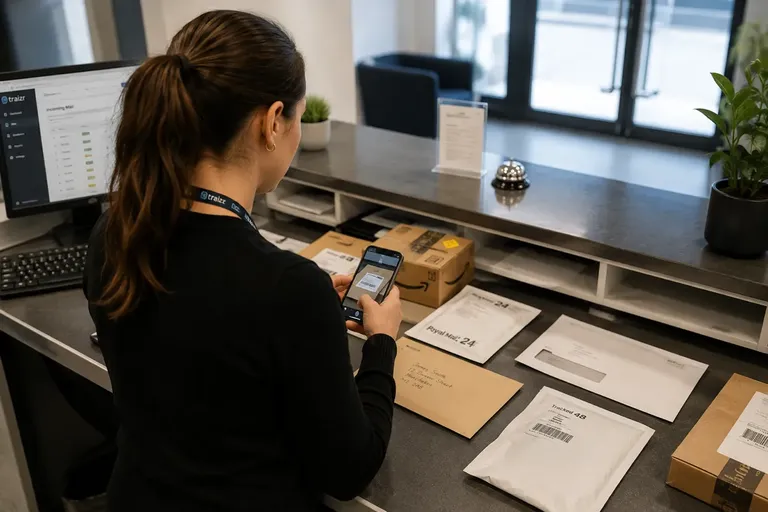
Courier labels carry several barcodes, and scanning a different one the second time could create a duplicate parcel. Traizr now remembers every barcode on a label, so a parcel is recognised whichever one is scanned, and the reference it picks is the same on iPhone and Android. On busy labels from Amazon, USPS, FedEx and others, the app ignores sort codes and misreads and settles on the real parcel reference.
The app also reads the recipient’s name from the label, including accented names and names in capitals, and only selects a person automatically when it is certain. Deliveries of several boxes are logged once with a box count, and an optional PO number can be recorded for business deliveries. Read about smart label scanning.
Request Open and Scan
People who are away from the office can now get their post without coming in. A button in the arrival email asks the mailroom to open the item and email a scan. Staff send the scan from their own email and mark the item Scanned & sent, and the original stays available to collect. Traizr does not keep a copy of the scan. The feature is off by default and switched on per organisation. Read about Request Open and Scan.
Collection and internal delivery requests
Anyone in a building can now request a parcel collection or an internal delivery from a branded web form, without a Traizr login. The mailroom is emailed the request and the requester gets a reference number. The form has spam protection, can be limited to the office network and is switched on per organisation. Read about collection requests.
Microsoft 365 and ServiceNow integrations
Traizr now keeps recipients in sync with Microsoft 365, through Microsoft Entra ID (formerly Azure AD), and with ServiceNow. New starters appear and leavers drop off without manual updates. The Microsoft 365 integration includes only active members by default and supports government clouds. ServiceNow lets you choose which fields map where and which users are included. Read about Microsoft 365 and ServiceNow.
Courier tracking codes for outgoing parcels
When staff log an outgoing parcel with SecureLink Outbound Tracking, they can now add the courier’s own tracking code. It appears in the recipient’s email, so they can follow the parcel in the DHL, Amazon, Parcelforce or other courier app. The app also reads who the parcel is addressed to from the label, and Release Outgoing lists the parcels waiting to go, which staff can filter by typing or scan. See the full feature list.
Time zones for every site
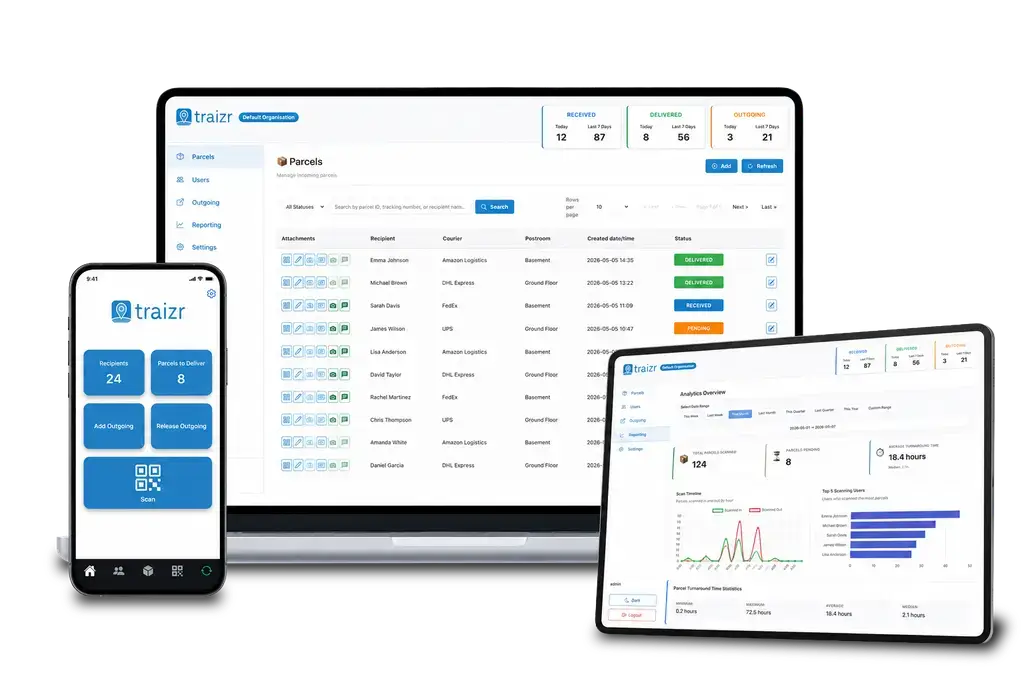
Each organisation now sets its own time zone. Emails, reports, the dashboard’s counts for today and every timestamp in the admin dashboard show local time, and stay correct when the clocks change. That matters for sites outside the UK and for organisations in several countries. Read about multi-site mailrooms.
Movement alerts and the location journey
From reporting, you can now open any parcel’s full journey: every stop, who moved it, when and how long it stayed at each location. Recipients can also be sent an optional email or SMS when their parcel moves to a new location. When a trolley round moves many parcels, each person gets one message, not one per parcel. Movement alerts are off by default and switched on per organisation. Read about multi-hop mail routing.
Also new
- Notification controls. Each type of email can be switched on or off, and a person’s notifications can be redirected to a team or mailroom inbox.
- Admin tools. Set and reset admin passwords, remove admins, assign permissions in one click and let an admin also receive parcels.
- Safer records. Recipients with parcel history are protected from deletion, blank signatures are rejected at capture, and deleting an organisation also deletes all its photos, scans, logos and signatures.
- Bulk import. Recipient files separated by commas, semicolons, tabs or pipes all import correctly, including files saved by Excel in European languages.
- App links. A page in the admin dashboard shows App Store and Google Play QR codes to put on screen or print, so staff can install the app on their own phones.
- Reporting. Parcels scanned in and scanned out are shown as separate totals.
To see any of these working in your own building, book a demo.