
CSV and XLSX Integration for Mailroom Recipient Lists
Pull recipients from a CSV/XLSX file published at an HTTPS URL.
- Read-only
- Scheduled sync
- No new hardware
Not every system has an API worth talking to, and not every organisation wants to open one up to a supplier. This is the connector for everyone else.
The principle is deliberately unambitious. You publish a CSV or XLSX file at an HTTPS URL, and Traizr reads it on a schedule. Whatever the file says is the recipient list. If your system can produce a scheduled report and drop it somewhere web-accessible, you have an integration.
That covers a surprising amount of ground: legacy HR systems, in-house databases, an SIS with no usable API, a facilities system that only knows how to email a report. It is also the honest answer when the real blocker is not technical but organisational, and getting API access approved would take longer than the mailroom rollout.
The difference from emailing a spreadsheet around is that nobody has to receive it, open it, check it and upload it. The file is the interface, and the sync is automatic. It also means no copies of your recipient list accumulating in inboxes and download folders.
This is often the fastest way to get live. Plenty of sites start on CSV, get the mailroom running, and move to a direct connector months later once they know what the sync actually needs to carry.
What comes across
For any system that can publish a file, and for teams who want to be running before an API integration is approved.
-
Whatever is in the file
CSV or XLSX. The columns you publish are the columns available to map, so you control exactly what the mailroom sees.
-
From an HTTPS URL
Traizr fetches the file itself, so nobody is emailing, downloading or uploading anything by hand.
-
On a schedule
Republish the file and the recipient list follows. Update frequency is yours to set.
Where the data lands
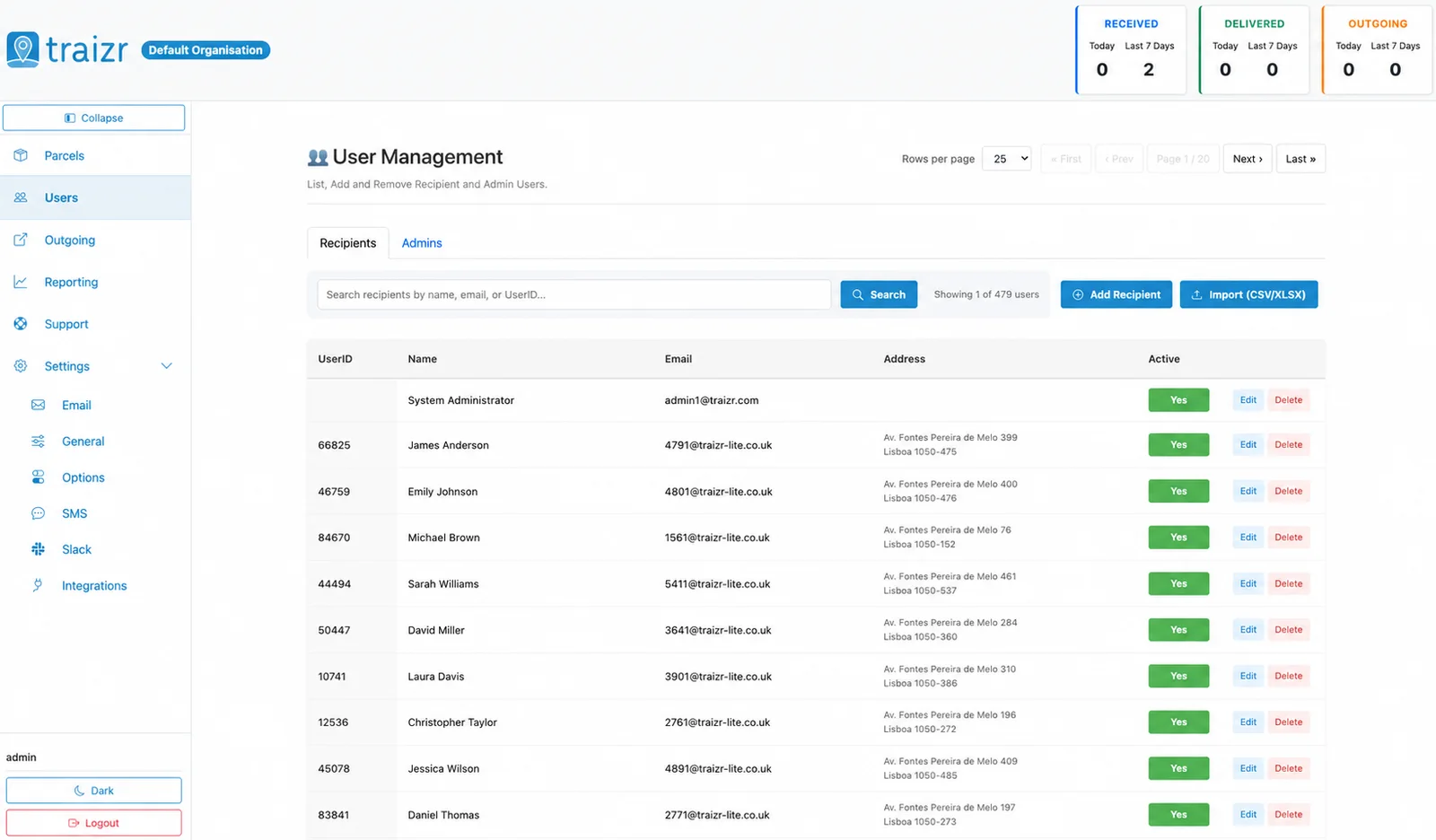
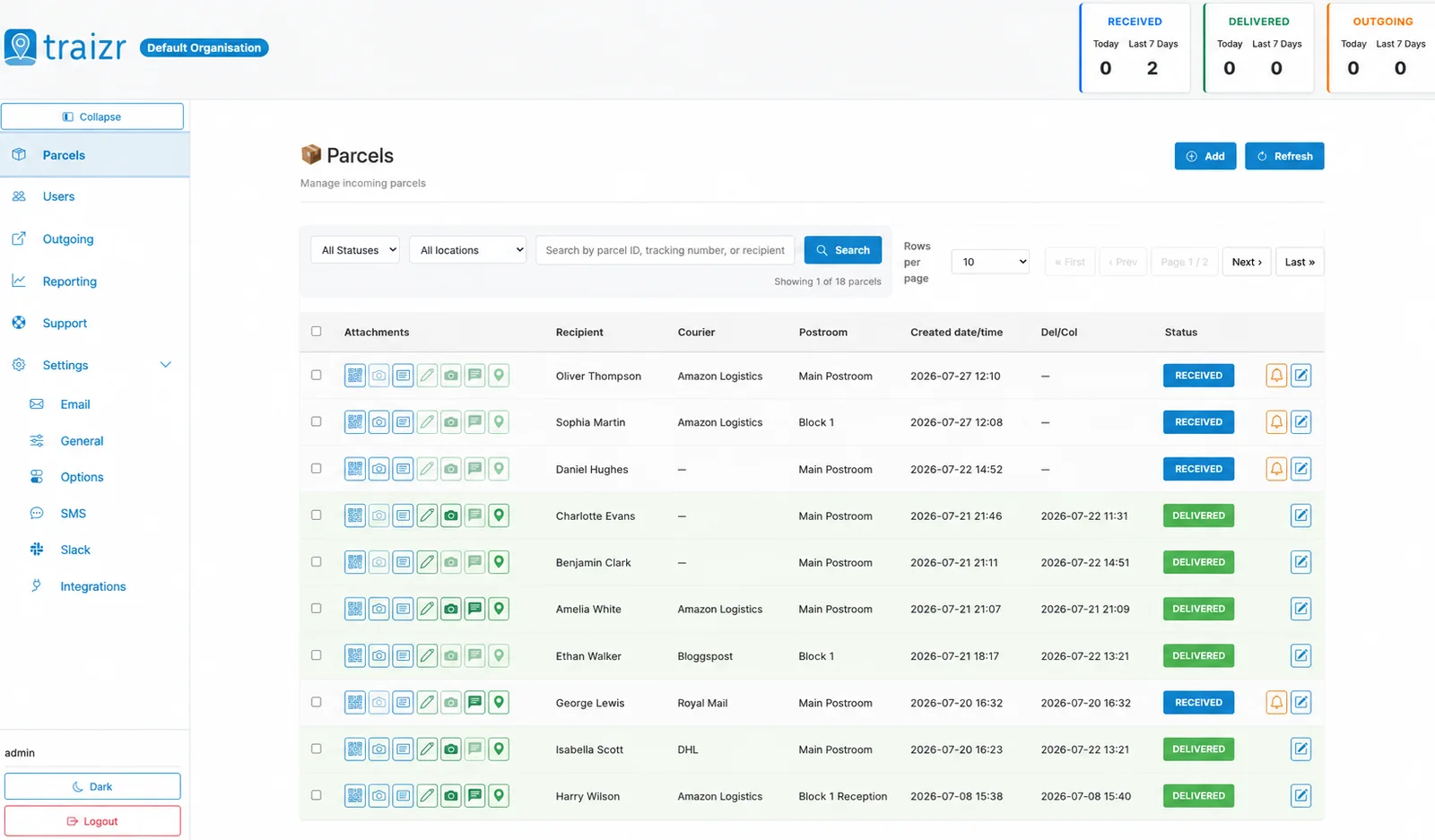
Two Traizr screens: the recipient directory the connector keeps current, and the parcels matched against it.
How the integration works
Set up once, then it runs without anyone thinking about it.
Connect it
You give Traizr read access to a CSV or XLSX file published at an HTTPS URL. Traizr only ever reads from your system; it does not write back into it.
Map the fields
Decide which field is the recipient name, which is the email, and which carries the room, unit or department. Done once, at setup.
Set the schedule
The sync runs on a schedule so the recipient list keeps itself current. Nobody has to remember to export anything.
Parcels start matching
From then on, an item scanned at the door is matched against a live recipient list, and the notification goes to the right person at the right location.
Questions people ask
What columns does the file need?
At minimum something to identify the person and reach them, typically a name and an email address, plus whatever field carries their room, unit or department. The exact mapping is set up against your file rather than a fixed template.
Does the URL need to be public?
It needs to be reachable by Traizr over HTTPS. Protecting it is normal and expected; what matters is that Traizr can fetch it on the schedule rather than that anyone can.
CSV or XLSX?
Either. Use whichever your source system produces more reliably. XLSX is common where the file comes out of a reporting tool rather than a database export.
What if the file fails to publish one day?
The previous recipient list stays in place rather than being wiped, so a missed publish degrades to a slightly stale list instead of an empty one.
Is there an SFTP option instead?
Yes. Secure SFTP import covers the same requirement for systems that push a file rather than publish one. Worth raising when you talk to us about setup.
Can we move to a proper connector later?
Yes, and it is a common path. Starting on CSV does not commit you to it. See the full connector list for what you might move to.
Other integrations



Want this connected to your Generic CSV?
Tell us what you run and we will walk through the setup on your own data. About 20 minutes.