

Traizr for ServiceNow
Pull users from ServiceNow, with configurable field mapping and filters.
- Read-only
- Scheduled sync
- No new hardware
Keep your Traizr recipient list in step with the users in your ServiceNow instance, with control over which fields map where and which users are included.
Many IT and facilities teams already treat ServiceNow as the record of who works where. A separate mailroom list repeats that work and falls out of date.
This integration keeps Traizr recipients in sync with ServiceNow users. Your team decides which ServiceNow fields carry the name, email address and location, and which users are included.
The mailroom then works from the same people data as the service desk, and nobody has to maintain a second list.
Field mapping and filters are configurable, so the integration fits how your instance is set up rather than the other way round.
What comes across
For IT and facilities teams that keep their people data in ServiceNow.
-
Users as recipients
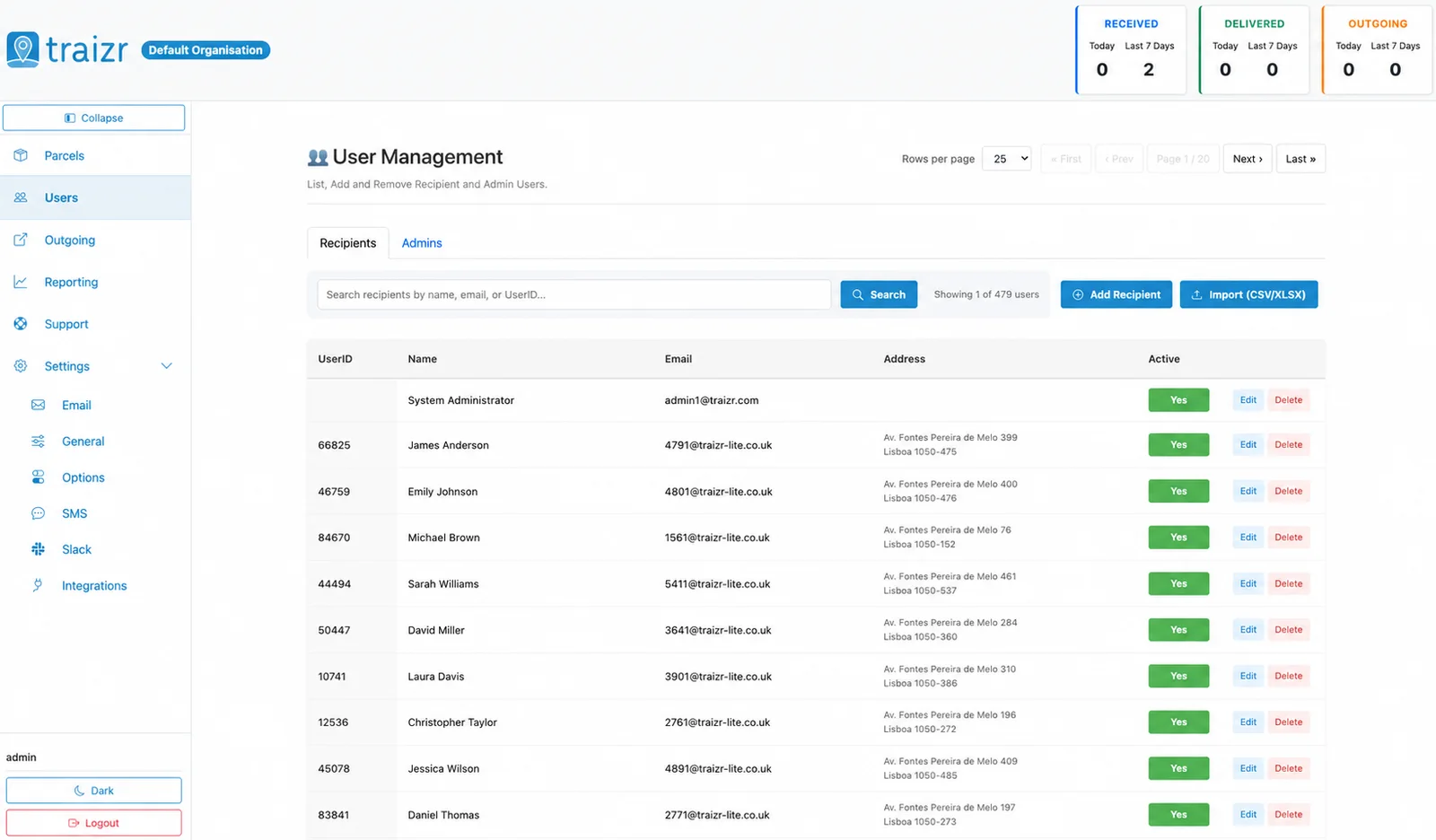
ServiceNow users become recipients in Traizr, with the names and email addresses your team maps.
-
Only the people you choose
Filters decide which users are included, so only people who receive post appear in the mailroom.
-
Your field mapping
Which ServiceNow field carries the name, email address or location is set at setup, to match your instance.
Where the data lands
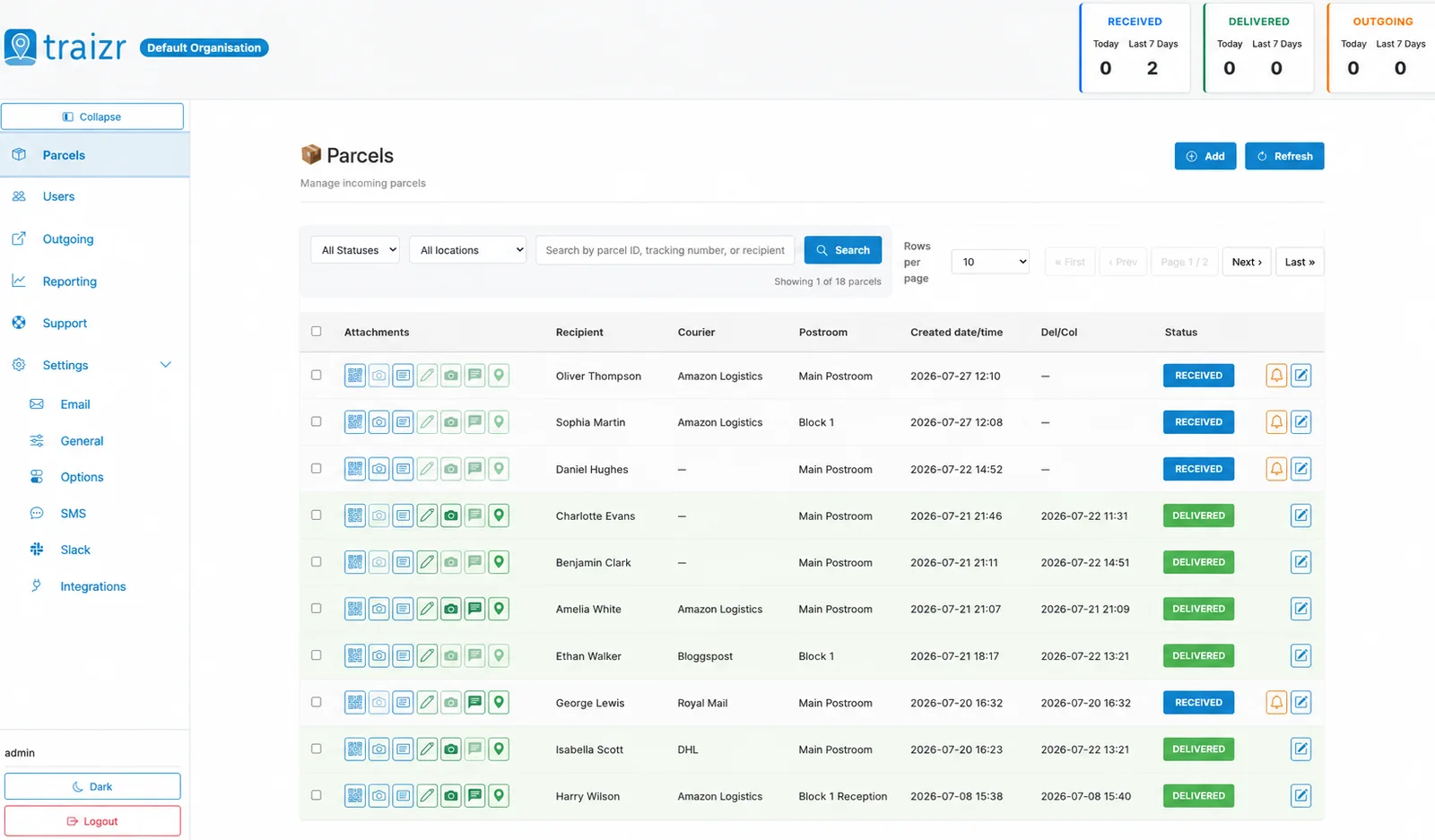
Two Traizr screens: the recipient directory the connector keeps current, and the parcels matched against it.
How the integration works
Set up once, then it runs without anyone thinking about it.
Connect it
An administrator connects ServiceNow from Integrations in the Traizr admin dashboard.
Map the fields
Choose which ServiceNow fields carry the recipient name, email address and location.
Set the filters
Choose which users are included as recipients.
Parcels start matching
Items scanned at the door are matched against your current ServiceNow users, and notifications go to the right person.
Questions people ask
What does the ServiceNow integration do?
It keeps Traizr recipients in sync with the users in your ServiceNow instance, so the mailroom works from the same people data as your service desk.
Can we choose which fields are used?
Yes. Field mapping is configurable, so you decide which ServiceNow fields carry the name, email address and location.
Can we limit which users are synced?
Yes. Filters decide which users are included, so you can leave out accounts that never receive post.
Who sets it up?
An administrator, from Integrations in the Traizr admin dashboard.
Is this a ticketing integration?
No. It is a user sync: ServiceNow users become recipients in Traizr. For the other systems Traizr connects to, see all integrations.
Other integrations


Want this connected to your ServiceNow?
Tell us what you run and we will walk through the setup on your own data. About 20 minutes.