

Microsoft Dynamics 365 Integration for Parcel Tracking
Pull Contacts (students) from the Dataverse Web API.
- Read-only
- Scheduled sync
- No new hardware
If Dynamics 365 is where your organisation keeps people, the mailroom should not be keeping a second copy of them somewhere else.
Second copies are where the trouble starts. Not immediately, but over a year: a name spelled differently, somebody who left in March still listed, two records for the same person because one was created from an email signature. None of it is dramatic and all of it slows a parcel room down.
Reading Contacts from the Dataverse Web API means the mailroom is a consumer of the same records everyone else uses. When a Contact is updated, corrected or deactivated in Dynamics, the parcel room inherits that rather than needing to be told.
Because it is Dataverse, this also fits how most organisations already extend Dynamics. It is a standard Web API read against your environment, not a bespoke extract that becomes somebody's undocumented responsibility.
It reads Dataverse, which is where Dynamics 365 actually stores Contacts. That keeps it a standard integration rather than a special case for the mailroom.
What comes across
For organisations running Microsoft Dynamics 365 with Contacts maintained in Dataverse.
-
Contacts
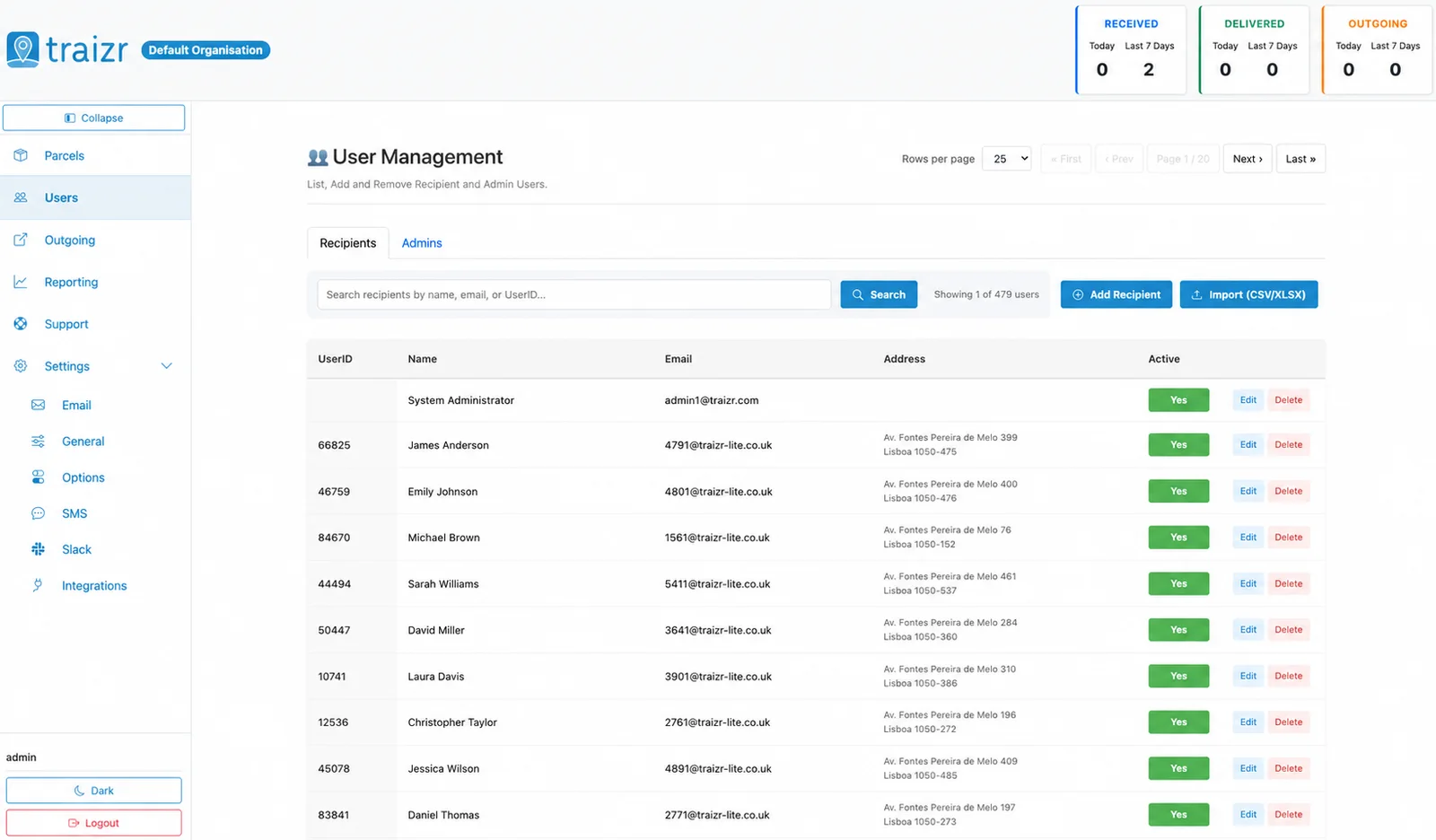
Contact records from Dataverse, so the recipient list inherits whatever data quality work your team has already done.
-
Scoped how you like
Which Contacts become recipients is decided at setup, so you can restrict it rather than importing every Contact in the environment.
-
Kept in step
Updates and deactivations reach the mailroom on the sync, so leavers stop being valid recipients without anyone chasing it.
Where the data lands
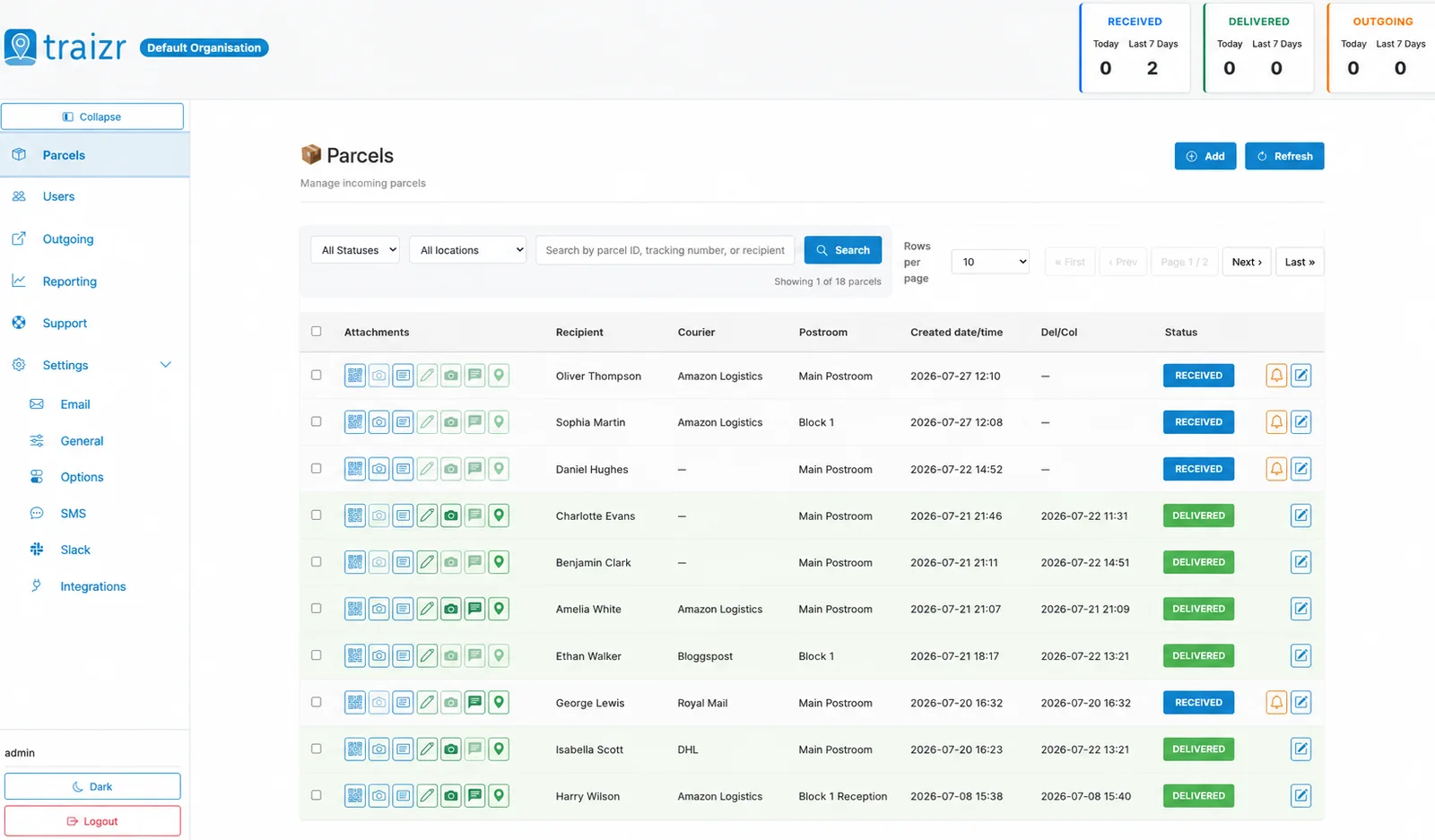
Two Traizr screens: the recipient directory the connector keeps current, and the parcels matched against it.
How the integration works
Set up once, then it runs without anyone thinking about it.
Connect it
You give Traizr read access to Dataverse Web API. Traizr only ever reads from your system; it does not write back into it.
Map the fields
Decide which field is the recipient name, which is the email, and which carries the room, unit or department. Done once, at setup.
Set the schedule
The sync runs on a schedule so the recipient list keeps itself current. Nobody has to remember to export anything.
Parcels start matching
From then on, an item scanned at the door is matched against a live recipient list, and the notification goes to the right person at the right location.
Questions people ask
Which entity does it read?
Contacts, through the Dataverse Web API. Which fields carry the name, email and location is set by the field mapping, because that differs between environments.
Does Traizr write into Dynamics?
No. The connector is read-only. It reads Contacts to build a recipient list and creates nothing in your environment.
Can we filter which Contacts sync?
Yes, and most organisations do. Importing every Contact is rarely what you want; scoping to the population that actually receives post is the normal setup.
What if we keep staff in Entra ID rather than as Contacts?
This connector covers Contacts in Dataverse. For staff kept in your directory, use the Microsoft 365 and Entra ID integration, which keeps active members in sync as recipients.
Is our environment being customised a problem?
Normally not. Mapping is done against your environment, so custom fields carrying location or department are expected rather than an exception.
Other integrations


Want this connected to your Dynamics 365?
Tell us what you run and we will walk through the setup on your own data. About 20 minutes.