

Traizr for Microsoft 365 and Entra ID
Pull active members from Microsoft Entra ID (formerly Azure AD).
- Read-only
- Scheduled sync
- No new hardware
Keep your recipient list in step with your Microsoft directory. New starters appear in Traizr and leavers drop off, without anyone updating the mailroom by hand.
Most organisations already keep an accurate list of their people in Microsoft 365. The mailroom often keeps a second list, updated by hand or from an occasional export, and it falls behind.
When the two drift apart, parcels are logged against people who have left, new starters cannot be found at the desk and notifications go to inboxes nobody reads.
This integration reads Microsoft Entra ID, the directory behind Microsoft 365, and keeps the Traizr recipient list in step with it.
Azure AD is now called Microsoft Entra ID. It is the same directory, and this is the integration to use for it.
What comes across
For organisations whose staff directory is Microsoft 365 or Microsoft Entra ID, including organisations on government clouds.
-
Names and email addresses
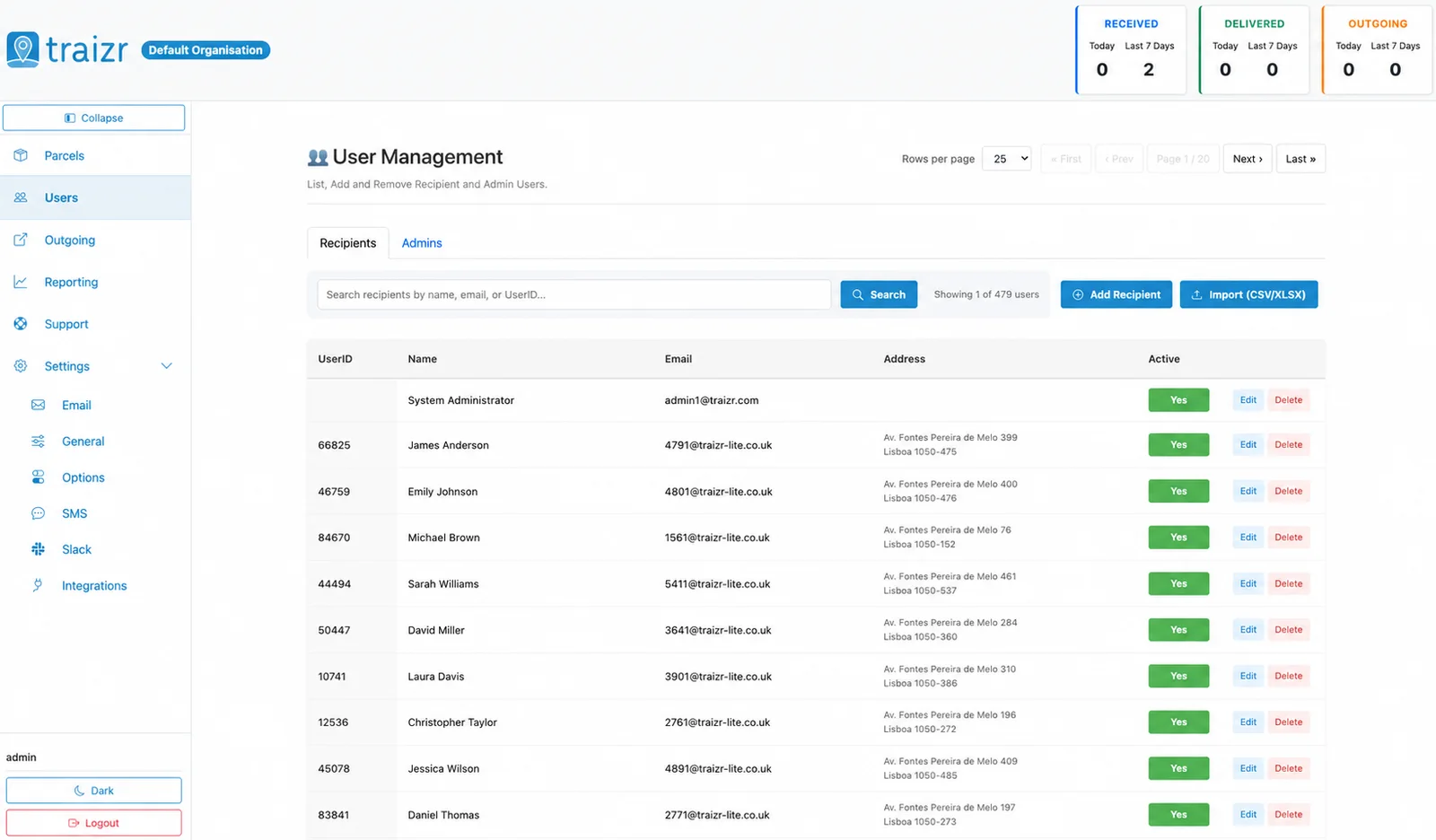
Each active member's name and email address, so parcels are matched and notifications reach the right inbox.
-
Active members only
Only enabled members are included by default, so disabled accounts do not become recipients.
-
Joiners and leavers
New starters appear and leavers drop off as your directory changes, with no manual updates.
Where the data lands
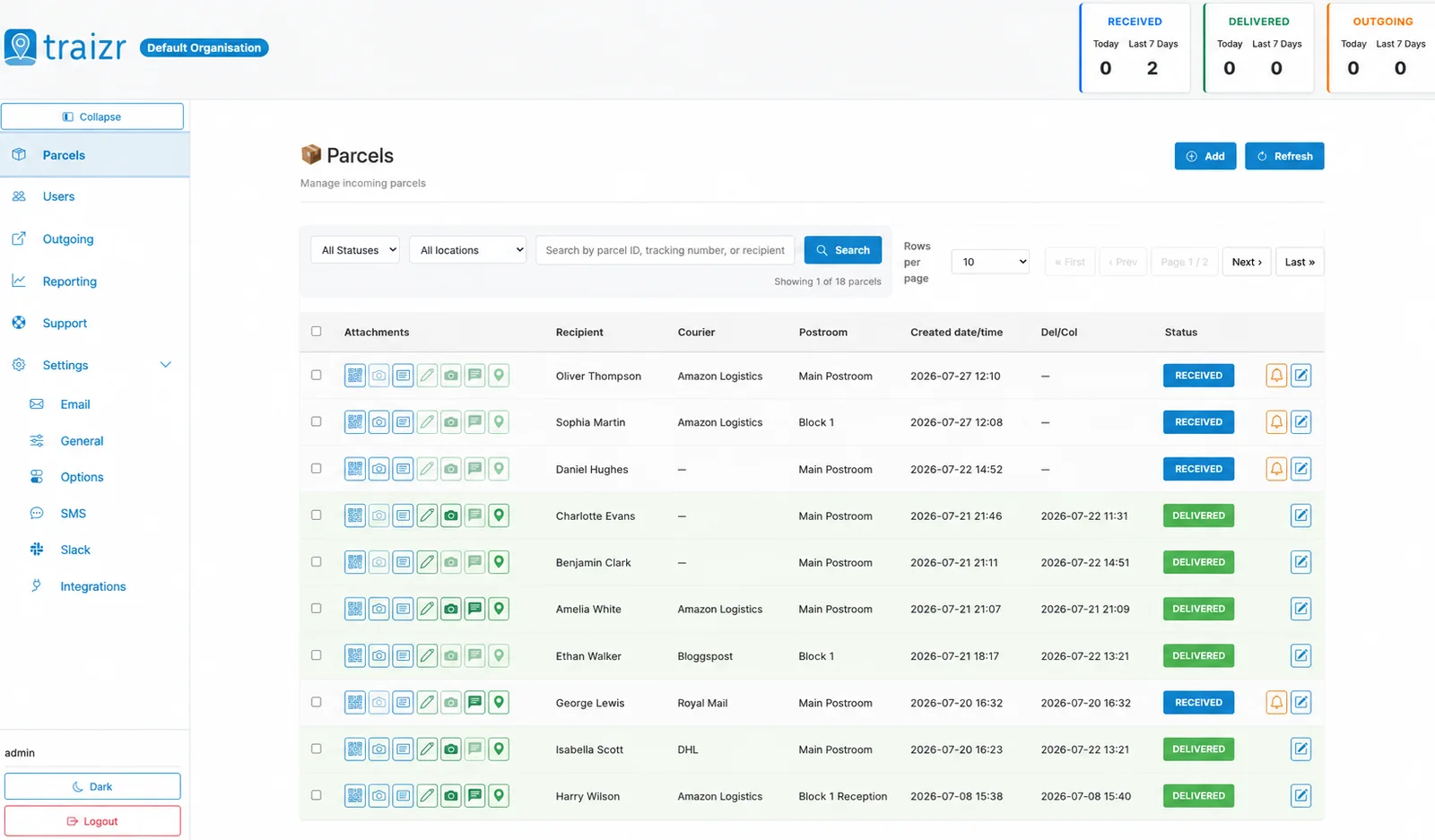
Two Traizr screens: the recipient directory the connector keeps current, and the parcels matched against it.
How the integration works
Set up once, then it runs without anyone thinking about it.
Connect it
An administrator connects Microsoft 365 from Integrations in the Traizr admin dashboard.
Government clouds included
Organisations on Microsoft's government clouds connect in the same way.
Active members come across
Enabled members are included by default, with their names and email addresses.
Parcels start matching
From then on, an item scanned at the door is matched against your current staff list, and the notification goes to the right person.
Questions people ask
Is this the same as Azure AD?
Yes. Microsoft renamed Azure AD to Microsoft Entra ID. It is the directory behind Microsoft 365, and this integration reads from it.
Which people are included?
Active members only, by default. Disabled accounts are not added as recipients.
Who sets it up?
An administrator, from Integrations in the Traizr admin dashboard.
Are government clouds supported?
Yes. Organisations on Microsoft's government clouds can connect as well as those on the standard service.
What happens when someone joins or leaves?
New starters are added to the recipient list and leavers drop off as your directory changes, so nobody has to update the mailroom by hand.
What if our recipients are Contacts in Dynamics 365?
If your recipients are Contacts in Dynamics 365 rather than staff in your directory, use the Microsoft Dynamics 365 integration instead.
Other integrations


Want this connected to your Microsoft 365?
Tell us what you run and we will walk through the setup on your own data. About 20 minutes.