

Oracle PeopleSoft Campus Integration for Parcel Tracking
Pull people from a PeopleSoft Integration Broker REST service operation.
- Read-only
- Scheduled sync
- No new hardware
PeopleSoft Campus Solutions tends to be the system of record at institutions that have been running it for a long time, with integration patterns already agreed and a team that knows exactly how new consumers get connected.
This connector fits that pattern rather than working around it. Traizr consumes a REST service operation exposed through Integration Broker, which is the same route any other approved consumer would take. There is no direct database access and no separate extract process to schedule and monitor.
For the mailroom the payoff is a recipient list that reflects the institution rather than a copy of it. For IT the payoff is that the mailroom stops being a special case that needs its own file drop, its own credentials and its own explanation at audit time.
The alternative most sites live with is a recurring export owned by whoever set it up, running on a machine nobody wants to touch. Moving it to Integration Broker puts it back inside a governed integration path.
Traizr consumes an existing Integration Broker REST service operation. It is a normal consumer of a governed integration, not a bespoke extract.
What comes across
For institutions running Oracle PeopleSoft Campus Solutions with Integration Broker already in use.
-
People
The person records returned by the service operation, so the mailroom works from the institutional record.
-
Through a governed path
The connector consumes a REST service operation rather than reading the database directly, so access follows your existing rules.
-
On your schedule
Traizr calls the service on a schedule you set, so changes reach the postroom without a separate extract job.
Where the data lands
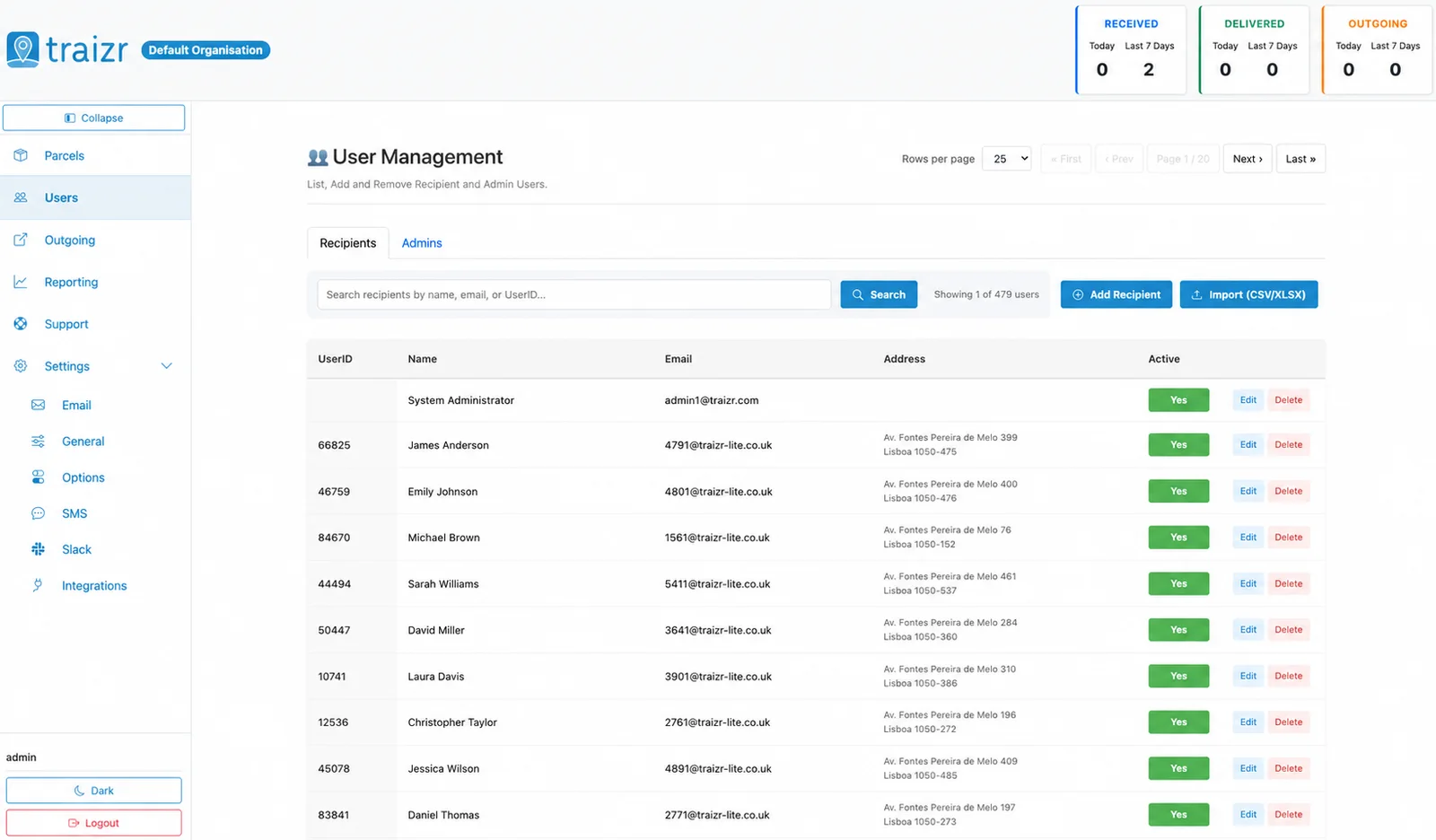
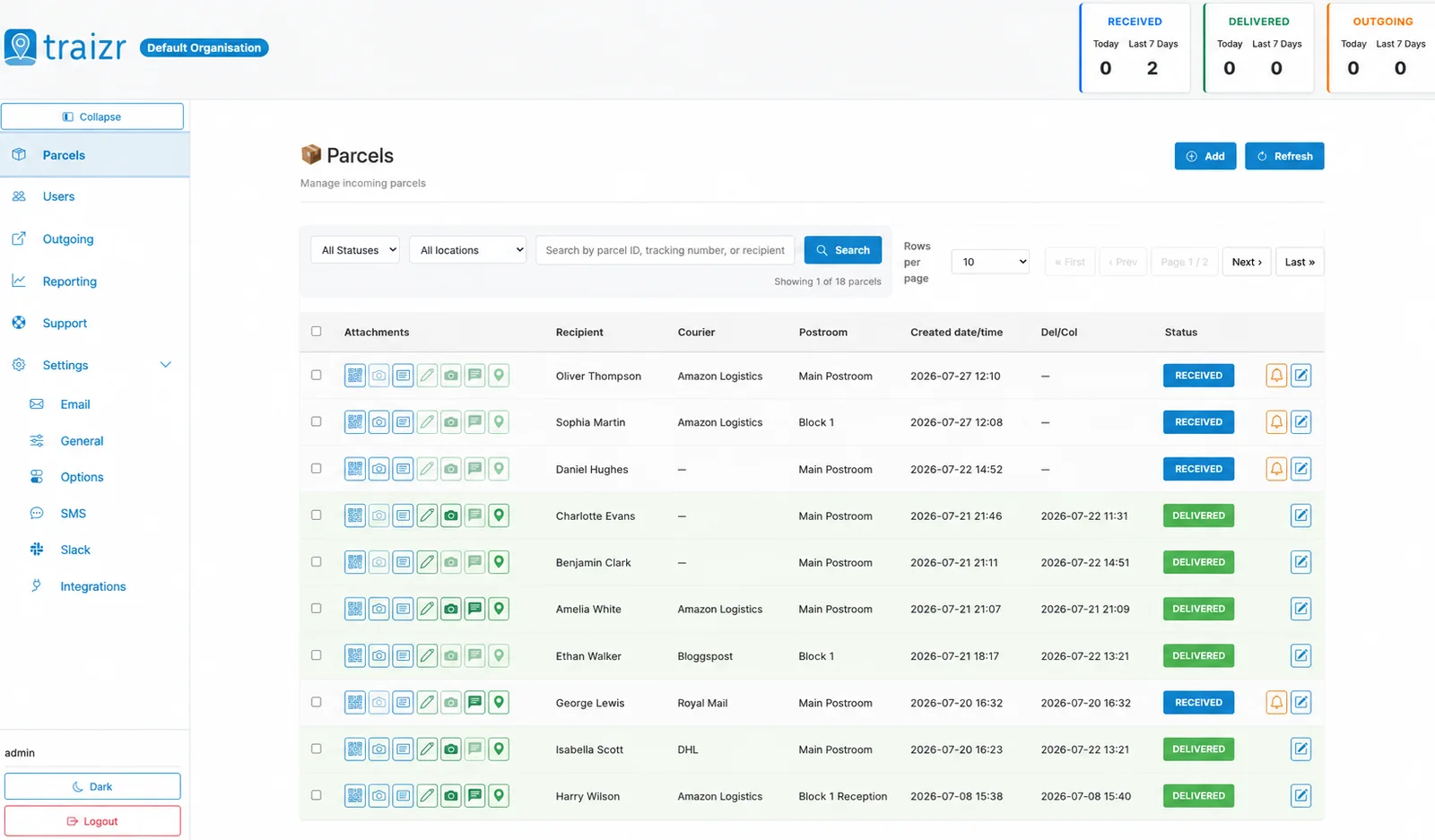
Two Traizr screens: the recipient directory the connector keeps current, and the parcels matched against it.
How the integration works
Set up once, then it runs without anyone thinking about it.
Connect it
You give Traizr read access to PeopleSoft Integration Broker REST service operation. Traizr only ever reads from your system; it does not write back into it.
Map the fields
Decide which field is the recipient name, which is the email, and which carries the room, unit or department. Done once, at setup.
Set the schedule
The sync runs on a schedule so the recipient list keeps itself current. Nobody has to remember to export anything.
Parcels start matching
From then on, an item scanned at the door is matched against a live recipient list, and the notification goes to the right person at the right location.
Questions people ask
What has to exist on our side first?
A REST service operation exposed through Integration Broker that returns the people you want as recipients, plus credentials for it. If a suitable service already exists, Traizr can consume it as it is.
Does Traizr access the PeopleSoft database directly?
No. It calls the service operation and nothing else, and the connector is read-only. There is no direct database access and no write path.
Can we control which people are returned?
Entirely. The service operation defines the population, so that logic stays with your team rather than being configured at the Traizr end.
How does this sit with our security review?
It is a standard REST consumer of an existing governed integration. The Trust Centre covers how Traizr handles data more broadly, and the security pack is available on request.
What if Integration Broker is not an option for us?
A published file works instead. The CSV connector and secure SFTP import both cover the same requirement.
Other integrations


Want this connected to your Oracle PeopleSoft?
Tell us what you run and we will walk through the setup on your own data. About 20 minutes.