

Workday Student Integration for Campus Parcel Tracking
Pull students from a Workday Report-as-a-Service JSON endpoint.
- Read-only
- Scheduled sync
- No new hardware
Workday customers usually solve reporting problems with a report. This integration works the same way: you build the report, Traizr reads it.
That matters more than it sounds. It means the definition of "who counts as a recipient" stays inside Workday, owned by the people who own the data, expressed in the tool they already use. Nobody has to describe the rules to a supplier and hope they were implemented correctly.
It also means changing the rules later is a Workday change, not a support ticket. If you decide the mailroom should cover a different population next year, you edit the report.
The practical result at the postroom is the same as any connector: a recipient list that reflects the institution as it is today, rather than as it was when somebody last exported a spreadsheet.
The report is the contract. Whatever your Workday RaaS report returns is what Traizr treats as the recipient list, which keeps the logic where your team can see and change it.
What comes across
For institutions running Workday Student that already publish reports as a service.
-
Students
Whoever the report returns. The population is defined by you in Workday rather than negotiated at setup.
-
The fields you include
Name, email and the field carrying room, hall or department. Add a column in Workday and it becomes available to map.
-
Refreshed on schedule
Traizr reads the RaaS JSON endpoint on the schedule you set, so the list stays in step without anyone running anything.
Where the data lands
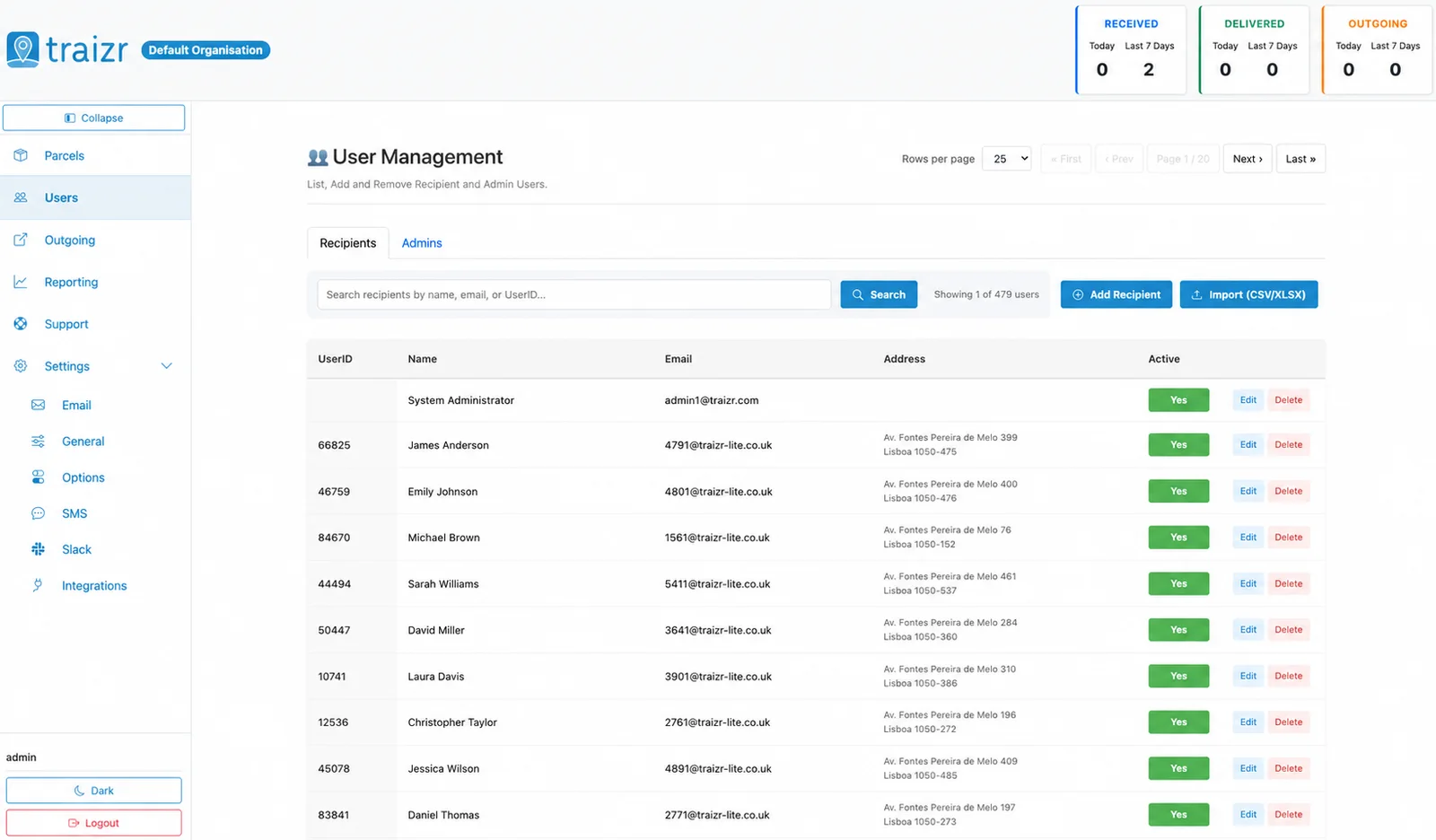
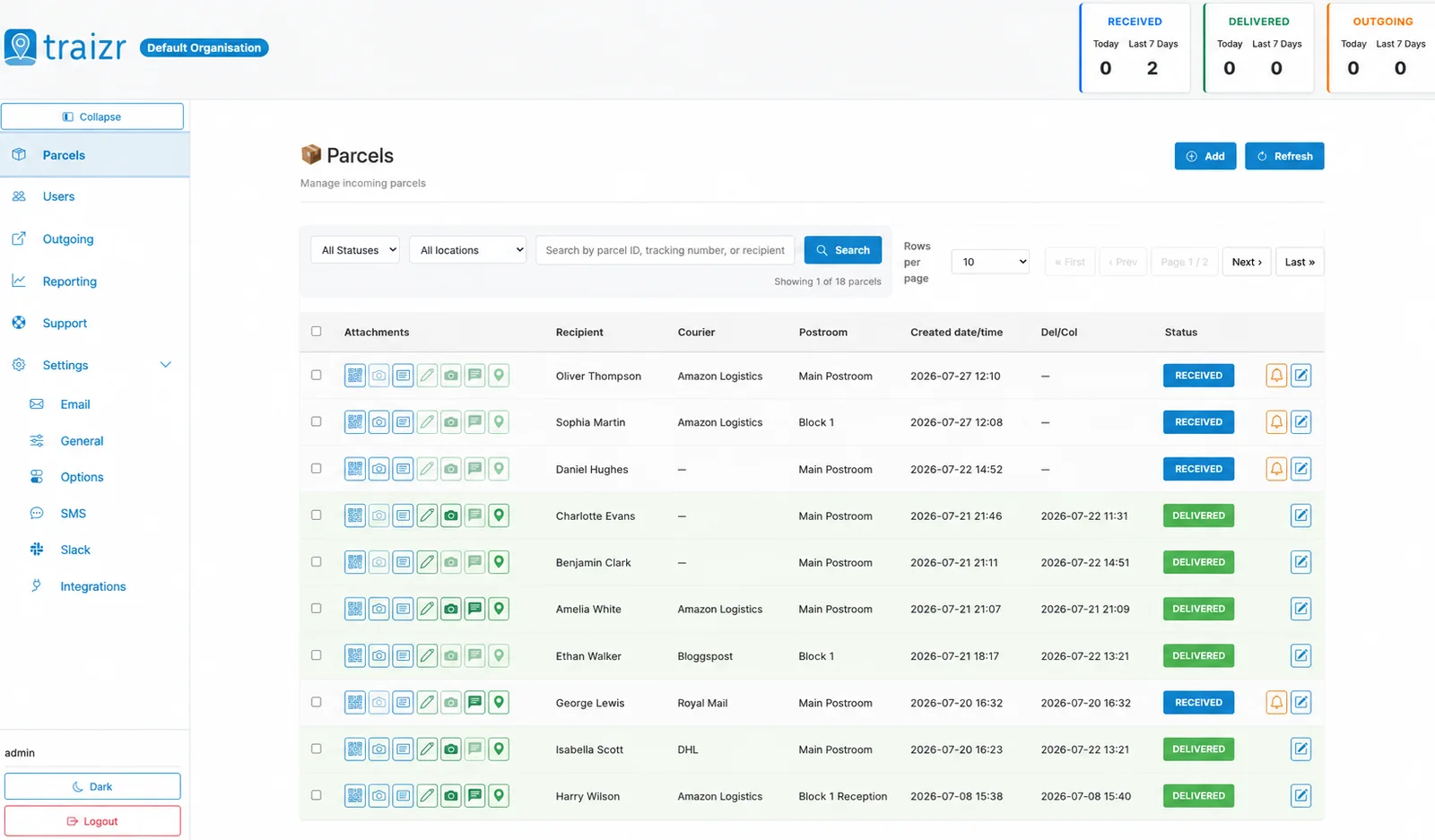
Two Traizr screens: the recipient directory the connector keeps current, and the parcels matched against it.
How the integration works
Set up once, then it runs without anyone thinking about it.
Connect it
You give Traizr read access to Workday Report-as-a-Service (RaaS) JSON endpoint. Traizr only ever reads from your system; it does not write back into it.
Map the fields
Decide which field is the recipient name, which is the email, and which carries the room, unit or department. Done once, at setup.
Set the schedule
The sync runs on a schedule so the recipient list keeps itself current. Nobody has to remember to export anything.
Parcels start matching
From then on, an item scanned at the door is matched against a live recipient list, and the notification goes to the right person at the right location.
Questions people ask
What exactly do we need to provide?
A Workday Report-as-a-Service report exposed as a JSON endpoint, and credentials that can read it. The report itself is built and owned by your team.
Can we change the population later?
Yes, and that is the main advantage of this approach. Editing the Workday report changes what Traizr sees on the next sync, with no change needed at the Traizr end unless you add new fields.
Is anything written back to Workday?
No. Traizr reads the report endpoint and nothing else. The connector has no write path.
How often should the report run?
It depends on turnover. Sites with heavy arrival periods usually increase the frequency around those weeks and settle back down afterwards.
What if our Workday tenant is not set up for RaaS?
Then this connector is not the route. The CSV connector or secure SFTP import covers the same ground with a published file instead.
Other integrations


Want this connected to your Workday Student?
Tell us what you run and we will walk through the setup on your own data. About 20 minutes.