

Tribal SITS:Vision Integration for Student Parcel Tracking
Pull students from the Tribal Data Engine ODS (OData).
- Read-only
- Scheduled sync
- No new hardware
If your institution runs SITS:Vision, the student record already exists and is already maintained properly. The question is only how it reaches the postroom.
In most places the answer is a report, run periodically by somebody who has other things to do, and sent as a file. That works until the week it matters. Enrolment changes cluster at the start of term, and a list that is a few days old at the start of freshers is a list that is wrong about a meaningful number of people.
Reading students from the Tribal Data Engine ODS over OData turns that into a scheduled query. The mailroom is not asking anyone for a file, and the registry team is not being asked to produce one.
It also removes an awkward data-handling step. A student list emailed as a spreadsheet lives in inboxes and download folders afterwards. A scheduled read does not leave copies lying around.
The Data Engine ODS is queried over OData, so this is a standard read against a reporting layer rather than anything bespoke bolted onto your SITS environment.
What comes across
For UK universities and colleges running Tribal SITS:Vision, with or without Tribal Edge.
-
Students
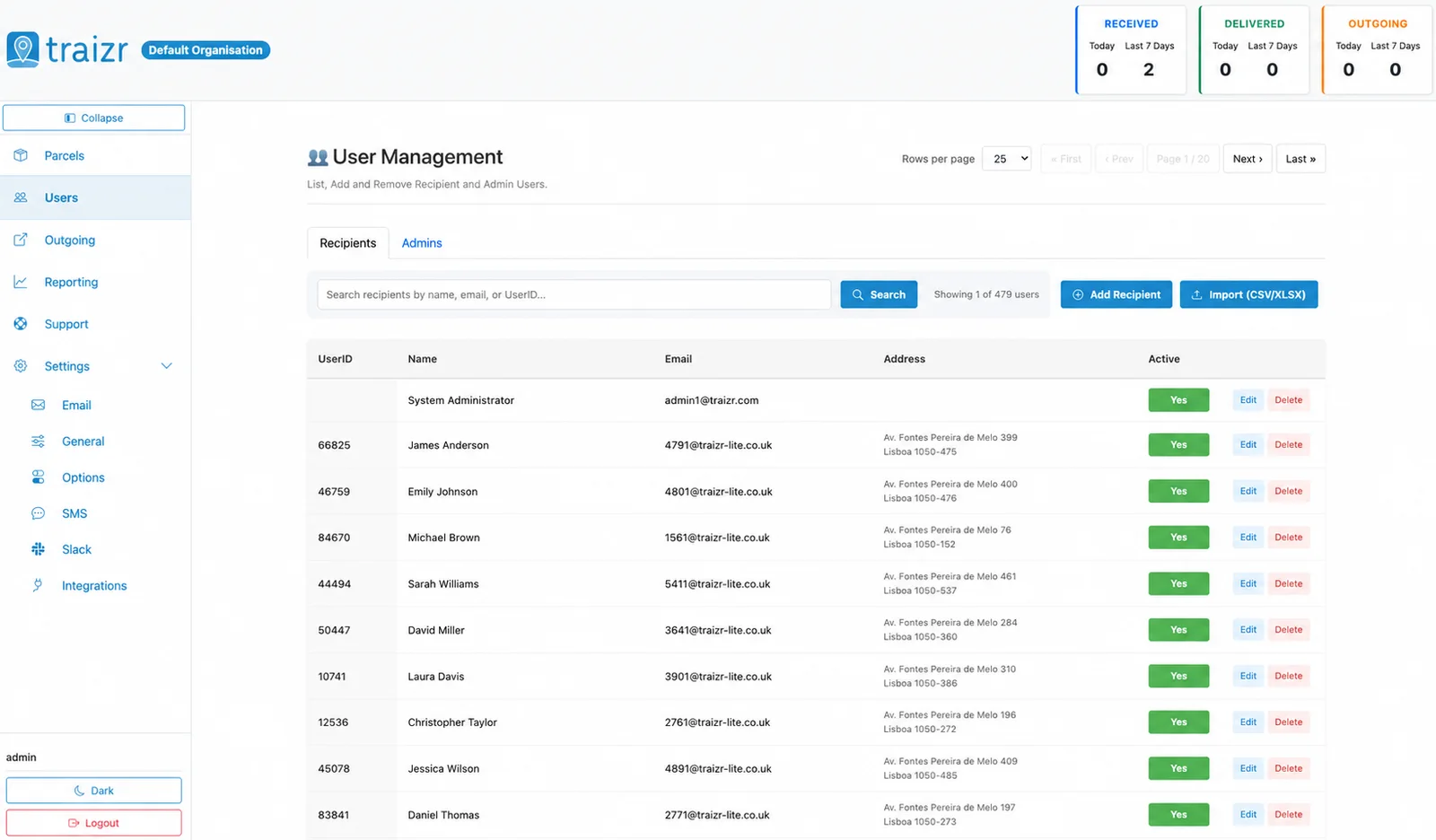
The student records held in the ODS, so the mailroom recipient list is derived from the institutional record rather than assembled separately.
-
Only what you map
Field mapping at setup decides what becomes a recipient and which field carries name, email and location.
-
On a schedule
The query runs on the schedule you set, so enrolment changes reach the postroom without anyone running a report.
Where the data lands
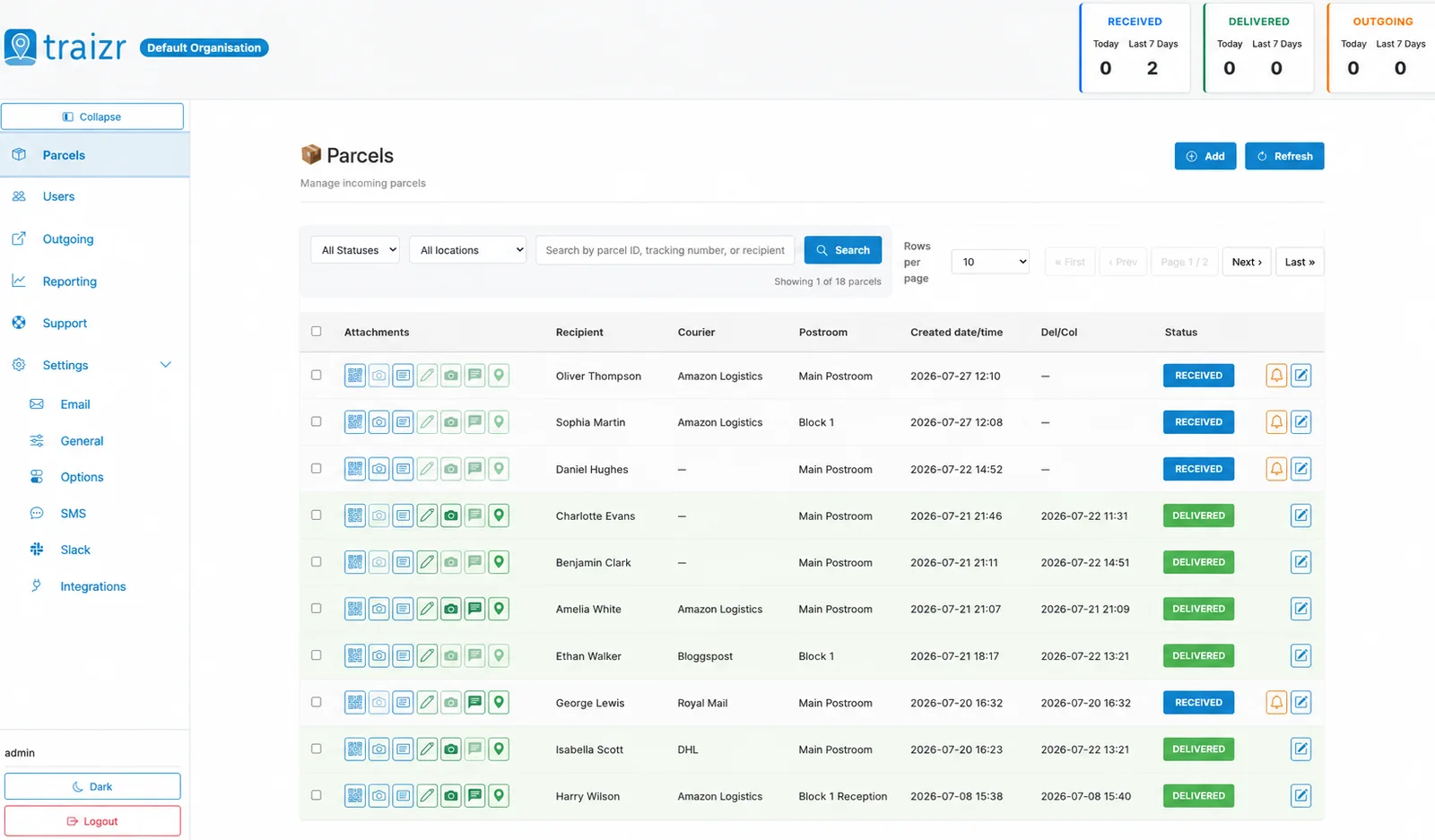
Two Traizr screens: the recipient directory the connector keeps current, and the parcels matched against it.
How the integration works
Set up once, then it runs without anyone thinking about it.
Connect it
You give Traizr read access to Tribal Data Engine ODS (OData). Traizr only ever reads from your system; it does not write back into it.
Map the fields
Decide which field is the recipient name, which is the email, and which carries the room, unit or department. Done once, at setup.
Set the schedule
The sync runs on a schedule so the recipient list keeps itself current. Nobody has to remember to export anything.
Parcels start matching
From then on, an item scanned at the door is matched against a live recipient list, and the notification goes to the right person at the right location.
Questions people ask
Does this touch our live SITS database?
Traizr reads from the Tribal Data Engine ODS over OData, which is the reporting layer, and the connector is read-only. It does not write anything back.
Who needs to be involved to set it up?
Usually whoever administers the Data Engine, for access, and someone who knows the field definitions well enough to confirm the mapping. It is a short piece of work once rather than an ongoing task.
Can we scope it to students in residence only?
Yes. What becomes a recipient is decided by the mapping, so institutions commonly restrict it rather than importing every student record held.
What if a student withdraws mid-year?
They drop out of the synced list on the next run, so new items will not match them. Items already logged keep their full history for returns and forwarding.
Do we still need a manual list for staff and visitors?
Staff can be maintained alongside the synced students or fed from the CSV connector. Both sit in the same account.
Other integrations
-
Ellucian Ethos
Pull persons and housing assignments from Ellucian Ethos.
See the integration -
Workday Student
Pull students from a Workday Report-as-a-Service JSON endpoint.
See the integration -
Oracle PeopleSoft
Pull people from a PeopleSoft Integration Broker REST service operation.
See the integration


Want this connected to your Tribal SITS:Vision?
Tell us what you run and we will walk through the setup on your own data. About 20 minutes.