

Salesforce Education Cloud Integration for Parcel Tracking
Pull Contacts (students) and residence info from Salesforce.
- Read-only
- Scheduled sync
- No new hardware
Institutions that run Education Cloud tend to have done real work on their Contact data. Duplicates cleaned up, ownership agreed, one record per person. It would be a waste for the mailroom to ignore all of that and keep its own list.
That is usually what happens, though. The postroom is downstream of everything and rarely on anyone's integration roadmap, so it ends up with a spreadsheet that starts as an export of Salesforce and then slowly stops being one.
Reading Contacts and residence information directly closes that drift. Just as important, it means the mailroom inherits your matching rules. If Salesforce says these two records are the same person, Traizr is not going to disagree with it.
For teams already using Salesforce as the front door to student services, it also keeps the story consistent: one record, one owner, and the parcel room reading from it rather than maintaining a rival version.
The value here is not just freshness. It is that the mailroom inherits the deduplication and ownership rules your team already agreed in Salesforce.
What comes across
For institutions running Salesforce Education Cloud as the student record or as the front door to student services.
-
Contacts
Student Contact records as Salesforce holds them, so the recipient list inherits your existing matching and ownership rules.
-
Residence information
Where somebody is living, so notifications name a hall and room rather than just a person.
-
Kept current
Changes in Salesforce reach the mailroom on the sync, so the two never drift apart the way an export does.
Where the data lands
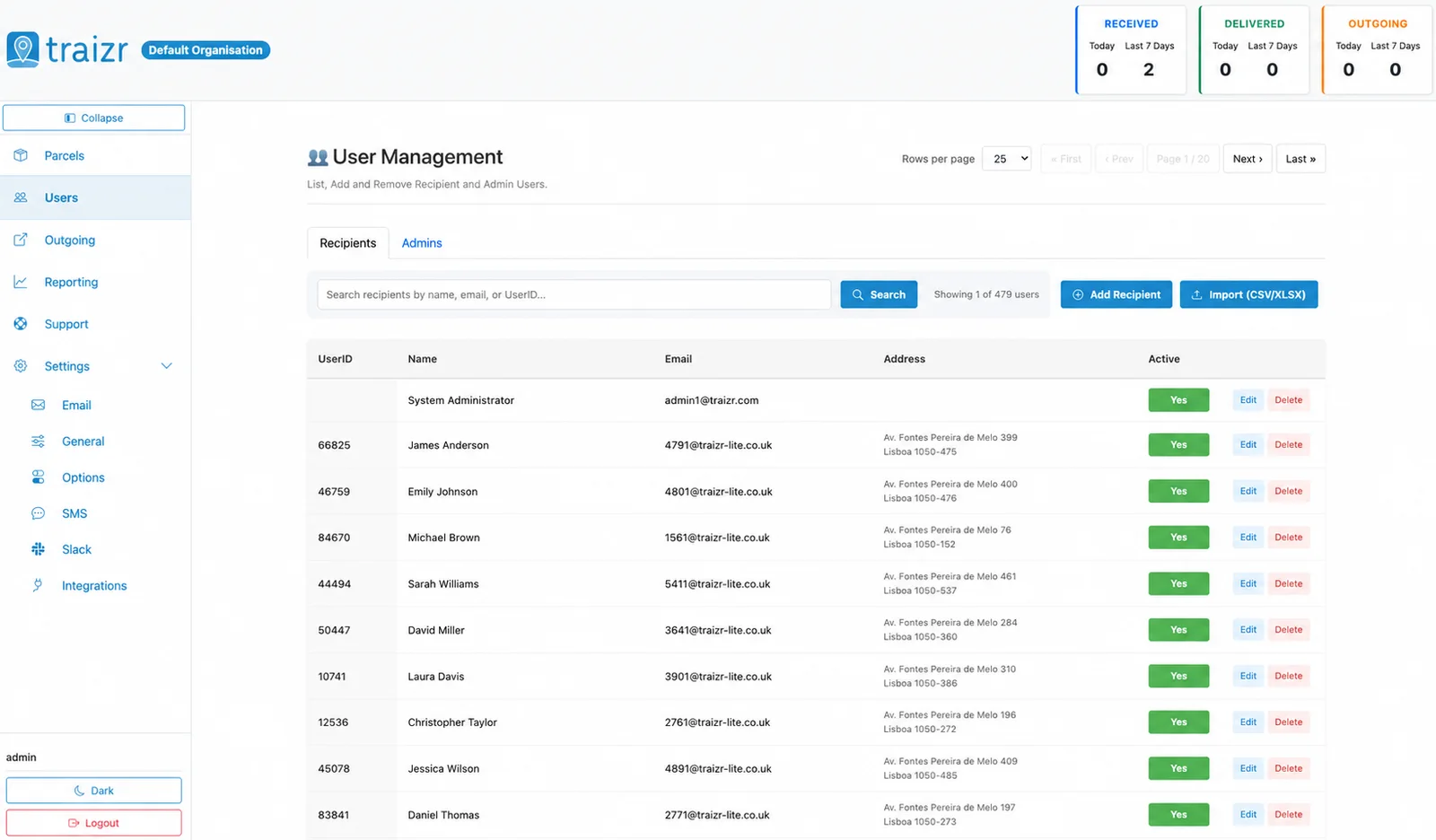
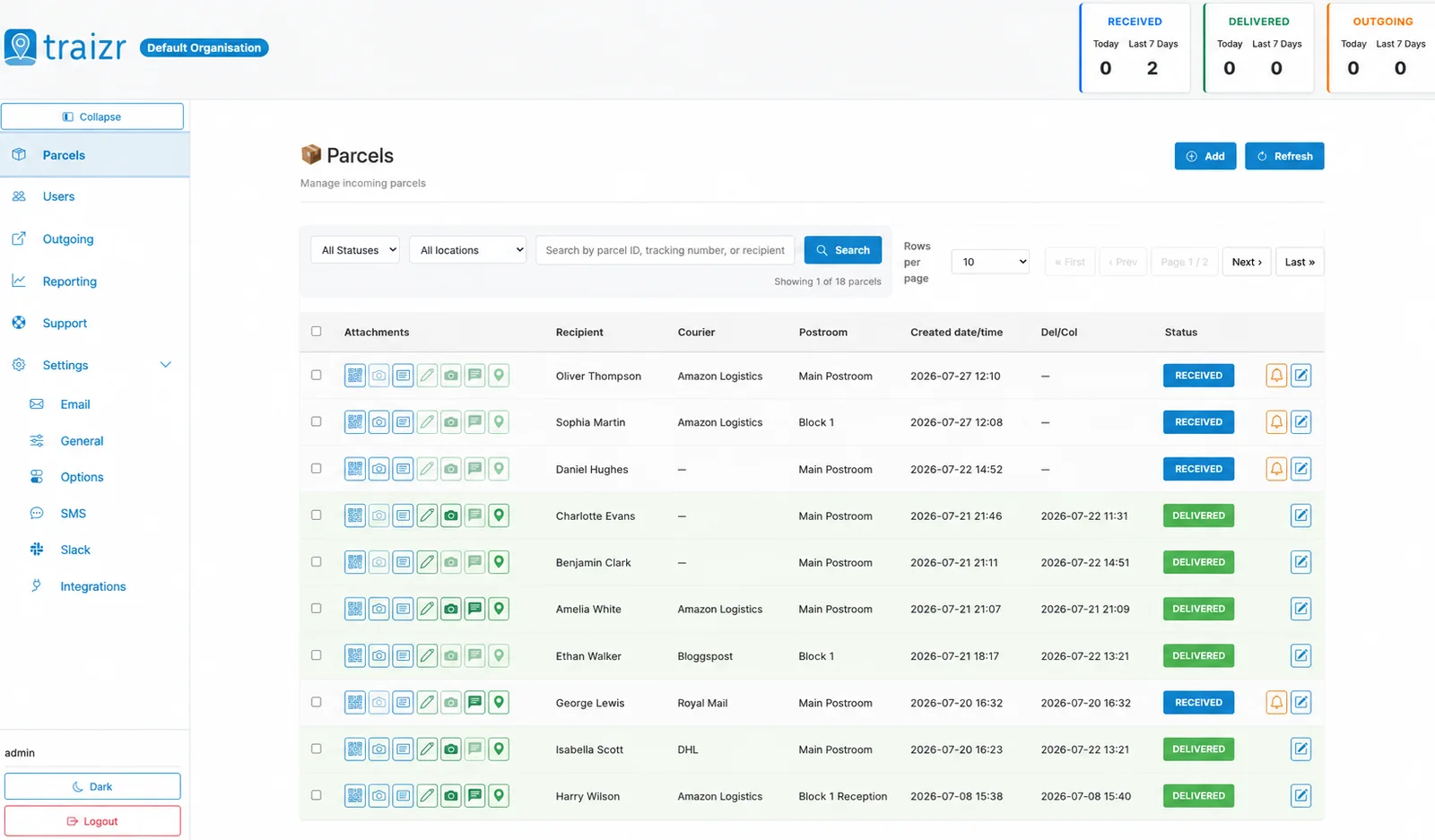
Two Traizr screens: the recipient directory the connector keeps current, and the parcels matched against it.
How the integration works
Set up once, then it runs without anyone thinking about it.
Connect it
You give Traizr read access to Salesforce. Traizr only ever reads from your system; it does not write back into it.
Map the fields
Decide which field is the recipient name, which is the email, and which carries the room, unit or department. Done once, at setup.
Set the schedule
The sync runs on a schedule so the recipient list keeps itself current. Nobody has to remember to export anything.
Parcels start matching
From then on, an item scanned at the door is matched against a live recipient list, and the notification goes to the right person at the right location.
Questions people ask
Which objects does it read?
Contacts, plus the residence information associated with them. Exactly which fields carry room, hall or department is decided by the field mapping at setup, because that varies between orgs.
Will it write back to Salesforce?
No. The connector is read-only. Traizr reads what it needs to build a recipient list and never creates or updates records in Salesforce.
Our Education Cloud org is heavily customised. Is that a problem?
It is normally fine, because the mapping is done against your org rather than a standard schema. Custom fields carrying residence data are common and expected.
Can we restrict it to a subset of Contacts?
Yes. Which Contacts become recipients is set at configuration, so you can scope it to students in residence rather than every Contact in the org.
What about staff, who may not be Contacts?
They can be maintained separately in Traizr or fed from another source such as the CSV connector, alongside the synced Contacts.
Other integrations


Want this connected to your Salesforce Education Cloud?
Tell us what you run and we will walk through the setup on your own data. About 20 minutes.